As a longtime user of Epomaker’s RT100, the RT100 keyboard is several steps forward in a direction of elevating the classic retro keyboard to new heights. With a larger screen, a thoughtfully placed volume knob, and the potential to mod the keyboard via replacing the screen with four additional keys, this mechanical keyboard is a dream prebuilt that easily beats out everyday keyboards.
Remember when I said that Epomaker’s newest keyboard, the RT98, was pushing a modular fantasy thanks to its ability in switching from a traditional right-handed keyboard to a left-handed keyboard (southpaw style)? Remember how I hoped Epomaker would push the modular fantasy further? I have good news for you, folks: Epomaker listened and has delivered with the RT100 PRO.
I have been waiting for the RT100 PRO for a long time. I’ve been waiting well over a year, in fact. The original RT100 has been one of my three daily driver keyboards since I originally reviewed the unit back in 2024. The 90s-tech aesthetic, detachable screen, and overall feeling of the keyboard was worth keeping on my desk for gaming, work, and everything in between. I’ve been wanting a suitable replacement for the OG RT100 given that I have put it through its paces for the past two years or so. I’m thrilled that I finally have the RT100 PRO in front of me. While it isn’t a perfect keyboard, it’s still one that I plan on recommending to any 90s kid who wants retro chic technology on their desks.
Check out the RT100 PRO on Epomaker’s website! (non-affiliated URL)
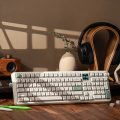
The RT100 PRO is Epomaker’s newest full-size layout keyboard. Just like some of Epomaker’s RT line of keyboards, it is designed for 90s kids in mind thanks to its beige and forest green keycaps along with a tv screen. That screen can display things like the current time or a fun gif to make the keyboard feel personalized and unique. The volume knob (that was originally taking up the space of a key) has been moved to the side of the keyboard, freeing up space for more keys. This whole package is confined to the ~$120 price point, perfect for someone wanting to enter into the mechanical keyboard space and wanting something just a bit more than a typical utilitarian mechanical keyboard.
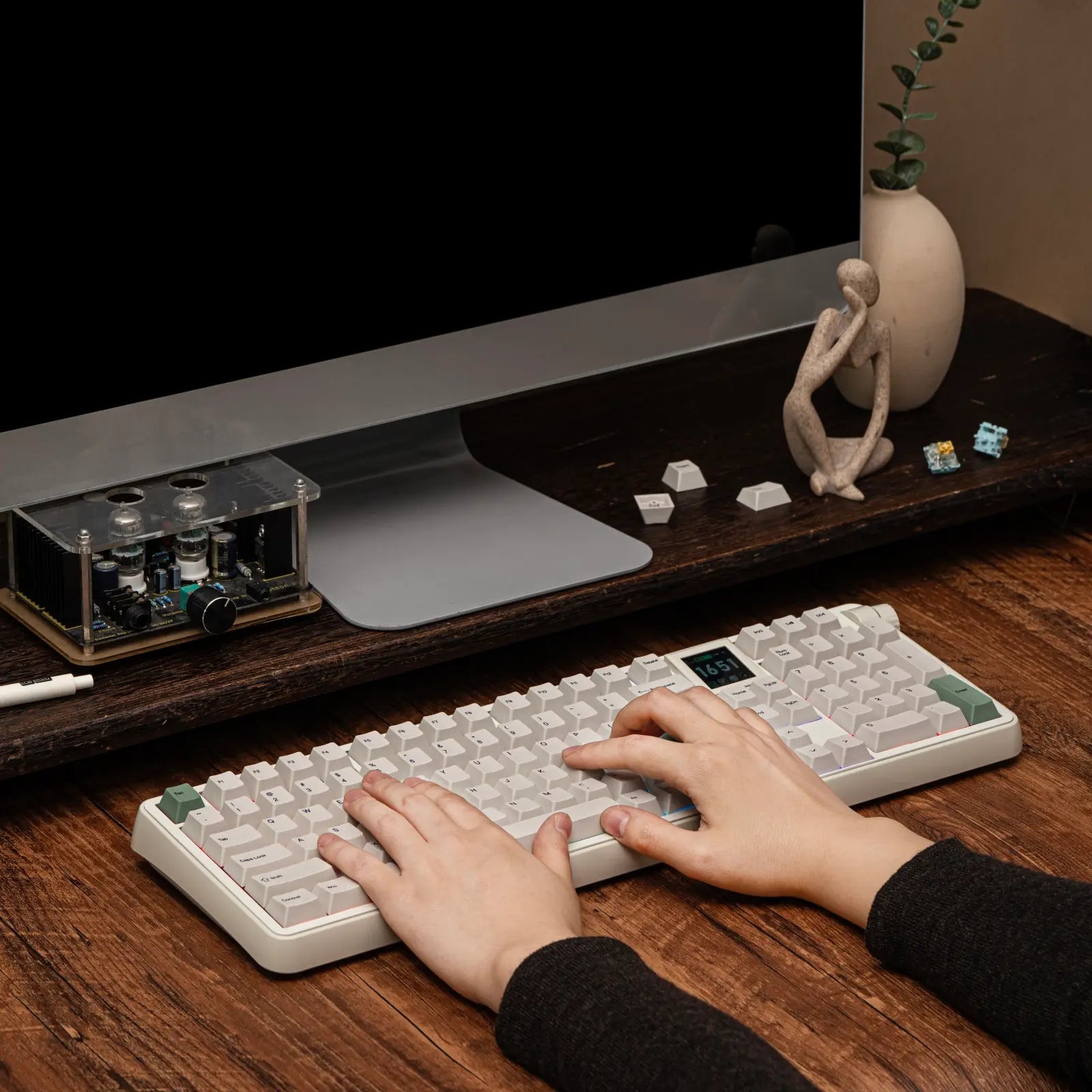 Let’s get this out of the way now: Much of the RT100 PRO’s configuration and construction are mostly (yes, mostly) similar to the recent RT98 I just reviewed. While it doesn’t have the modulation in the form of moving the keyboard around from a right-handed form to a left-handed southpaw form, it has modulation in some other ways. I won’t talk about all of the specs of this keyboard because, frankly, it has much of the same satisfying design language as the RT98. Feel free to read through that review if you want my additional thoughts on the modern RT line’s construction.
The RT100 PRO’s screen is larger than ever, and it comes with a fun additional degree of modulation. It can be removed by simply pulling it out and then replaced with four additional keys of your choosing. If you want more custom keys (configured with Epomaker’s driver), you can have that. If you want to have a fun little animation, you can choose to have that, instead. Replacing the screen with four keys is quite simple and just requires a firm pull.
This new screen is a step up from the existing magnetic TV screen that’s on most of the modern RT keyboards. Rather than the magnetic pogo connectors, the RT100 PRO gives users flexibility like never before. Additionally, this screen is much larger than the smaller screens of the other keyboards, giving users access to more detailed imagery. The best improvement in my opinion is that the screen fully displays the image. On the original RT100, the image would be compressed because of some static UI elements that could not be removed. This is no longer the case – I love how I can use every inch of the screen to show off an image of my choice.
Epomaker has done something smart with the RT100 PRO by tucking the 2.4GHz USB dongle underneath the keyboard in a little compartment. By pushing on the little PRESS icon, a small cover pops off to expose the dongle. The cover feels natural to remove and doesn’t hurt (unlike other keyboards with more narrow compartments).
There is a small part of me that is disappointed by the RT100 PRO. On one hand, it’s meeting the PRO fantasy thanks to its modularity. Screens are a hot topic in the mechanical keyboard space and some folks don’t want to give up their limited keyboard real estate with a large screen. If you’re one of those consumers who prefers more buttons, it is ever-so easy to pop out the RT100 PRO’s screen and replace it with 4 additional keys. On the other hand, however, I’m not too keen on the construction of the keyboard. It’s using the exact same plastic that can be found on any other of Epomaker’s RT keyboards. The same can be said for the switch selection and the internal gasket mounting structure.
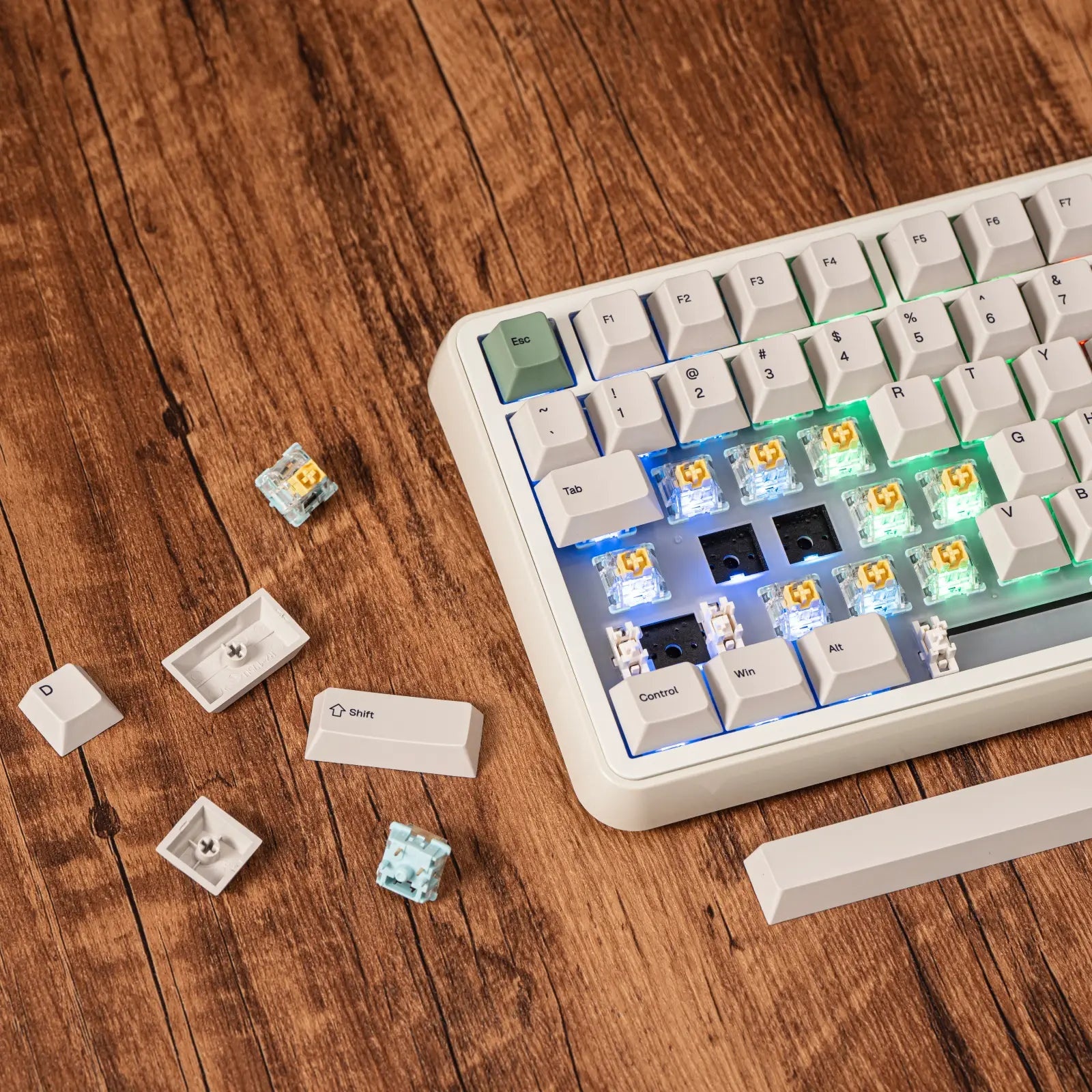 When I think of a PRO variant of a keyboard, I think of a keyboard made for pros with an appropriate price point. I think of a keyboard made of aluminum, stepping above the basic plastic tier. I think of a keyboard that is elevated beyond its peers in most, if not all, ways. The RT100 PRO was an opportunity for Epomaker to be creative in its approach to designing retro-inspired keyboards that punch above its class. It also could have been used to test out new switches beyond the Sea Salts or the Creamy Jades. Even more, no adjustable feet? Strange decisions…very, very, strange.
This is, in no way, saying that the design and switches of the RT100 PRO are subpar. Epomaker is sticking to their guns in adhering to the idea of if it ain’t broke, don’t fix it. It just doesn’t feel like Epomaker has positioned the RT100 as a true, PRO, successor to one of its most recognizable keyboards (the RT100).
I still plan on replacing my original RT100 with the RT100 PRO, however. The keyboard itself feels slightly more modern and has that new keyboard smell (figuratively, of course; the keyboard doesn’t have a scent) that makes me want to keep it on my desk for as long as possible. I appreciate the larger screen along with how it allows me to utilize the entire screen with an animation of my choosing instead of having it cut off by persistent icons that don’t really matter.
On the switches side, it should be no surprise that the RT98 comes with Epomaker’s current top-tier switches: the Creamy Jades or the Sea Salt Silents. These switches have become the default switches on most of Epomaker’s keyboards, meaning that I’ve had extensive experience testing them when reviewing Epomaker’s mechanical keyboards. The Creamy Jades are notably thocky, albeit louder than some of the deep thocks from the custom switches. In the prebuilt space, the Creamy Jades have been my firm recommendation for those looking for an Epomaker keyboard and unsure which switch to use. They sound like audible chocolate right out of the box – no relubing or customization necessary. Both of these switches are linear, but the Sea Salts have a foamy/squishy texture that isn’t the most suitable for gaming. That said, if you’re wanting to use your RT98 in a shared office space and not into intensive games, the Sea Salts should be top of mind.
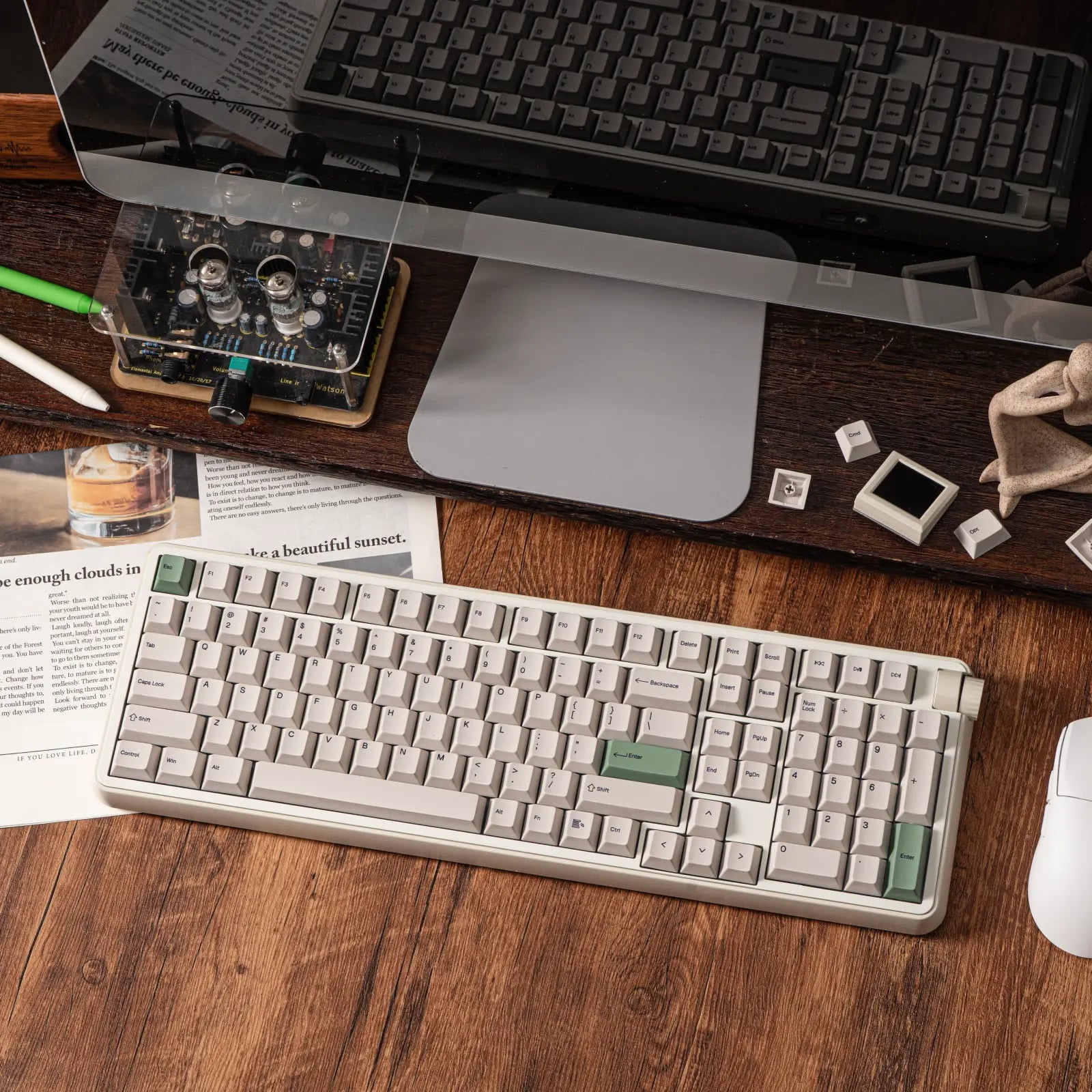 If you’re wanting to customize the RT98, though, the switches and keycaps are easily removed with the included tool. Those who want to use their RT100 PRO with silent switches that aren’t the Sea Salts should absolutely consider the KiiBOOM Mossy Silent switches, as they are slightly stronger and have a deeper travel which work better for gaming and such.
I know that this review is slightly shorter than other keyboard reviews, but let’s face it: The RT100 PRO is quite similar to the RT98 barring the features I described. Epomaker has innovated in most of the right ways with this keyboard, making it a worthy competitor to the RT98. If you’re wanting a larger screen, a volume knob, and your keyboard available immediately, the RT100 PRO is definitely something you should consider. If you want to try out the southpaw layout and don’t mind waiting for your new keyboard, then consider the RT98 while it’s available via Kickstarter. Either way, you cannot go wrong with any of the new Epomaker RT keyboards. They’re a novel prebuilt design that’s worthy of your consideration.
As a longtime user of Epomaker’s RT100, the RT100 keyboard is several steps forward in a direction of elevating the classic retro keyboard to new heights. With a larger screen, a thoughtfully placed volume knob, and the potential to mod the keyboard via replacing the screen with four additional keys, this mechanical keyboard is a dream prebuilt that easily beats out everyday keyboards.