The Epomaker RT98 is a novel keyboard. It successfully maintains the vintage retro aesthetic of Epomaker’s RT line of keyboards while innovating thanks to its modularity. For a full-size keyboard, it’s one of the coolest keyboards in Epomaker’s library. It’s an easy recommendation for a tinkerer like me who wants to customize their keyboard layout to their liking.
When Epomaker refreshed its RT line of retro keyboards with 2025’s RT82, I was eager for them to revisit their larger RT-numbered keyboard to keep up with the times. As an owner and near-daily user of an RT100 (the OG keyboard-with-detachable-screen from Epomaker), where was the new model? Would the pogo-connector screen emerge once again in another keyboard?
Survey says…yes! I just had to wait a few months. Their newest RT keyboard, the RT98, is a keyboard out of my wildest dreams.
Let’s take a step back for a moment and talk about the Epomaker brand. We here at DigitalChumps have tested a wide range of Epomaker’s prebuilt keyboards, from their super small HE68 to their massive DynaTab75. We’re pleased by the quality of Epomaker’s prebuilt keyboards, as they hold up pretty well in gaming environments (especially when playing games with rapid typing) in a relatively affordable package. Epomaker pushes the envelope in keyboard layouts, as well.
Click here to check out the Epomaker RT98 on Epomaker’s website! (non-affiliated URL)
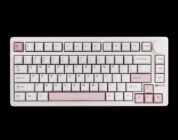
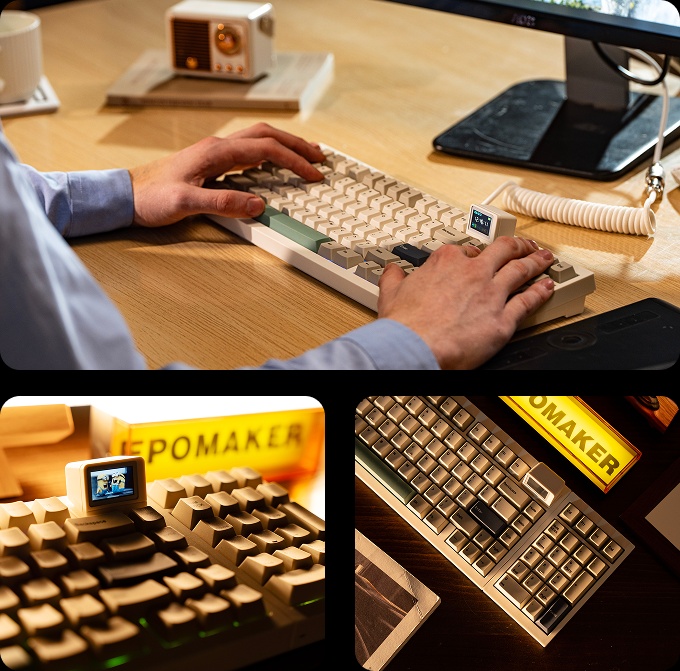
The RT98 (which is now available on Kickstarter) is Epomaker’s newest model in their retro-themed lineup of keyboards. It has the full retro-tech vibe of classic keyboard legends and a vintage beige color scheme. It has the detachable TV-screen that can be customized with a fun gif or made utilitarian with a display of your keyboard’s battery life. Basically, it’s a larger version of 2025’s RT82…but with one amazing difference.
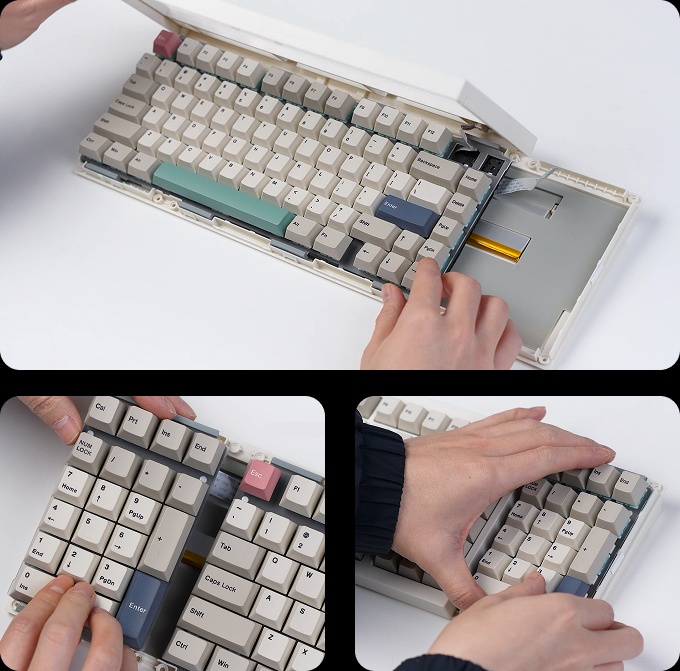
The RT98’s standout feature is its modularity. Epomaker has made it possible to reconfigure the keyboard in two ways: If you’re a right-handed person, you can keep the keyboard as is. If you’re a left handed person, you can detach the number pad and position it on the left-hand side of the keyboard in Southpaw style!
 In theory (and based on Epomaker’s videos), repositioning the RT98 should all of maybe 90 seconds. My first attempt at deconstructing it and moving around the parts took around 5 minutes, partially because the top case was initially unwilling to detach. I first had to take off the bottom screws with the included screwdriver, then pull off the main top case and the numberpad top case. Then, I had to carefully detach the ribbon from the numberpad and slide the main unit to the intended position. After reattaching the ribbon to the numberpad along with screwing back the top case, I was good to go. The second time I disassembled and reassembled the RT98, however, it was slightly easier.
The RT98’s modularity and assembly process ends up being simpler than attempting to put a keyboard together from scratch (like a Meletrix keyboard), but more complicated than Wooting’s approach to modularity. Because of the case’s initial placement and unwillingness to budge, I was fearful that I would break the case apart. A metal casing (like a lightweight aluminum) would have eased my concerns as plastic tends to get brittle with time.
Epomaker’s decision to tread into the keyboard modularity territory should be praised, though. Very few prebuilt keyboards are modular, and even fewer are user-friendly. The RT98 is consumer friendly in the sense that it allows a left-handed user to reconfigure the keyboard into a Southpaw format without investing several hundred dollars. If you’re thinking of switching to Southpaw as a right-handed, the RT98 is a great starter keyboard because of its $100 pricetag. If the Southpaw doesn’t pan out the way you want, just take the five minutes and put the keyboard back to its original position.
I’m hoping that Epomaker sticks with the modularity, even if it means that they assign it to “Pro” level keyboards or another lineup altogether. Having some accessories beyond the numberpad (like a macropad + knobs or something else) would be a nice alternative, too. Heck, being able to replace the detachable screen with additional keys or a volume wheel module could be a way of pushing that modular fantasy that the RT98 effectively meets.
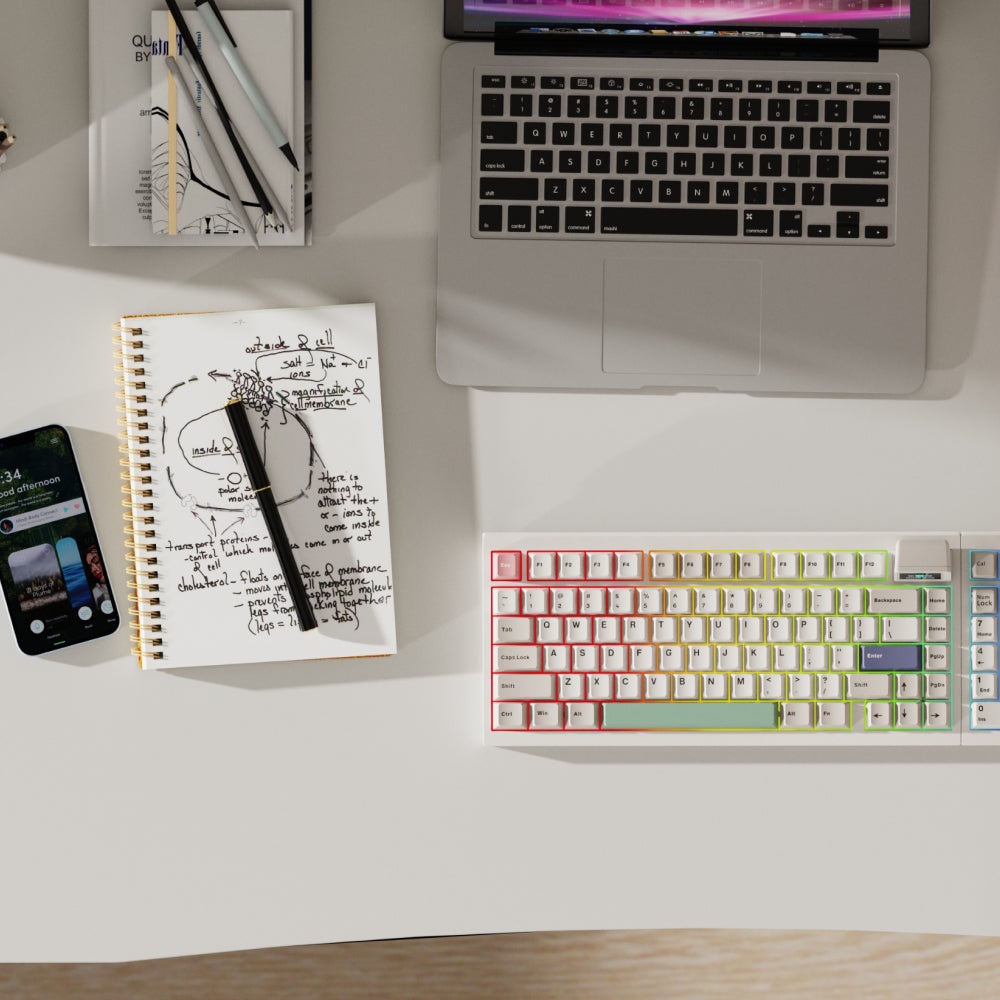
If we’re getting semantic, the RT98 is an 1800-layout (96%) keyboard, not an official “full-sized” keyboard that has the editing keys placed between the numberpad and the alphanumeric keys. If you’re moving down from a true full-sized keyboard, the arrow keys’ position may feel cramped. If you’re moving up (or already using an 1800-layout keyboard), though, the layout will feel quite natural. I appreciate how the RT98 contains all the buttons I need without feeling overly cramped – it’s tough using 75% keyboards (and smaller) because they lack the keys that I use for work and the macros I have assigned to the extra keys.
 As for the rest of the keyboard, well…it’s more-or-less the same as last year’s RT82. It isn’t a bad thing, mind you; Epomaker needn’t fix something that ain’t broken.
Like the RT82, the keyboard feels ever-so-smooth and sturdy thanks to its premium gasket mount and adjustable kickstands. When pushing the keyboard up one notch (from 5 to 7.5 degrees), it feels perfectly ergonomic and aligns well with my wristpad. The PC plate within the keyboard amplifies the acoustics a bit all the while producing deeper thocks. Some of this can be attributed to the switches, which I’ll cover shortly, while some of it can be attributed to the sound-absorbing foams that come in just about all of Epomaker’s keyboards. Epomaker knows how to pack their keyboards full of just the right amount of foams, that’s for sure.
Beyond what I have already mentioned, the RT98 comes with the standard features that are most prebuilt keyboards these days, such as tri-connectivity, a decent-sized (8000mah!) battery, and acceptable polling rates in most modes. There’s the standard wired mode (which I generally prefer), wireless Bluetooth (with a smaller polling rate), and a 2.4G mode that requires a dongle that’s conveniently tucked away at the back of the keyboard. If you’re aiming to use this wirelessly, it comes with a 4000mAh battery which generally lasts a few days before needing to be charged again. Seeing as this keyboard has a screen, you should stick to using it in Wired mode so you don’t have to worry about battery life.
 On the switches side, it should be no surprise that the RT98 comes with Epomaker’s current top-tier switches: the Creamy Jades or the Sea Salt Silents. These switches have become the default switches on most of Epomaker’s keyboards, meaning that I’ve had extensive experience testing them when reviewing Epomaker’s mechanical keyboards. The Creamy Jades are notably thocky, albeit louder than some of the deep thocks from the custom switches. In the prebuilt space, the Creamy Jades have been my firm recommendation for those looking for an Epomaker keyboard and unsure which switch to use. They sound like audible chocolate right out of the box – no relubing or customization necessary. Both of these switches are linear, but the Sea Salts have a foamy/squishy texture that isn’t the most suitable for gaming. That said, if you’re wanting to use your RT98 in a shared office space and not into intensive games, the Sea Salts should be top of mind.
If you’re wanting to customize the RT98, though, the switches and keycaps are easily removed with the included tool.
The Epomaker RT98 is a novel keyboard. It successfully maintains the vintage retro aesthetic of Epomaker’s RT line of keyboards while innovating thanks to its modularity. For a full-size keyboard, it’s one of the coolest keyboards in Epomaker’s library. It’s an easy recommendation for a tinkerer like me who wants to customize their keyboard layout to their liking.