From its oversized knob to its aesthetic, the QK81 is an excellent sub-$100 keyboard for a gamer or office worker on a budget. It has all the essentials without any of the drawbacks of the sub-$100 keyboard category, and it feel great to use for most games! Epomaker has done it again with creating an affordable keyboard for a first-time mechanical keyboard owner!
Epomaker’s QK81 mechanical keyboard isn’t explicitly a cutesy or kawaii keyboard. Nowhere on its store page does it attempt to lean into a softer feminine vibe, but with the White Pink variant on my desk I cannot help but feel like this is a great step in a direction free of hypermasculinity and/or darker tones. It’s a nice change of pace, really – far too often do I see prebuilts that seem to cater to masculine users. What if I don’t want a keyboard that is all black with cyberpunk vibes? What if I want a keyboard that matches my inner beauty?
I digress. The Epomaker QK81 is one of several “budget” mechanical keyboards perfect for those wanting an affordable mechanical keyboard without breaking the bank. Epomaker, a mechanical keyboard manufacturer I’ve grown to love, has made meaningful steps in creating more affordable products that should appeal to gamers on a budget. Even better, these products are positioned toward budget-minded consumers who have not yet acquired their first mechanical keyboards. This sounds like a great combination and smart decision from Epomaker’s end. With that said, let’s take a look at one of their new budget-keeb offerings!
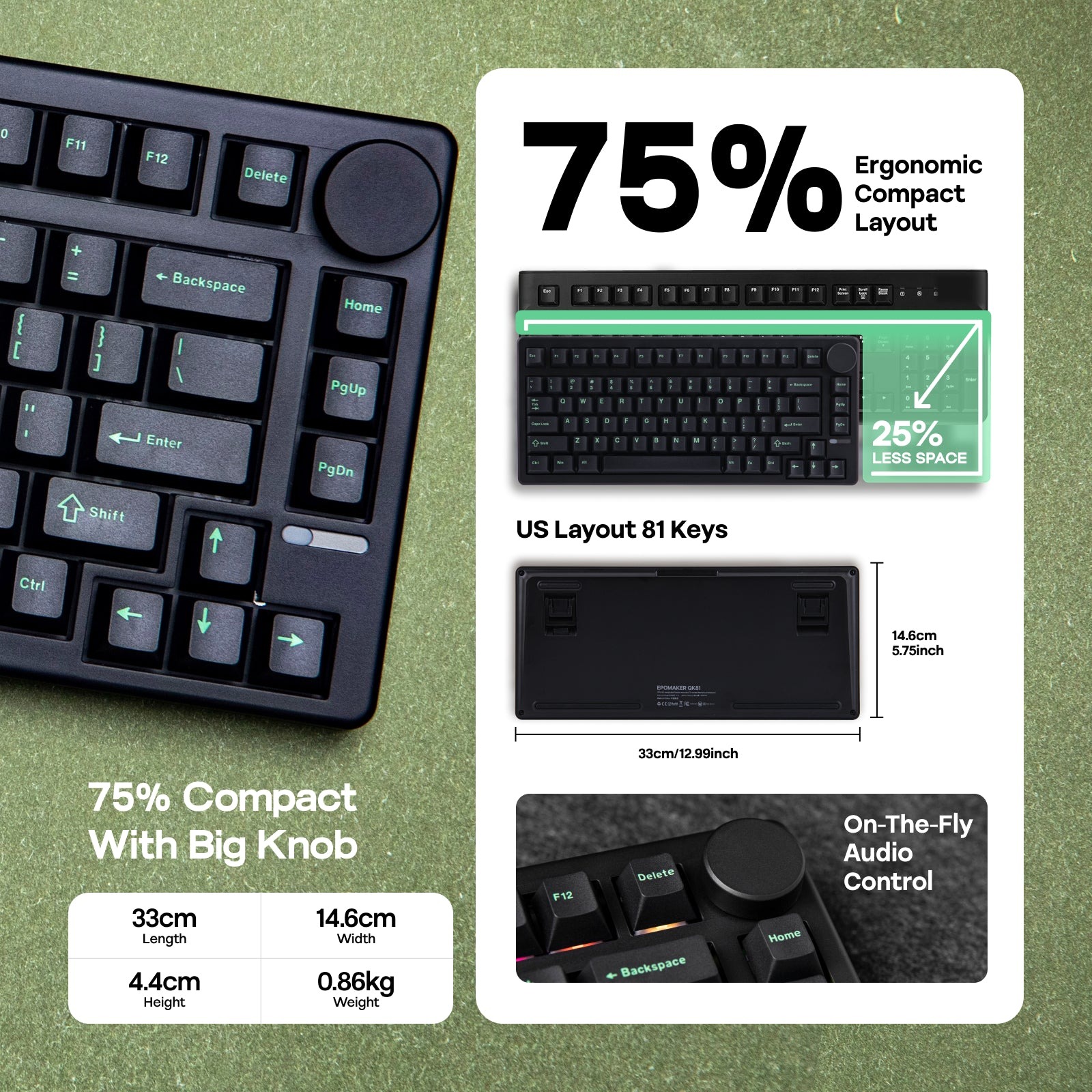 The Epomaker QK81 is a 75% compact keyboard (with 81-keys, don’t worry) featuring gasket mounting, several layers of sound dampening materials, and smooth switches that would be perfect for PC players, and maybe some office workers, too. It also features VIA-support (great for customizing the keyboard without needing to download an alternative driver), tri-mode connectivity (wired, 2.4GHz, and Bluetooth), and excellent battery life rated for around 260 hours of continuous use without it needing to be plugged in! For $79.99, it’s a fantastic option for someone on their market for their first mechanical keyboard and unable to pay $100 or more just to get access to this hobby (and category of better-than-stock keyboards).
Check out the Epomaker QK81 by clicking here! (non-affiliated URL)
I know at the top of this review, I mentioned the QK81 excelling in exuding femininity, but it doesn’t just come in a White Pink color. It also comes in a Black Green variant — great for someone who wants an edgier aesthetic. Regardless of color, you get the option of selecting between two switches: Epomaker’s Wisteria Linears and Epomaker’s Flamingo Switches. Thankfully, there are no other major differences between the models, so you have the freedom to pick your model based on your preferred color scheme.
The pink variant is feminine and well-designed, featuring light pink accented keycaps and dark pink legends across the board. The decision to use dark pink legends is especially smart because they’re readable on the white and pink keycaps; when I’ve reviewed keycaps with lighter-color legends, I’ve struggled with identifying the legends because the font colors were too light.
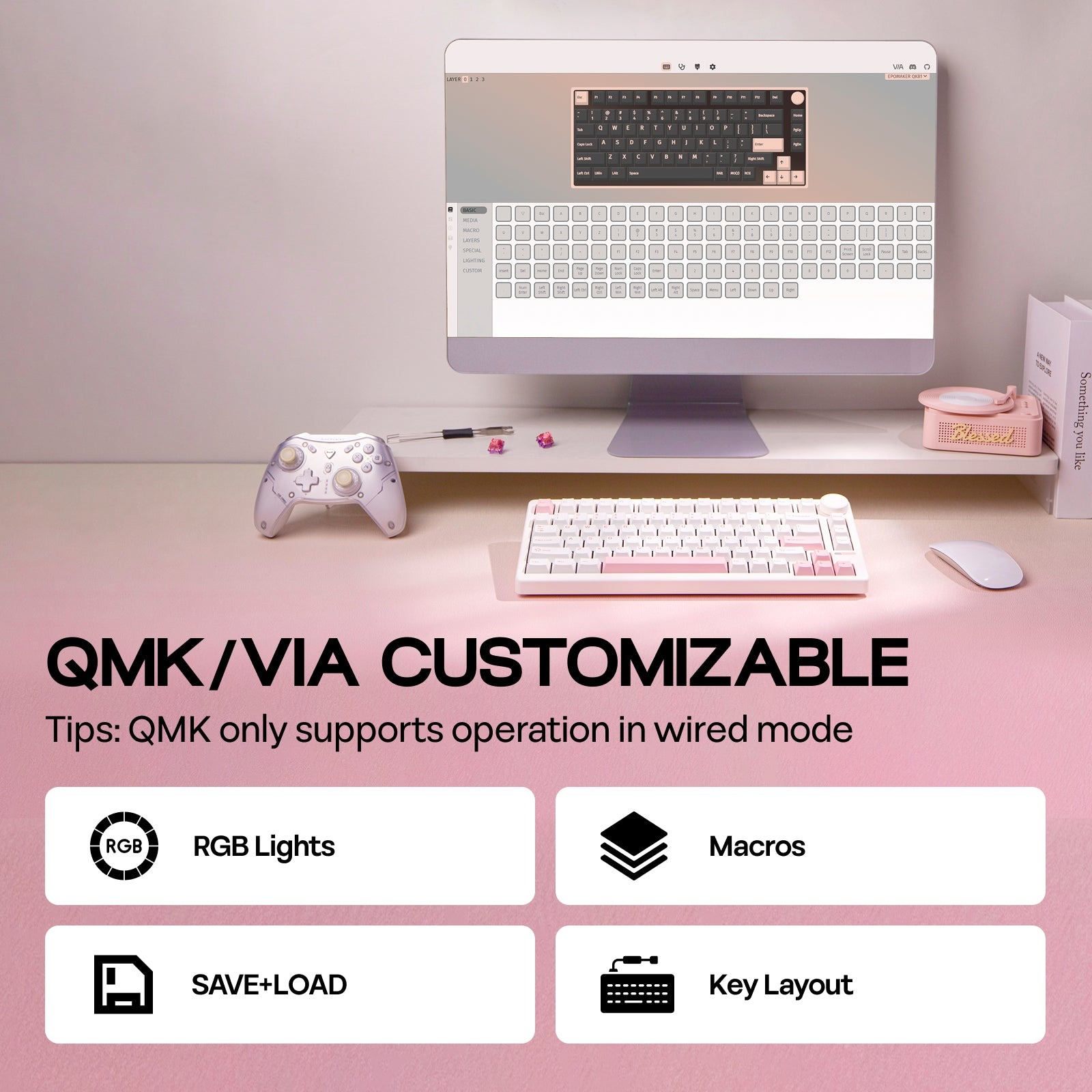 The QK81 is also unique in that it features an oversized metal knob in the right-hand corner. Knobs are great for controlling your PC’s volume and/or brightness (if the keyboard supports it). Here, the oversized knob is positioned in a natural space alongside some of the function keys (meaning: delete, home, pgup, and pgdn). The oval-shaped LED on the right-hand side is also a unique design choice. This little light-strip could be controlled via FN+Pg buttons with a limited selection of effects. I appreciate these little design decisions on keyboards as they add a touch of creativity to an otherwise utilitarian device.
This keyboard is a very lightweight keyboard, and this can be attributed to the device’s plastic case. While I might not prefer plastic enclosures on my keyboards, I appreciate the composition of this plastic casing as it feels more durable than other plastic keyboards I’ve used. It felt moderately durable in-hand and had very little give when I attempted to twist it or press firmly down in the center of the device. It felt sturdier than the already sturdy G84 (another “budget” keyboard from Epomaker that I reviewed last month).
 I’ve used “budget” in quotes in this review several times because the term can often be a scarlet letter in tech circles. Budget devices tend to make egregious shortcuts as a way of bringing down costs for consumers, be it using less-premium materials, subpar switches, or even lacking some features altogether when compared to more-expensive counterparts. The QK81, despite it being a sub-$100 mechanical keyboard, feels like it lacks these traditional cost-cutting measures. It features the essentials that many $100+ keyboards have, uses stronger-than-expected plastic, and can be used for gaming thanks to its N-Key rollover and 3ms latency in wired mode (of 5mz in 2.4GHz). Sure, you can opt for a keyboard with a 1ms latency, but those keyboards will be double the price!
Let’s move onto the switches. The QK81 comes pre-installed with one of two types of mechanical switches from Epomaker: Flamingo or Wisteria linears. I have used these two switches in the past and have enjoyed both for gaming and work. The Wisteria Linears are an all-around good switch (multipurpose?), offering an exceptionally smooth feeling and a good middle-ground actuation for primarily medium-intensity games like MMOs and MOBAs. The Flamingo switches, on the other hand, sound quite a bit louder than the Wisterias but still feature unparalleled smoothness for gaming and work.
My model featured the Flamingoes. Just like my prior experience testing them out, these switches were loud and clacky. I know that Epomaker claims that the QK81 has been constructed with a “thocky” profile in mind, but the Flamingoes don’t hit that deep thock that some folks prefer. Instead, this is a deep clack that’s still satisfying but not best-suited for a shared office space given the volume of the clack.
 If volume isn’t a concern, then the Flamingoes are my recommendation for this keyboard only because the sound dampening materials in this keyboard make them sound deeper than usual. Otherwise, the Wisterias should be the de facto switch for the QK81 especially if you’re sharing an office with others.
Regardless of switch, the QK81 is a fine keyboard for most games. The sole exception would be high-intensity games like FPS titles. If you’re attempting to play VALORANT or Counter-Strike, you may need a keyboard with switches that are slightly more sensitive. The 45-47gf of actuation force of the two switches may be too strong for you. You can totally swap out the switches if needed, but I doubt the average consumer considering the QK81 would feel compelled to do so due to the price and knowledge associated with switch selection.
It’s a great keyboard, though, and that’s what matters.
From its oversized knob to its aesthetic, the QK81 is an excellent sub-$100 keyboard for a gamer or office worker on a budget. It has all the essentials without any of the drawbacks of the sub-$100 keyboard category, and it feel great to use for most games! Epomaker has done it again with creating an affordable keyboard for a first-time mechanical keyboard owner!