Gaming mice are everywhere. Most of what you will find is led by design, where you might get a gazillion buttons mixed with a supposed ‘ergonomic’ design that is supported by overly complicated software. In my opinion, the more artsy the mouse with too many unnecessary features and complicated software, the more try-hard the company is at pushing the word gaming in their product.
When searching for the right gaming mouse, users should consider several key attributes: weight, DPI, and comfort. Weight, so that players can have sturdy and steady aiming capabilities in high-intensity games. DPI, so that gamers can quickly move with said weight around a level quickly and efficiently. And lastly, comfort, because if you don’t have comfort, then players won’t be using a mouse for long periods of time. Adding a good software package and customization to the package will easily put such a device in the ‘gaming mouse’ category. Art need not apply to this blueprint.
The Carbon X from Epomaker checks all these boxes and more.
While it can be argued that the Carbon X does contain a unique style in its outward shell, it does so with player comfort in mind. Added to that comfort, the mouse comes in light as a feather, which means fatigue truly doesn’t set in with long periods of use, while also sporting a grounded design that keeps the user from moving the mouse around too fast. The mouse also features a complementary DPI that goes above and beyond what it needs to deliver, as it can go from 0 to 100 in a matter of microseconds. All of this, combined with a spectacularly easy software package, means that the Carbon X is a mouse that should be taken seriously amongst the hardcore PC gamers of the world.
Let’s dig into this simple, stylish, and complicated marvel.
Design
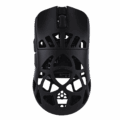
Right out of the box, the Carbon X looks like an unfinished mouse. The outside of the mouse has an exposed design, as if someone with a 3D printer accidentally punched out the wrong holes. Don’t let that design fool you, though, as the lack of an actual typical mouse casing means that a user can quickly and quietly move the mouse around with ease. Is the outward case unusual? Very, as I assumed that this mouse would have at least a diffused window covering up the holes, and maybe sporting an underneath LED that would complete its artistic bravado. But none of this is present, and it works better because of it.
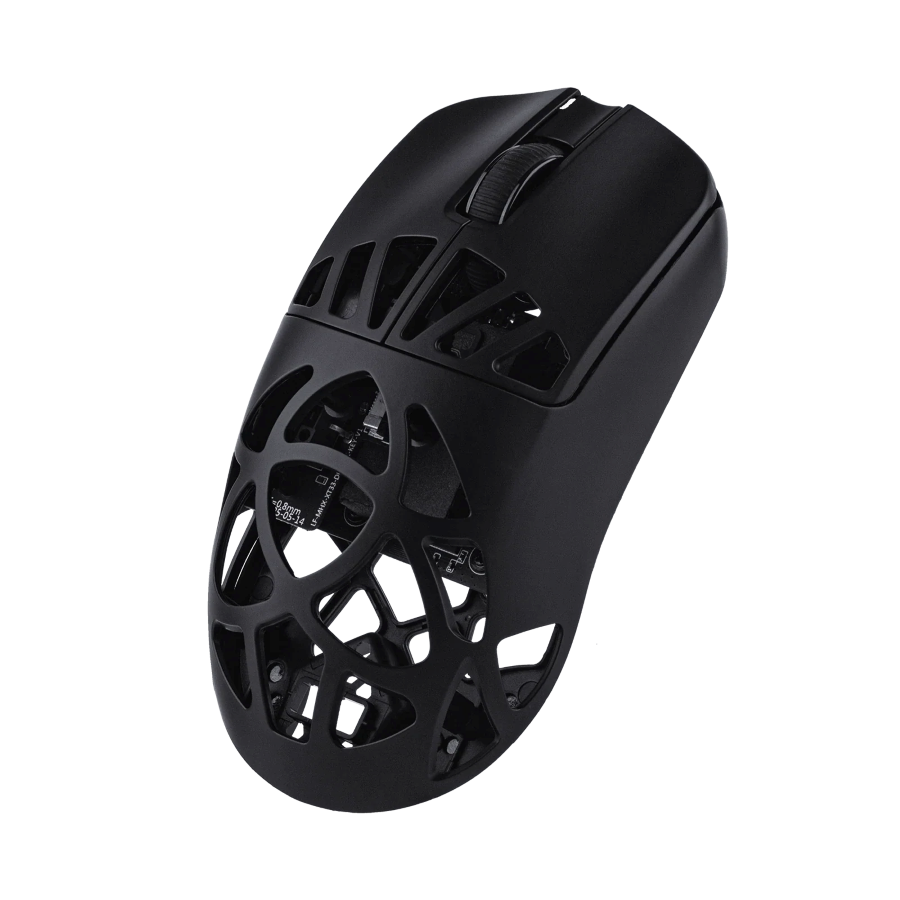
Once a user takes hold of this mouse, the design intentions become very clear. Moving the mouse around while the design whispers to one’s hand where the user should be applying pressure to the beast is a godsend when it comes to using it in all manners. The solid parts of the Carbon X are the places where your hand and fingers should rest, while the other parts require no pressure to enjoy. Added to this sly schematic, the mouse allows for your palm to breathe as you use the Carbon X for long periods of time. For example, I used this mouse to edit a video last week, which took me around two hours. By the time I wrapped, my palm was dry as an eastern Kentucky county, which has led me to believe this design was intentional rather than artistic. No palm fatigue or sweat with long periods of use means that this mouse wants the user to keep going and to continue its hardware journey across multiple purposes.
While the mouse may feel a bit cheap and unfinished with its design, every part of its blueprint seems to be on purpose. The oddity feels good and makes the experience an important part, rather than its design.
Functionality
That encouraged comfort and design journey of this mouse is backed up by several different factors, which begin with an amazing battery life. To put this in perspective, I charged this mouse two weeks ago. I charged it once, two weeks ago. Right now, the mouse is still holding that same charge. Users can write that up as the 300mAh battery that it sports doing its job, but it goes much deeper than just that. The mouse was designed to go into a sleep mode when it isn’t being used, which means that if a user is typing out a document, then it will conserve its own battery life.
A mouse going to sleep isn’t new to the PC world, although I have never noticed mice do this in the past, but whatever the case might be, the firmware inside this mouse that determines when it isn’t being used works overly well. It helps conserve battery life judiciously while also ensuring that the moment the user touches the Carbon X again that it’s back to business without delay. Simple and brilliant, the battery and its on/off innocuous sleep feature are done well with this mouse. They work in tandem with each other and are designed to function without a hitch.
Other functionalities for the Carbon X include a high DPI option that is broken down into seven distinct increments. The lowest is 400, which is a slow and steady wins-the-race type of movement, while the highest is 30000. The latter I can’t fathom ever using, but it’s available for users who want to drive themselves nuts in Valorant. To be honest, when I tried 30000 DPI, it moved so fast that I couldn’t locate the mouse’s arrow on the screen. Whoever delves into that DPI number has the best reaction and eyes in the world. Congrats to them.
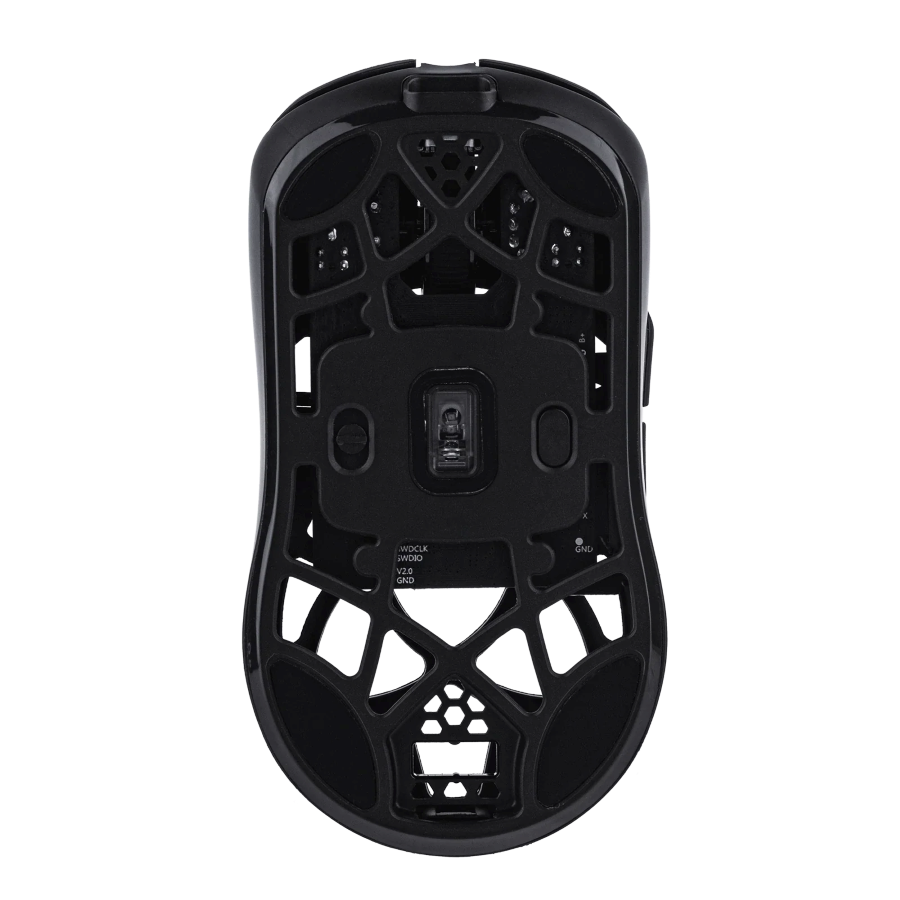
That DPI can’t be achieved without the inclusion of a top-of-the-line sensor, which is led by the PAW3950. That sensor works well and can move/shake on pretty much any surface it touches. The consistency of that sensor across surfaces is impressive, as it can detect and transmit movements without a hitch in its giddy-up. To help prop that sensor up even further, the Carbon X features a Nordic MCU, which ensures accurate wireless communication and process handling. Both components deliver one of the better mouse experiences I have had with a gaming device. They are accurate and reliable. Having a bevy of connectivity (tri-connect) also helps.
To wrap up this review, let’s talk software.
The software for the Carbon X is an online, browser-based hub. While I have been crowing for Epomaker to put their software on their product pages, I think they must have heard my griping, as the hub can be found with the product. With the Carbon X, you can just go to its page, access the hub directly, and begin to adjust your mouse almost seamlessly. The hub features the ability to create profiles, macros, adjust DPI, and even adjust sensor settings. You can also assign buttons through this online software, as it has a list of presets that users can choose from. Much like the mouse design, the software is easy to use, reliable, and doesn’t require downloading. I can finally accept that it might be a better way to go with software, as it didn’t take much to access the hub and start adjusting the Carbon X. I’m old and a stickler for installing software, and I’m set in my ways, so this is a big step for me. Regardless of my own habits, the hub works and works well with the Carbon X. It has everything any type of mouse user would want, all in one place, all easy to understand and use.
Anyway, let’s wrap up this review.
Conclusion
The Carbon X from Epomaker is a brilliant, reliable, and easy-to-use gaming mouse that is built for a good time. There’s not much to dislike about the design, functionality, or software. It’s a wonderful entry into the gaming hardware world.
For more information about the Carbon X mouse from Epomaker, users can check it out here.