Here I am again with another Lemokey mechanical keyboard review. Just like before, its parent company (Keychron) is not disappointing with spectacular build quality, competitive price, straightforward web-based launcher, and an overall smooth typing experience. This time, I’m here to share my thoughts on the new Lemokey L1 HE, the HE standing for Hall Effect.
I frequently recommend Keychron and Lemokey keyboards to players who are in the business of expanding their collections, specifically those who are down to try a Hall Effect keyboard. Lemokey is Keychron’s gaming brand, offering keyboards specifically designed for players to enjoy and utilize under their high-intensity use cases. VALORANT and Counter-Strike require lots of twitchy key presses, and these keyboards rarely disappoint. Beyond that, these keyboards also include lightning-fast high polling rates, durability, and comfortability – all things that players need to win.
Check out the Lemokey L1 HE by clicking here! (non-affiliated URL)
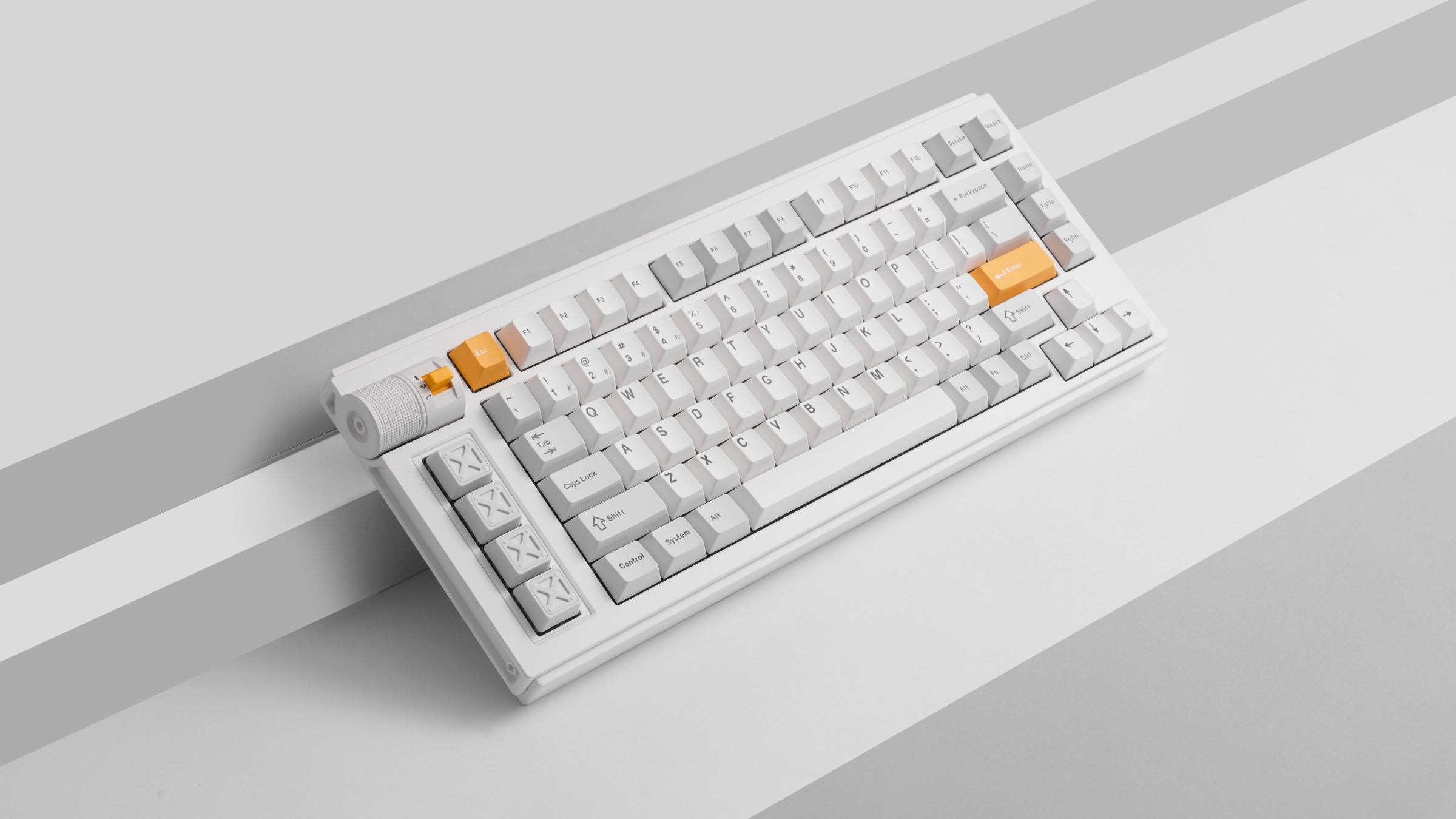
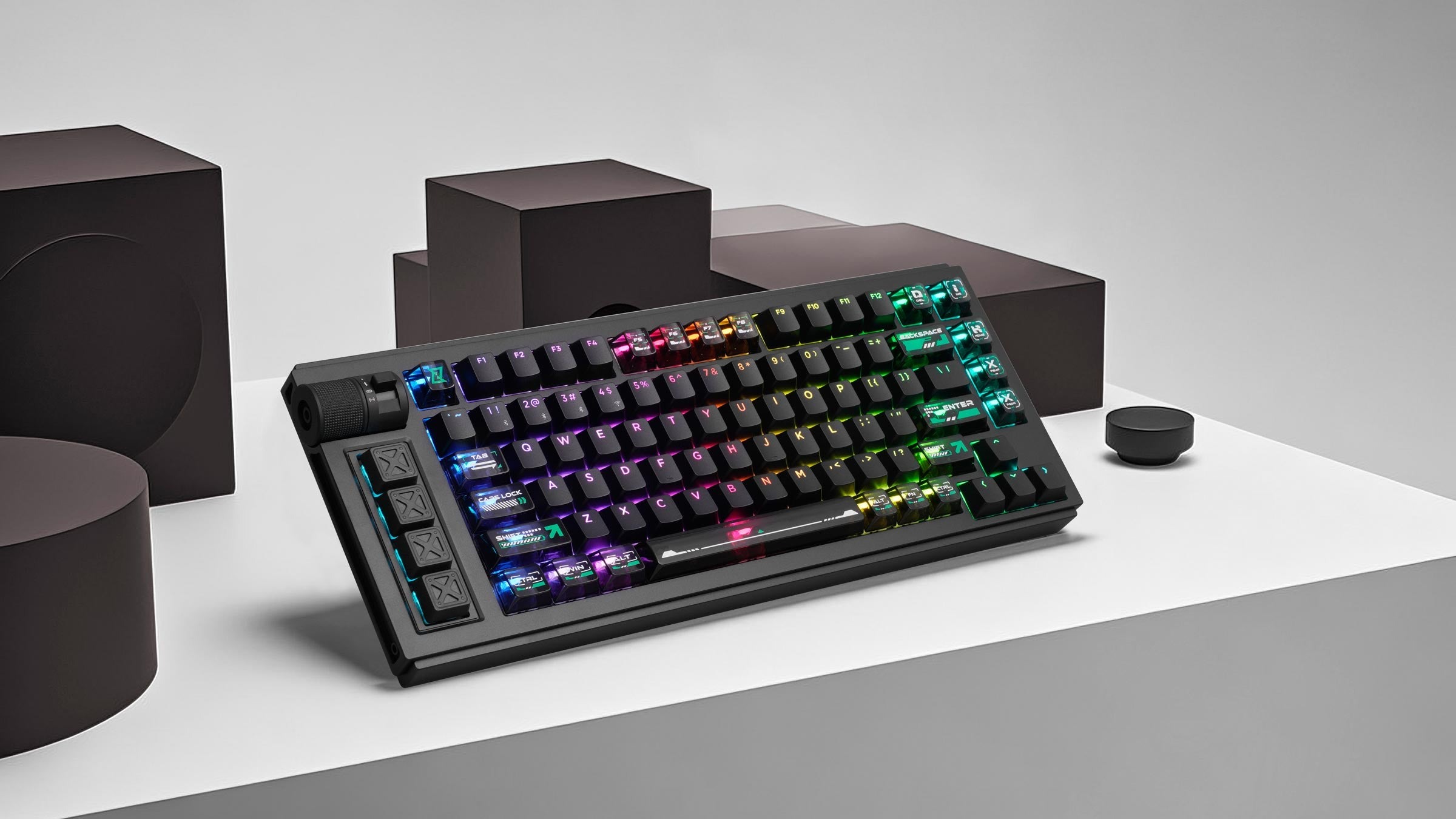
The L1 HE is a 75% hall effect keyboard. Like some of its counterparts, the L1 HE is made entirely of sleek aluminum that’s smooth yet cool to the touch. Beneath the aluminum casing is an aluminum plate, a gasket mounting structure, and acoustic foams that make the keyboard sound just as premium as it looks.
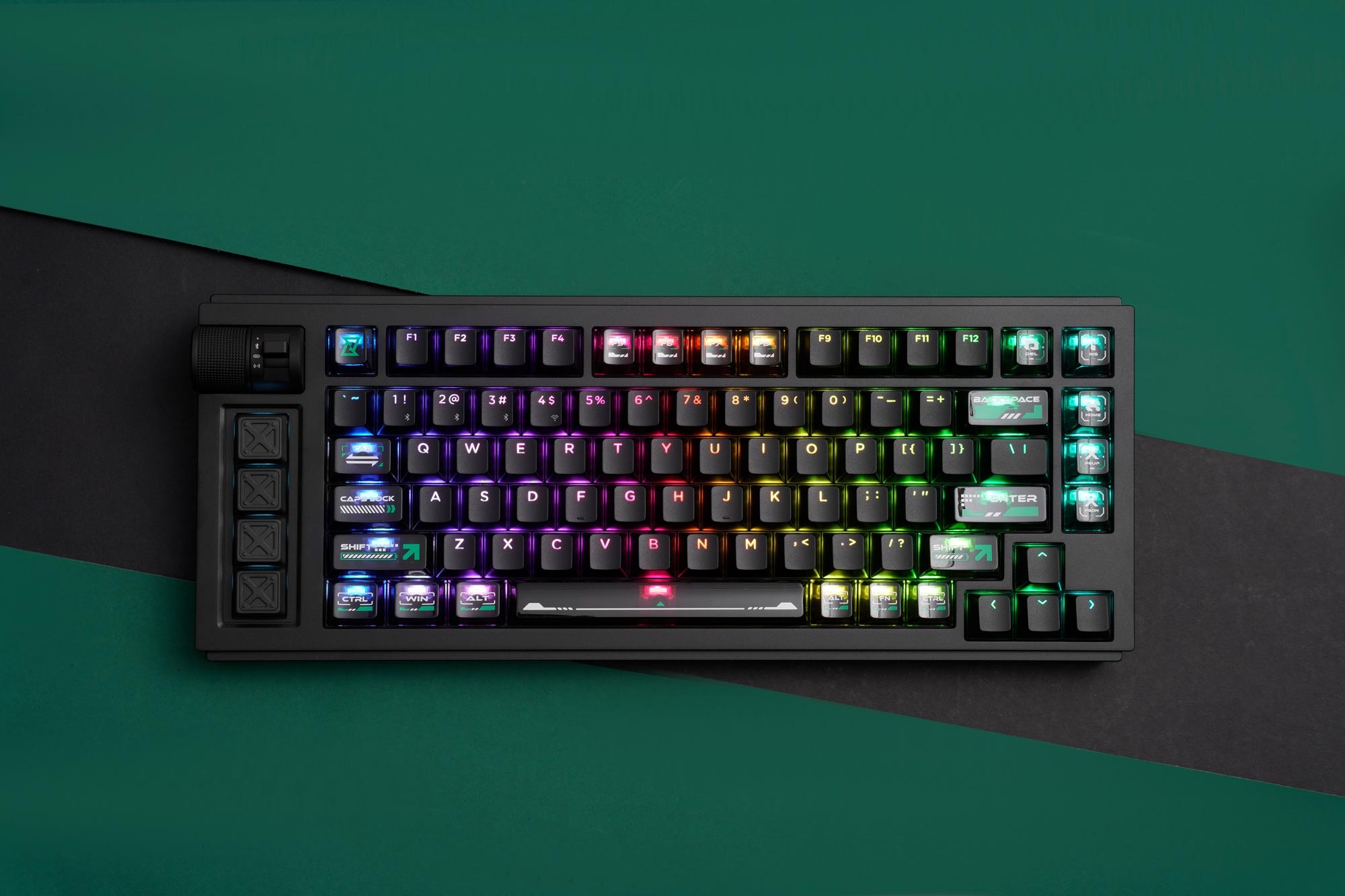 The most unique aspect of this keyboard is its overall design. On the left-hand side is a volume knob (which is notably different from most keyboard knobs I’ve tested) along with four additional keys that can be easily customized with Lemokey’s launcher. This left-handed alignment took a smidge of getting used to (as I’m right-handed), but things improved after a while. I love it when keyboard manufacturers take bold steps in designing their keebs; for the L1 HE, this left-handed set of novelties makes the keyboard look like a keyboard out of a Starfield spaceship.
With regard to its knob, I appreciated its texture along with its smoothness, but I would have preferred the knob to feel more impactful/snappy when I turned it. As it stands, it lightly clicks when my finger rotates the knob. Having that stronger knob click can make adjusting volume more meaningful. If it’s too smooth, it can lead to accidental adjustments.
The aluminum body and casing are hefty, so be warned once you take it out of the box. It weighs around 4lbs and didn’t budge once I placed it on my desk. I tried multiple times to press firmly down on the keyboard to test the keyboard’s durability under pressure, and it did not move once. It will feel like a solid hunk of metal but will perform like no keyboard you’ve tried before now.
I was sent the Silver model to review. Unlike tis black and white counterparts, this version looks like an old-school SNES keyboard with the purple, grey, and white accents. It’s perfect for someone like me who loves the glory days of purple and grey hardware.
One final note about the aluminum construction: The sound absorbing materials give the L1 HE a muted acoustic profile. In my prior experience testing aluminum keyboards, metal results in a loud and/or clacky profile. Not here – whatever Lemokey packed this keyboard with makes this keyboard sound soft yet deep when typing. It’s pleasing on the ears and satisfying when typing at higher speeds. Keyboard manufacturers should take note of how Lemokey constructs their aluminum keebs and make them sound so divine.
 Hall Effect keyboards represent a distinct and advanced iteration within the custom keyboard market. Unlike traditional mechanical keyboards that rely on mechanical switches (such as linear or tactile variants), Hall Effect keyboards utilize a unique magnetic switch. This technology offers a level of premium feel and durability comparable to its application in high-end controllers, such as the DualSense Edge.
From a durability standpoint, Hall Effect switches boast an exceptionally long lifespan, often rated for well over 100 million keypresses per switch. They also offer a high degree of customization, particularly concerning the actuation point—the distance a key must be pressed to register an input. This point can be precisely configured across the switch’s travel distance, typically ranging from 0.1mm up to the switch’s maximum travel distance of 4.0mm.
My recent experience includes reviewing numerous Hall Effect keyboards, reflecting a broader trend where many manufacturers, including Keychron/Lemokey, are integrating this technology into their product lines. The increased market adoption is making this once-cost-prohibitive technology significantly more accessible to consumers. This growing affordability is a positive development for users interested in transitioning from a traditional mechanical keyboard to a Hall Effect model. However, it is important to acknowledge that the capabilities of Hall Effect technology have, to some extent, been overstated by certain media outlets and users, and this perspective should be tempered with a realistic assessment of its functional advantages.
 I’ve said this in some of my earlier HE keyboard reviews, and I’ll say it again: Having a HE keyboard does not make you a pro gamer. It doesn’t make you any better at VALORANT just because you’ve switched from mechanical switches to magnetic. Sure, you might be able to do more with your keyboard, and some things might be easier to do, but you still need to have skills and put in the work to improve at your favorite competitive game. In my months of testing magnetic switches across several a many keyboards, I didn’t suddenly become better when I made the switch. I just played slightly differently.
The best parts of having magnetic switches involve the customizable actuation points and the durability. Having a switch rated for 100 million keypresses gives me some piece of mind as I play games like Counter-Strike 2, VALORANT, and Apex Legends in that the switches will hold up for quite a long time as I mash keys on the keyboard.
Speaking of its switches, the L1 HE comes with the same dual-rail magnetic switches that Keychron puts in most of its HE keyboards – the Gateron Double-Rail Magnetic Switch (Nebula variants). From prior experience, these are exceptionally solid HE switches that perform quite well in practice. They have an actuation force of 40g and require the perfect amount of pressure to activate. I personally prefer stronger switches even when playing the twitchier games, and these feel great. I’ve tested and love the stronger variants (Auroras), but the Nebulas work just fine in the L1 HE.
My biggest critique of the L1 HE is its switch compatibility – it suffers from the same restricted selection of compatible switches just like some of the other HE switches from Keychron. The L1 HE is only compatible with the Gateron Double Rail switches sold by Keychron/Lemokey, so if you’re wanting to switch to something from GEON or a similar HE Gateron switch (like the Jades!!), you’re out of luck. I sincerely hope that the next generation of HE keyboards from Keychron/Lemokey offer better compatibility with switches, as there are so many good magnetic switches to choose from these days.
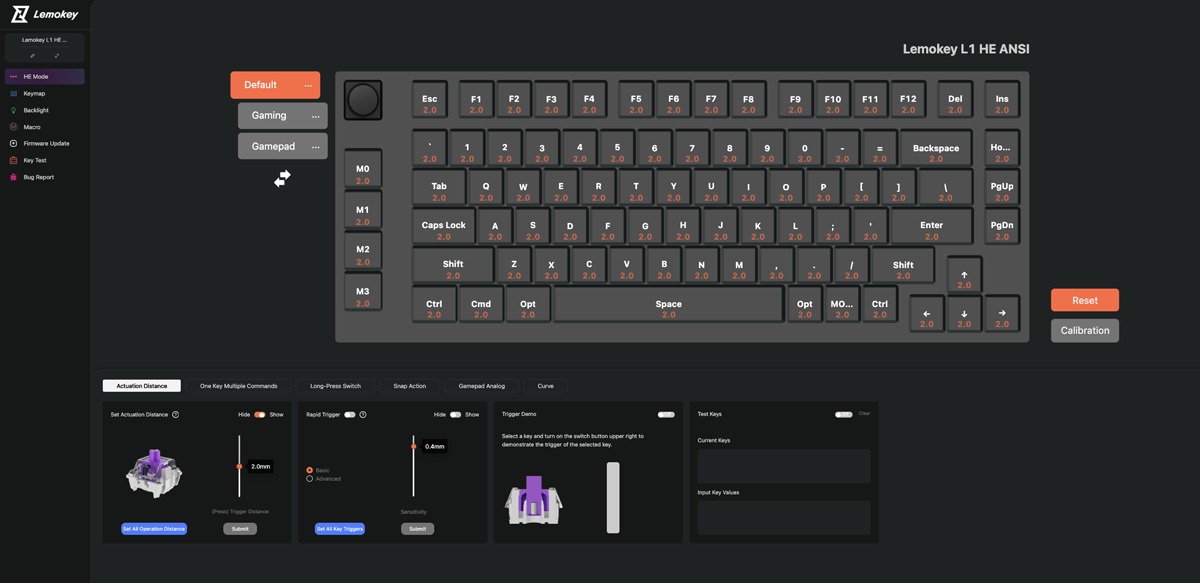 Before wrapping this review, I want to praise Lemokey for opting to use the web-based Lemokey launcher. It’s very straightforward, easy to use, and explains the Hall Effect functions (Snap Action, Long-Press Switch, Analog Mode) in plain language. It took a matter of seconds to customize my L1 HE to suit my needs. I had to get the most use out of the four additional keys on the left-hand side of the keyboard, you know!
The Lemokey L1 HE is a stellar Hall Effect keyboard that’s worth every penny. Its premium construction and novel design set it apart from its competitors, and it’s an absolute joy to type on when playing games and doing work. When you’re ready to level up your workstation, the L1 HE should be top of your list!