I loved reviewing the Epomaker TH108 mechanical keyboard for several reasons. It feels great to use, its switches are some of the best Epomaker has to offer, and it’s available for under $100. It’s an unbeatable deal of a keyboard that everyone should own. This is the best full-sized prebuilt keyboard I’ve reviewed this year by a long shot. If you’re in the market for your first-ever mechanical keyboard, the Epomaker TH108 should be at the top of your list!
A short while ago, I reviewed Epomaker’s TH99. It enthralled me with its creaminess. Its Creamy Jade switches more than lived up to their names as I tip-tapped away doing work and playing video games. It was a great keyboard with one fatal flaw: I wanted it just a smidge bigger, in a full-sized keyboard format. I also wanted another keyboard to use with those Creamy Jade switches…
…and now I have it. It’s as though Epomaker heard my prayers for a larger keyboard with Creamy Jade switches and added a full-sized (yes, all 108 keys!) entry to their TH lineup of keebs. Over the past few weeks, I’ve used this keyboard as a daily driver and I’ve come to the conclusion that this full-sized keyboard is the keyboard that you should have if you have yet to try a mechanical keyboard. For under $100, it’s a well-built keyboard that is sure to make your hands, eyes, and ears happy with its acoustics and build quality.
Check out the Epomaker TH108 on Epomaker’s website by clicking here! (non-affiliated URL)
If you haven’t already checked out my TH99 review, I’ll cover some familiar concepts in this review. The TH108 is virtually the same keyboard as the TH99, barring a few differences. Regardless, it’s a prebuilt mechanical keyboard engineered with creamy acoustics in mind with a plush feel thanks to its switches and gasket mount. It has 108 keys, perfect for someone who wants a full-size desktop keyboard that doesn’t compromise on real estate.
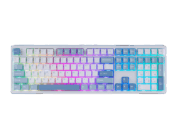
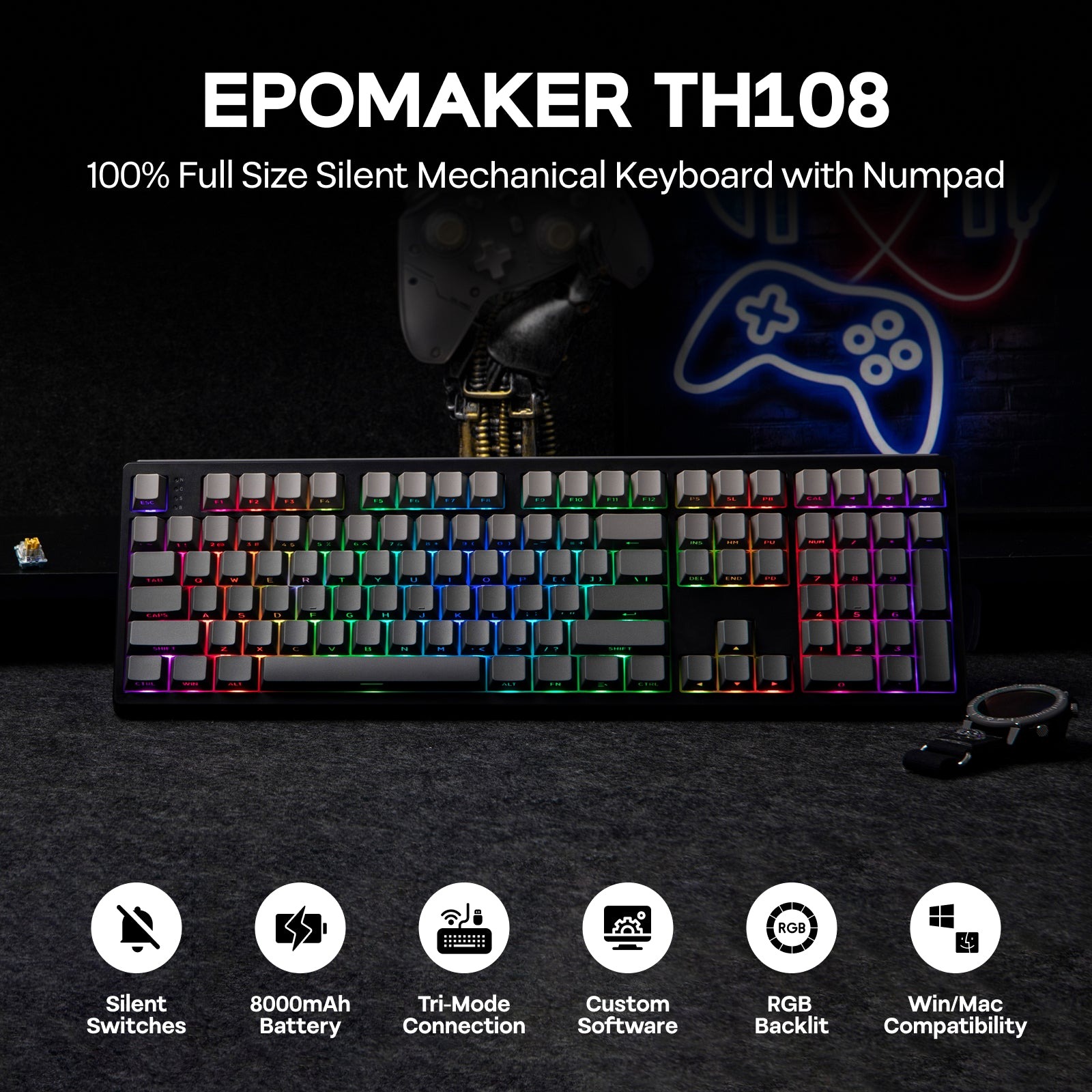 Like the TH99, the TH108 comes in two colors: Blue White and Black. I was sent the Blue White model to review. When I took it out of the box and tried it out, I was pleasantly surprised to see that it has side-LEDs, a feature that was not present on the TH99. I wasn’t able to customize the side LEDs (light strips) beyond a few settings using the on-board functions, but I loved the splash of color brought forth by these lights.
Because the keyboard is a full-sized keyboard, it has the typical spaces between the alphanumeric keys, function keys, and the number pad on the right hand side. Above the numberpad is a calculator button and some volume controls. Coming from using keyboards with knobs, it was jarring for me to acclimate to using the keyboard buttons for volume control, but that’s me nitpicking. This keyboard has every key you might need for your typical workday or gaming session with a handful to spare. If you want to reprogram the keys, you can do that, too!
I’m not the biggest fan of plastic keyboards, but that’s a matter of personal taste. The TH108 feels lightweight in-hand thanks to the lightweight plastic of its case. The blue white model has utilizes periwinkle blue as its accent color, but in dim lighting the keys (periwinkle legends on white keycaps) are slightly difficult to read.
 Despite its plastic construction, the TH108 has very little “give” when in use. I could give it a light twist between my two hands, but not to the point where I can meaningfully twist it. Pushing firmly down on the keyboard yields very little give, pointing to a decent internal stability. I know the keyboard has a gasket mount (which I tend to prefer over the other standard mounts like top mounting), so that’s probably part of the benefit.
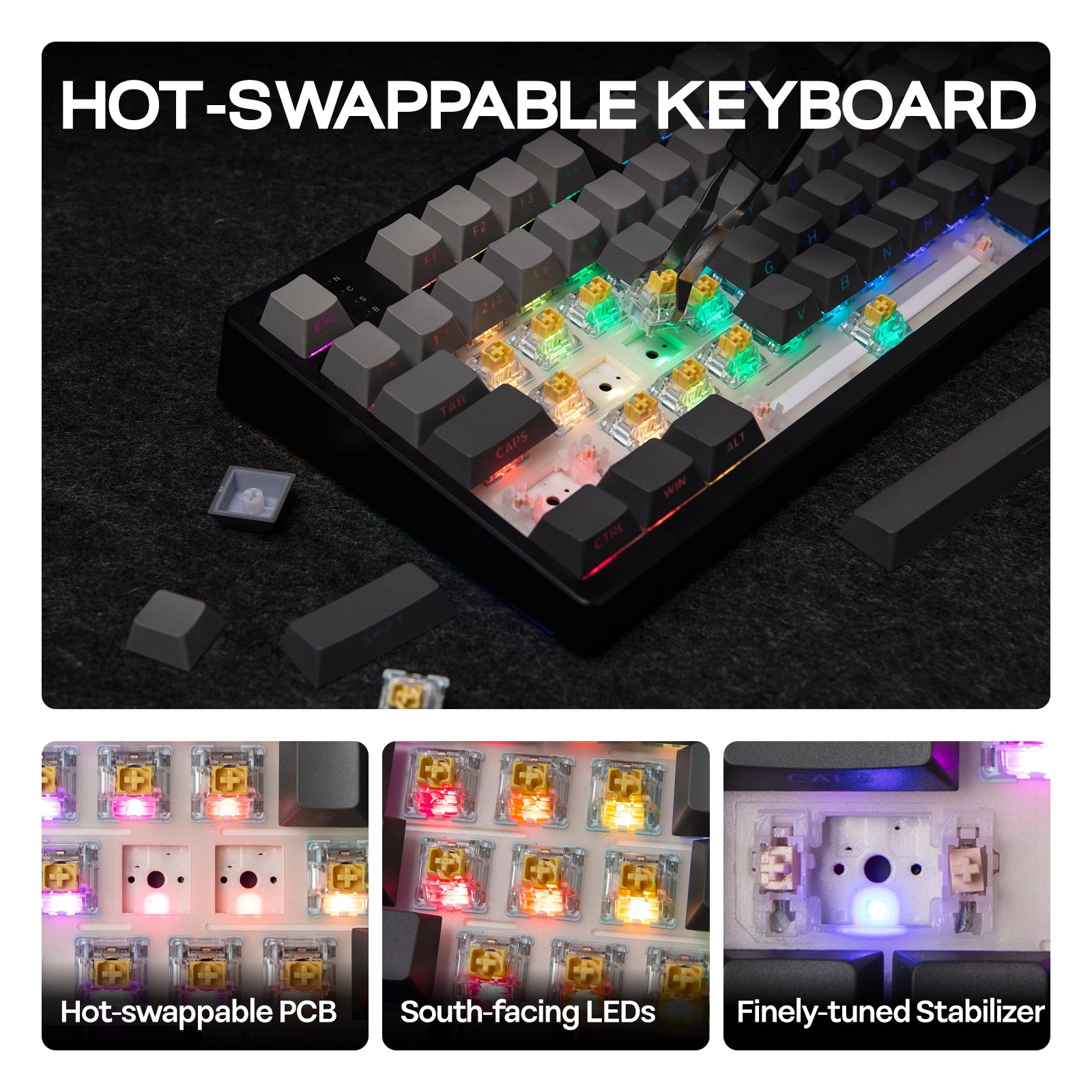
The TH108’s grease-resistant PBT keycaps feel sturdy. They’re hot-swappable, too, meaning that I could easily remove them and swap them out with a new set of switches lickity split. After using these keycaps, part of me wants to try swapping out the white keycaps with something else just for the sake of improving readability.
I like how the keyboard feels in hand. For the sub-$100 price, it’s more than appropriate in terms of build quality and stability. My only other nitpick about the keyboard’s quality is its stabilizers – the stabs under the spacebar feel slightly weaker than stabs under the backspace/enter keys, but it’s not enough to warrant larger issues. Most folks wouldn’t notice the lightness of the spacebar’s support.
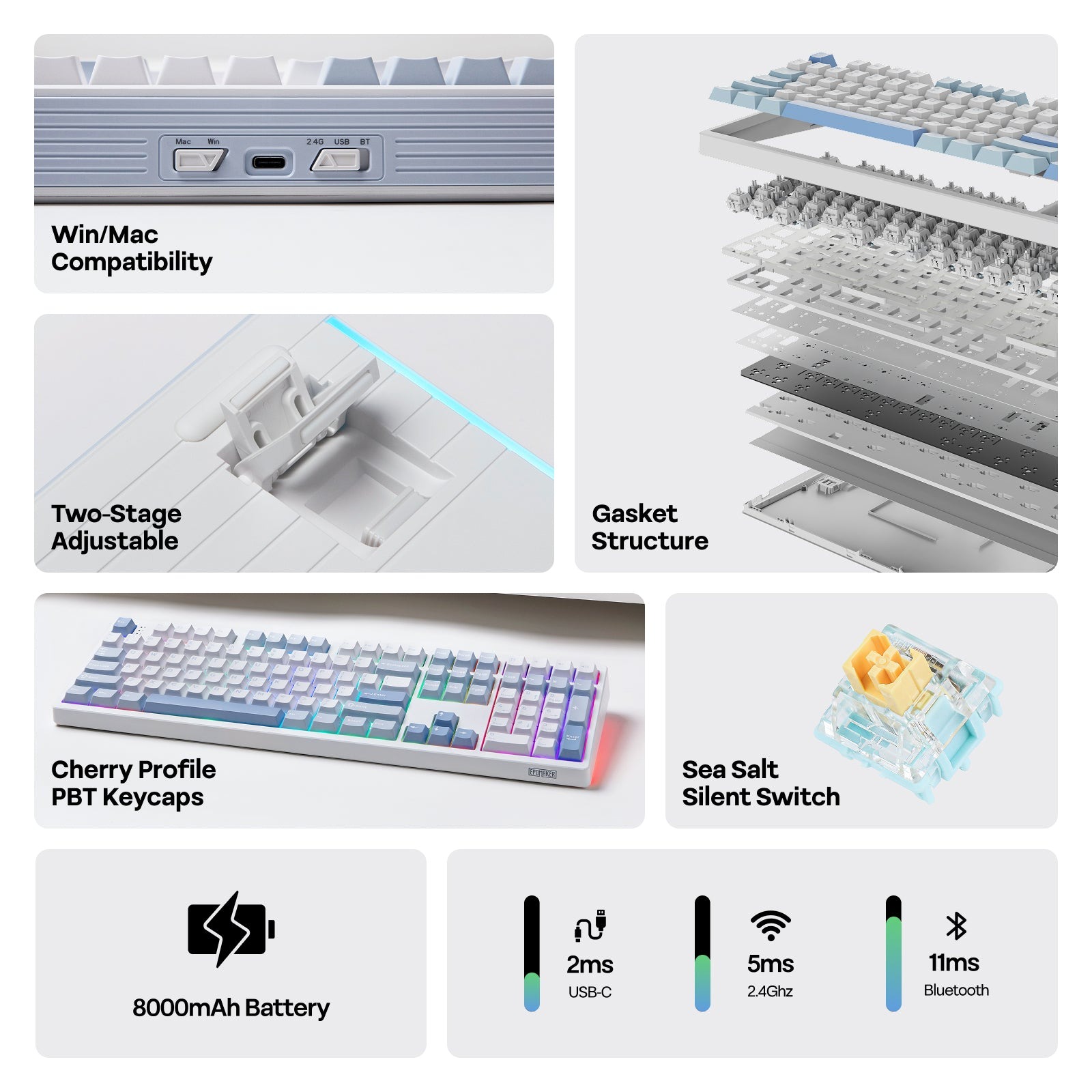 Internally, Epomaker has added multiple layers of foam ranging from a poron sandwich pad, IXPE switch pad, PET sound-enhancement pads (I have no idea what sound-enhancement pads are), along with poron and silicone pads at the bottom of the case. Technical and marketing talk aside, the keyboard is clearly built with a deep and creamy audio profile in mind.
All right, let’s talk about the switches. Like its TH99 and TH85 siblings, the TH108 uses the EPOMAKER Creamy Jade Switch. These switches are linear, boasting a mid-level operating force of 45gf~ and around 2.0mm of pre-travel. In theory, these should be excellent all-around switches for typing and gaming thanks to the midlevel sensitivity and pre-travel. These switches are also made up of softer materials: PC 2405, PA66, and POK. From prior experience, the softer the switch housing paired with a harder stem, the creamier and deeper the thock.
The Creamy Jades are best described as audible chocolate and sound delicious. I know the name “creamy” is in the switches’ name, but I was not prepared for how deep and satisfying the switches sounded when typing. For reference, these sound deeper than the Akko Pro Yellow V2 and KiiBOOM’s Matcha Lattes (any version). Thanks to the sound dampening materials within the TH108, the keyboard produces a relatively mid-level thock that isn’t too loud.
 I also want to commend Epomaker on the Creamy Jades’ stability. Some of Epomaker’s earlier switches have had varying degrees of wobble, which has admittedly led to a less-than-stable typing experience. The Creamy Jades have virtually no stem wobble at all – the switches are as stable as they come.
I recently learned that the Creamy Jades are now available separately, so you don’t have to purchase a TH108 (or any other TH keyboard) to try out some of Epomaker’s best switches. They’re now at the top of my must-have list of favorite switches for their acoustics alone. If they had a slightly stronger spring inside (think 47gf-50gf), I’d feel more comfortable using them with a set of Cerakey keycaps just to emphasize the thocks. But alas, still an amazing set of switches that sound utterly divine.
In practice, I had no issue doing work and playing most games using the TH108. Epomaker claims that the TH108 is a gaming keyboard, which seems mostly accurate. I have become of the mindset that more sensitive switches are best-suited for higher-intensity games (like VALORANT, Destiny 2, Counter-Strike 2, or even Starfield); the TH108 worked fine, but I wouldn’t think that competitive players would get the most use out of the TH108 and its mid-level switches. That said, if you play a wide variety of games, you’ll definitely get your money’s worth out of the TH108.
Epomaker has made a slightly different decision with its driver this time around. In the event you’re dissatisfied with VIA and/or the on-device keyboard controls for color, you can install the Epomaker Upgear driver. This driver is far different than their prior drivers and less intuitive to use. I wish that they had stuck to their standard Epomaker 3.0 driver (which controls the HE68/HE75 keyboards) for consistency’s sake, as the Upgear driver is a step back in UI and controlling the keyboard. That said, you don’t have to use the Upgear driver at all should you choose to get the TH108. It functions just fine on its own without needing to install anything on your device.
I loved reviewing the Epomaker TH108 mechanical keyboard for several reasons. It feels great to use, its switches are some of the best Epomaker has to offer, and it’s available for under $100. It’s an unbeatable deal of a keyboard that everyone should own. This is the best full-sized prebuilt keyboard I’ve reviewed this year by a long shot. If you’re in the market for your first-ever mechanical keyboard, the Epomaker TH108 should be at the top of your list!