The Epomaker Galaxy100 fits the bill of a keyboard that does everything quite well, feels natural to use, and divine when used. It’s one of the easiest recommendations I can make for a high quality keyboard for office work and gaming work because of its durability, spaciousness, and price. It’s a great keyboard to use as a “first” mechanical keyboard, too, as it’s what many consumers should experience when figuring out their mechanical keyboard preferences.
Far too much of the prebuilt mechanical keyboard market is comprised of 75% or smaller layouts. I get it, though – larger (read: 98% or more) layout keyboards are more expensive to manufacture. They’re bulky. They take up too much space on one’s desk. Number pads and function rows can be niche use cases, sure. Sometimes you need a full-sized keyboard to mirror the standard full-size membrane keyboards that came with our desktops.
If you’re wanting to shift to the mechanical keyboard space and must have a full-sized keyboard, look no further than the Epomaker Galaxy100. For around $100, it’s a fantastic example of a high-quality mechanical keyboard that punches well above its weight compared to its competitors.
Check out the Epomaker Galaxy100 on Epomaker’s website! (non-affiliated URL)
I’ve become increasingly impressed with Epomaker’s selection of prebuilt keyboards over the past year or so. I’ve reviewed many keyboards from this manufacturer and have been thrilled to see them expand their offerings, be it across layouts or designs. This year alone, Epomaker has been one of the first keyboard manufacturers to bring TMR (inductive) technology to the mechanical keyboard space among several other feats. Personally, I’ve used a modified RT100 as one of my daily drivers. I can speak to Epomaker’s recent keyboards’ durability and longevity, making them an easy recommendation when I am asked about what keyboard to consider.
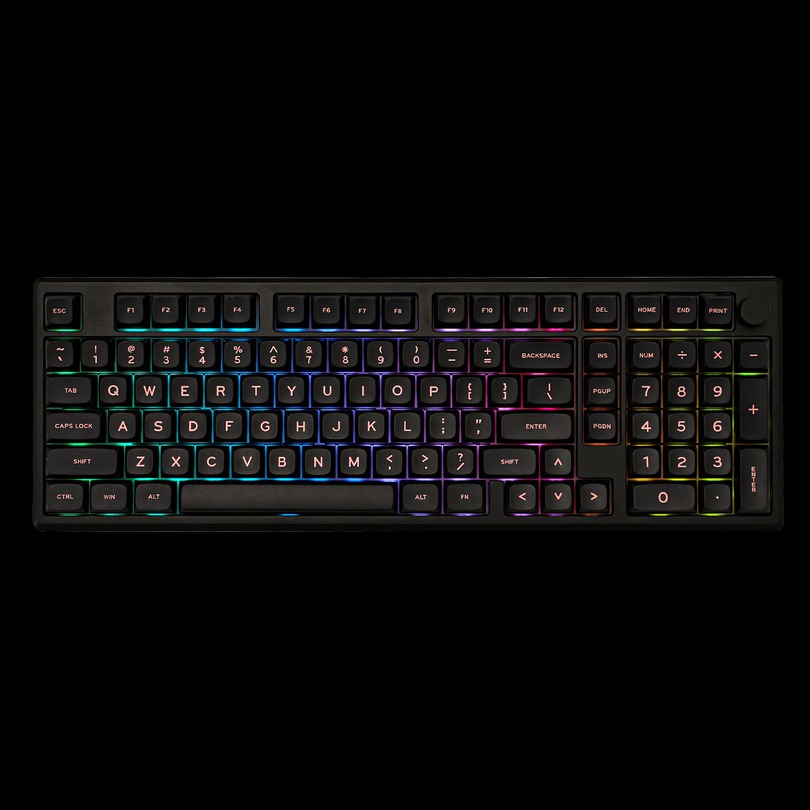 The Galaxy100 is one of Epomaker’s newest full-sized (aka “1800-layout”) mechanical keyboards, and it’s become one of my favorite keyboards to use over the past few weeks. This keyboard is positioned as an exceptional typing experience that blends rigidity and flexibility, crafted for those who want a creamy (thocky) sound and little typing fatigue. Similar to its smaller siblings (Galaxy80 and Galaxy70), the Galaxy100 is meant for those seeking audible and tactile satisfaction. It also features a knob in the upper right hand corner, great for changing the volume!
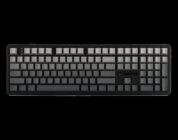
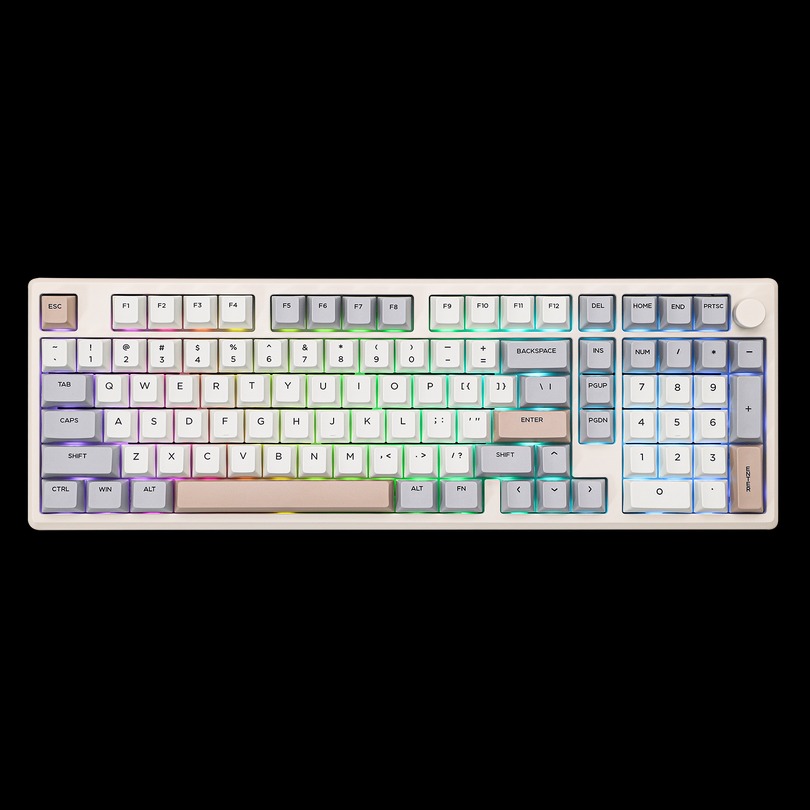
There are two variants of the Galaxy100, differing in terms of color and keycap profile. The grey variant has cherry profile keycaps, which should look and feel familiar for those who have used mechanical keyboards before. Cherry profile keycaps are quite popular, of medium height, and can feel ergonomic for those with average sized hands. The black variant comes with MDA profile keycaps. MDA keycaps (sometimes referred to as XDA) are more spherical in nature, often paired with “cute” aesthetics. This profile is more uniform than cherry keycaps, often leading some users to incorrectly assume that MDA keycaps are low-profile.
It’s strange for the Galaxy100 to differ by color and keycap profile. I’ve never seen prebuilt keyboards vary by keycap profile, which is for the best. When attempting to purchase a keyboard, there are many variables that consumers have to consider, keycaps included. While most keyboards are hot-swappable, not all mechanical keyboard owners want to go out of their way to acquire a separate set of keycaps that are natural and match the keyboard’s aesthetic. This is a small nitpick, I know, but I fear that some consumers might be surprised by the black model’s differing keycap profile and may want something else.
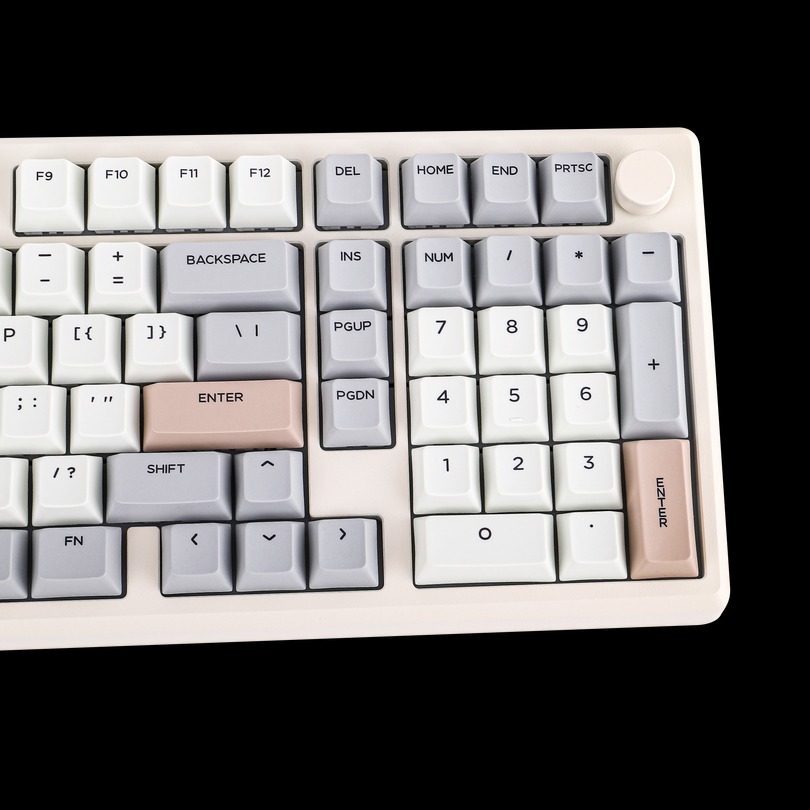 I was sent the grey variant to review, cherry profile and all. I loved the grey variant’s colorful keycaps – they’re readable while featuring three shades of grey that give the keyboard a slight splash of color. The keys are spaced quite well, too, thanks to the 1800 layout. In between the alphanumeric keys and the numberpad is a single column of common functions. I have hands on the larger side, so I was thankful for the space to the right of the arrow keys. It always annoys me when I accidentally press the 0 key when pressing the right arrow key. Not here!
Regardless of color, the Galaxy100 is made of CNC aluminum alloy. Aluminum keyboards are often hefty hunks of metal that don’t budge once they’re placed on your desk; the Galaxy100 is no exception. The powder sprayed aluminum has a soft texture while still maintaining its sturdiness. When pressing firmly down on the keyboard, there’s a smidge of give, but not enough for the keyboard to feel unstable. This is one sturdy keyboard – it holds up quite well under day-to-day office work and extreme pressure from gaming.
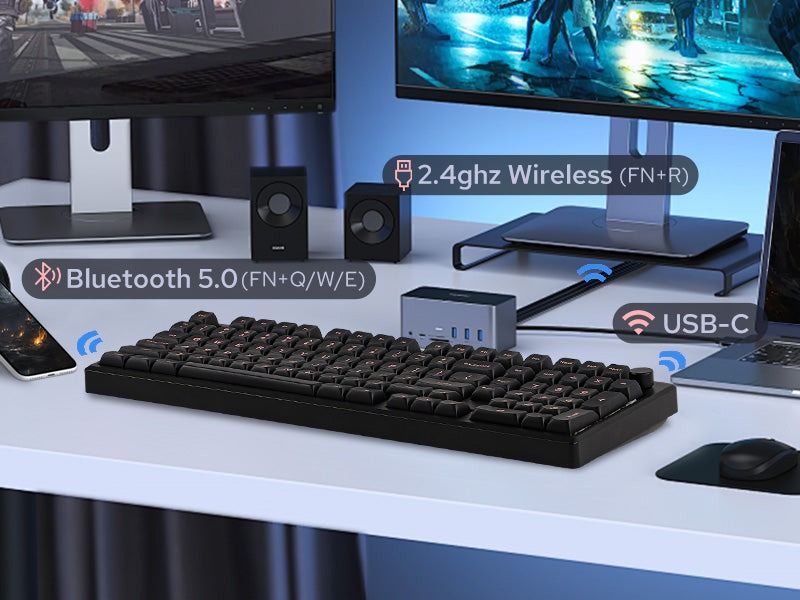
 The Galaxy100 comes with several additional features that come standard on most prebuilt keyboards these days. I preferred to use this keyboard in wired mode, but there was also the option to use this keyboard wirelessly via Bluetooth. Its 8000mAh battery allowed it to last quite a bit of time even with the LEDs enabled, but that came at the expense of polling rates. The 2.4GHz dongle can be used instead, but it would impact the battery life. Stick to using wired.
Like several of Epomaker’s recent keyboards, the Galaxy100 features support for QMK/VIA. QMK/VIA are an opensourced software suite that allows users to customize their keyboard’s inputs, and there’s a web version available, too! The Galaxy100 is not yet fully supported according to the VIA community, but the json file that can be found on Epomaker’s website can be directly imported into the software. Yes, it’s several extra steps, but I appreciate the attempt to allow users to stick to using VIA as their preferred keyboard customizer.
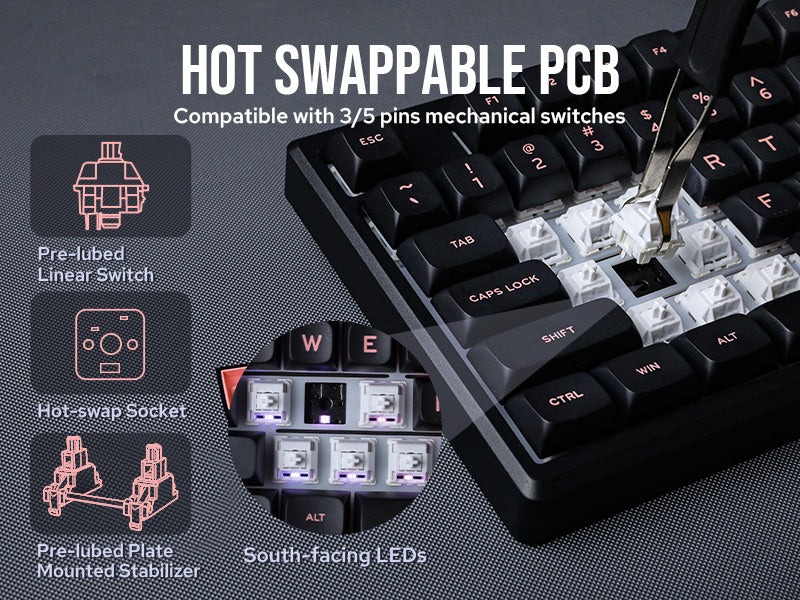 In terms of switches, the Galaxy100 comes with one of two sets preinstalled: Wisteria Linear or Feker Marble White. The Wisteria Linears are a great set of switches – I’ve used and tested them out quite a bit on some of Epomaker’s other keyboards. The Feker Marble White switches, on the other hand, are switches I have not tried before today.
My review unit had the Feker Marble White switches, which sounded absolutely divine in combination with the Galaxy100’s sound absorption materials and PP plate. These switches are linear switches with a middle-ground pre-travel of 2.0mm and a light actuation force of 42gf. They feel quite smooth and sensitive, but not too sensitive that I was able to frequently input twitchy moves in FPS games.
Just like their name, the Feker Marble White switches had a marbly and creamy acoustic profile. It sounded so pleasant on the ears that I wanted to pair them with my ceramic keycaps just for funsies. With their slightly sensitive actuation force, it wasn’t optimal to use the ceramic keycaps, but they sure sounded divine. The Galaxy100’s aluminum body amplified the thock a bit, but it wasn’t loud enough to be a nuisance in a shared office space.
If you’re stuck deciding between which switches to select for your Galaxy100, I’m going to solidly recommend the Feker Marble White switches for the acoustics alone. Many keyboard fans spend hundreds of dollars trying to find a truly thocky switch, and the Marble Whites fit the bill quite well. I wish that these switches were slightly stronger, but they were smooth to use and sounded so delightful.
 Given the keyboard’s spacious layout and slightly sensitive switches, the Galaxy100 held up quite well under the typical pressure that is associated with games of medium intensity. When testing MOBAs and casual FPS titles, I was able to succeed when using the Galaxy100. In my attempts to play VALORANT, the switches were okay for casual play, but I had some difficulties peeking and making other twitchy inputs. If you’re attempting to play competitively, you may be at a slight disadvantage than folks with more sensitive switches, but your mileage may vary.
The Epomaker Galaxy100 fits the bill of a keyboard that does everything quite well, feels natural to use, and divine when used. It’s one of the easiest recommendations I can make for a high quality keyboard for office work and gaming work because of its durability, spaciousness, and price. It’s a great keyboard to use as a “first” mechanical keyboard, too, as it’s what many consumers should experience when figuring out their mechanical keyboard preferences.