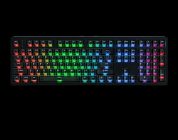
The Keychron Q6 Ultra 8K packs a solid punch in being the longest-lasting wireless gaming keyboard I’ve tested in recent memory. With its ultra-long battery life, ultra-responsive performance, premium construction, and satisfying-to-use switches, it’s entered my personal rotation of daily driver keyboards. It’s my top recommendation for those who prefer their desks to be free of those pesky cords, as well.
Several months ago, a Redditor on /r/mechanicalkeyboards posted a new Keychron keyboard that was stumbled upon after perusing Best Buy’s website: The Q6 Ultra 8K. At that time, there was no mention of this keyboard on Keychron’s website, nor was it available at my local Best Buy (so I couldn’t see it for myself). Maybe Best Buy made an oopsie by making an unannounced keyboard available to the public, maybe it was a special early release only available at Best Buy. Regardless, there was no information about it on Keychron’s website, leading to some confused and intrigued consumers to keep a lookout for a new keyboard from Keychron. Fast forward to CES 2026, the Q6 Ultra 8K is a real keyboard and is officially available.
How does it hold up? Read on.
Check out the Q6 Ultra 8K on Keychron’s website! (non-affiliated URL)
Keychron is a brand of premade mechanical keyboard manufacturers that I recommend to consumers who are interested in acquiring their first ever quality mechanical keyboard. Yes, they’re expensive; yes, they’re worth it. Keychron’s keyboards are great first options across the board because of their premium build construction, their easy-to-use and even-easier-to-customize qualities, and compatibility with most keyboard accessories and free-to-use drivers. It remains frustrating that their Hall Effect keyboards are incompatible with third-party Hall Effect switches while their naming patterns can be confusing, but these are small issues that the average mechanical keyboard owner won’t face unless they choose to live a life full of mechanical keyboards. They’re quirks, at worst.
The Q6 Ultra 8K is somewhat of an oddity, albeit one that defies my expectations of how mechanical keyboards should function. The biggest draw of the Q6 Ultra 8K is in its name – the incorporation of what Keychron describes as “a groundbreaking 8000Hz polling rate for ultra-responsive inputs.” They claim the keyboard has a powerful ARM core (MCU) with 1MB flash, making latency hardly noticeable. It is also one of the first mechanical keyboards from Keychron that’s manufactured with ZMK (instead of QMK) firmware.
 That’s a lot of technical jargon. What does this mean in plain language, though?
It means that the keyboard can not only support lightning-fast inputs with very little lag in wireless mode, but it can support hundreds of hours of wireless battery life in 2.4GHz mode. At least that’s how it functions in theory. It’s a bold statement to make for a PC player like myself who generally avoids wireless keyboards due to their noticeable input lag even in 2.4Ghz mode. Needing to recharge yet another device isn’t that great, either.
In my two weeks of testing the Q6 Ultra 8K, it blew me away with its accuracy in playing games on my PC. In the name of science, I went against my predispositions and tested the keyboard out in 2.4GHz mode just to see what the hubbub was about. In my testing, there seemed to be virtually little difference between using the keyboard in wireless (2.4GHz) and wired modes. Better yet, the keyboard lasted quite a long time before I needed to plug it in again. It felt like I was able to skate by in Counter-Strike 2 with no issue. When playing League of Legends, inputs felt just as responsive as a traditional wired keyboard. In Borderlands 4, I felt like I was able to keep up with my pals who were using their wired keyboards.
Before continuing on, I want to caveat that I am leaning quite heavily on the use of “felt” in this review, as I do not have scientific equipment that can confirm Keychron’s claims of this keyboard supporting “the lowest possible input lag.” At best, I used a few tools to compare the input differences between wired and 2.4GHz modes to find that there was no noticeable difference in lag.
This is all to say that, for me, the Keychron Q6 Ultra 8K passed the “feeling” test that many players use to assess the games they play and peripherals they own. It felt like I was using a wired keyboard for all this time, despite using it in the 2.4GHz mode. It felt like I was able to work all day and game all night without fear of keeping the battery charged. If you’ve been wanting a wireless keyboard that can be used for games of all persuasions, stop reading this review and just get it. It’ll blow you away just like it’s blown me away.
 I understand that some of you might think that an 8K polling rate is overkill. I’ve said in earlier reviews of ultra-accurate peripherals (like Lofree’s HYPACE) is that numbers are impressive, but these ultra-high polling rates and DPI often at the cost of stability and battery life. If numbers are too big to comprehend, consider this: The Keychron Q6 Ultra 8K is the first mechanical keyboard I’ve used in recent memory that holds up under exceptionally high pressure and lasts seemingly forever.
Like other Keychron premium keyboards, the Q6 Ultra 8K is made of brushed aluminum and features quite a bit of heft. The side of the case is silky smooth to the touch while the top of the case has a nice grippy texture. Thanks to the aluminum construction, the keyboard weighs several pounds and did not budge once I placed it on my desk. The materials used for this keyboard felt just as premium as the keyboard’s hefty pricetag of $239.99. It’s not your average keyboard, nor should it be treated as such.
It’s a large keyboard, don’t get me wrong. As the keyboard is a full-sized keyboard, it features every button I’ve come to expect from a desktop keyboard along with some additions, like the four remappable keys above the numberpad. The volume knob has been redesigned and is slimmer than before, taking up less space on the keyboard while still retaining its use. I love the new texture of this volume knob – it has a light ridged exterior that prevents slippage.
One of the only drawbacks of this keyboard is its PBT keycaps. They feel relatively flimsy compared to other PBT keycaps on other keyboards, but I’ll admit that they hold up well over time and rarely (if ever) felt greasy after long gaming sessions. The KSA-profile keycaps are quite tall, so if you’re not used to typing on a taller-than-normal keyboard you’ll have some relearning to do.
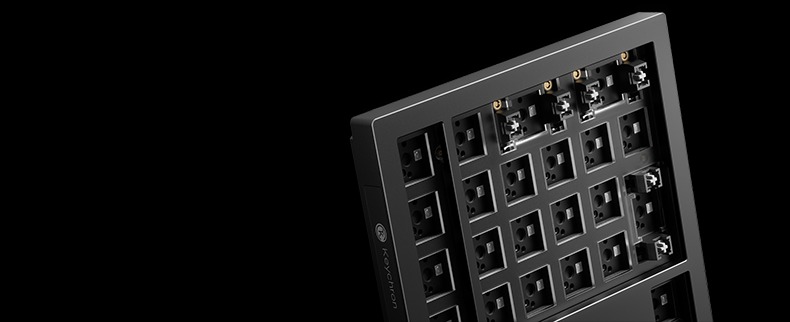
As part of this product’s release, Keychron has introduced a new type of mechanical switches called the Keychron Silk POM switches. They’re Keychron’s new in-house switches that come pre-installed on the Q Ultra line of keyboards. When I popped out one of the switches for closer inspection, it had the traditional Keychron branding on the top housing. I got the feeling that these were rebranded Gateron switches, though. Regardless, there are three types of Silk POM switches that vary only by operating force and pre-travel. Their construction (which impacts their acoustics) is made up of entirely POM. From my experience, harder plastics like POM result in slightly loud yet clackier switches.
 My review unit had the Banana (tactile) switches pre-installed. Their tactility was surprisingly softer than I expected. Most tactile switches have a noticeable bump – not these. The Banana switches have a light speedbump-ish feeling that I often mistook for smooth yet strong linearity. This tactility felt fantastic to use because my fingers rarely got tired. Other switches with more pronounced tactile bumps have led to my fingers getting fatigued over longer gaming periods – not here!
While I did not get the chance to test the other two switches, here’s my recommendation as to what to consider: If you’re wanting an everyday smooth linear switch, you should err on the Red switches just because of their theoretical similarities to other linear switches. They have a good middle-ground of pre-travel (~2.0mm) along with a decently strong operating force (~45gf). If you’re wanting your keyboard to feel like a typewriter (with that satisfying tactile bump), then the Banana would be perfect for you. If you’re planning on using the Cerakey keycaps (or keycaps of other heavier materials), the Bananas are literally perfect in terms of supporting heavier materials. I plan on testing these out with a set of Cerakeys when I get a chance to do so.
For gaming, the Banana switches were quite adequate for my personal use. I tend to prefer stronger switches (read: switches with more than 50gf of Operating Force) because of my typing habits. At the top of this review, I alluded to how the Q6 Ultra 8K was fantastic across several games. Part of that assessment came from my enjoyable experience using the Banana switches. They sounded nice and clacky, not too loud, and were responsive across games of multiple intensity. No complaints from me.
Thankfully, the Q Ultra line of keyboards are compatible with other mechanical switches. This is a nice change from reviewing Keychron’s HE keyboards that are only compatible with Keychron’s in-house HE switches and nothing else. If you’re wanting to use your favorite switches with this delight of a keyboard, you’ll be able to with no problem whatsoever.
With that said, let’s wrap this up.
The Keychron Q6 Ultra 8K packs a solid punch in being the longest-lasting wireless gaming keyboard I’ve tested in recent memory. With its ultra-long battery life, ultra-responsive performance, premium construction, and satisfying-to-use switches, it’s entered my personal rotation of daily driver keyboards. It’s my top recommendation for those who prefer their desks to be free of those pesky cords, as well.