The Q12 HE is one of the best prebuilt keyboards out there for left-handed players. If you’re not left-handed, it may be a struggle to use. It’s worth it in terms of its build quality, its acoustics, and incredible software support.
Earlier this year, I had the pleasure of reviewing the Keychron Q6 HE QMK Keyboard. It’s a full-sized, full-metal, and fully-pleasant keyboard that’s remained in my keyboard rotation throughout the year. I loved it – it’s an excellent full-sized keyboard that is worth its premium price tag and comes with the typical Hall Effect goodness that Keychron has successfully innovated upon. Here’s the thing, though – the Q6 is great for right-handed consumers. What if you’re a left-handed player?
Look no further than Keychron’s Q12 HE. If you’ve been eyeing the Q6 but were hoping for a more convenient layout for your hands, the Q12 will feel better for you and be worth the investment as you level up your office/play space. I’ve tested the Q12 over the past few weeks, and I’m pretty dang pleased with how the Q12 held up. Like it’s right-handed Q6 counterpart, the Q12 is a joy to use.
Click here to check out the Keychron Q12 HE! (non-affiliated URL)
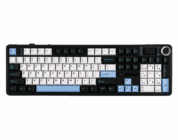
Before I continue on, you’ll probably notice that this review may read relatively similar to my review of the Q6 HE. This is intentional, as the Q12 HE is virtually identical to the Q6 in all ways but one: It has the same aluminum construction, it has the same keycaps, it utilizes Keychron’s online launcher and it ever so easy to customize, it has the same set of Hall Effect (HE) switches, but…the number pad is on the left-hand side of the keyboard. For those of you keyboard semantics, yes, this is the traditional southpaw design.
Let’s start with the novelty – the Q12 HE’s southpaw layout. I am a right-handed person, despite my many attempts to become ambidextrous over the years. My left hand naturally rests at the left-hand edge of most keyboards, with my pinky finger hanging off the keyboard and often acting as an anchor to keep my hand in place and/or reposition my hand back into a neutral position. My personal preferences led me to struggle when initially beginning to use the Q12. My left hand was struggling to anchor itself in a natural position, and worse yet, I kept hitting the number pad with my left hand.
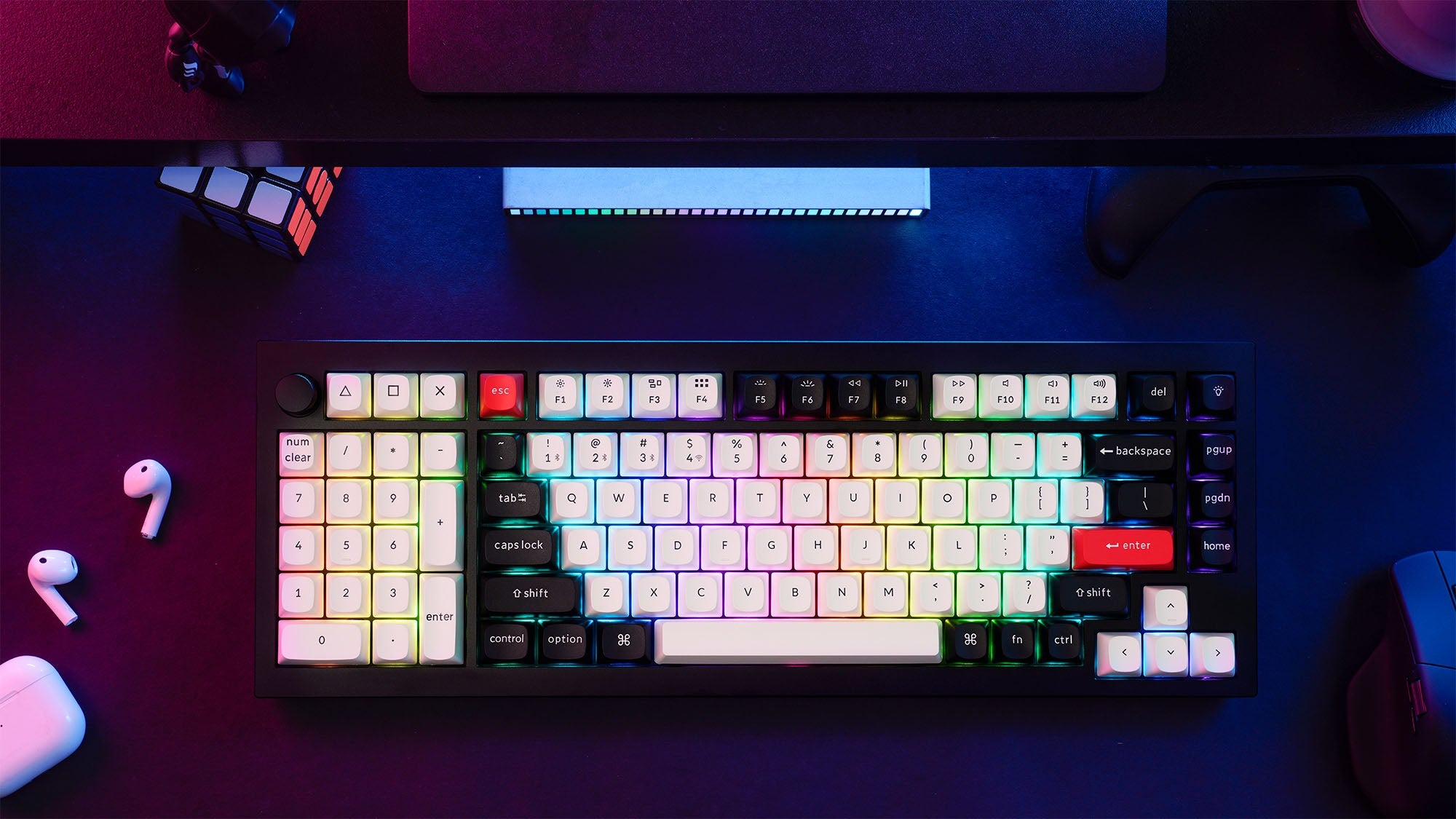 That struggle quickly dissipated as I used the keyboard more and more. My left hand naturally adapted into remaining fixed over the QAZ column. I know that some of you may feel that my ways of centering my hands on the keyboard are strange, I don’t care. All of us have our quirks, and I am a self-taught typist. The position of the numberpad on the left side made it far more easier to use, especially when I was using Excel for work and I needed to click somewhere else on my screen outside of that Excel window. As a right-handed consumer, the southpaw layout succeeds in positioning the numberpad in a space that allows for simultaneous mouse movement.
This makes the Q12 a very unique offering for the average right-handed consumer. If you’re a left-handed consumer, the Q12 should be top of your list hands down. But, if you’re struggling to consider having a numberpad on the left-hand side of the keyboard, the Q12 may prove to be challenging for you, especially due to its premium pricetag. My recommendation is to try out a cheaper keyboard with a southpaw layout or purchase a separate numberpad and position it at the left side of your keyboard. Once you’ve become accustomed to the notion of having additional keys there, then you can (and most certainly should) get the Q12.
Moving on, let’s talk about the rest of the Q12’s features along with Keychron itself.
Keychron remains one of my first recommendations when consumers ask me which keyboards to buy. They are a highly recommended brand in the mechanical keyboard space (check the mechanical keyboard subreddit, trust me), praised for premium keyboard builds, straightforward designs, and uniformity. Their reliability makes them a go-to for newcomers, as well. The only real downsides to their keyboards are their price (as they can be pretty expensive for prebuilts) and keycaps.
 Keychron’s Q-line, including the Q12 HE QMK keyboard, is known for its premium aluminum construction, Hall Effect switches, and fully-customizable nature (switches, keycaps, and online launcher). The “HE” signifies Hall Effect technology, which use magnetic switches instead of typical mechanical switches. Unlike most mechanical switches, which have fixed actuation points, Hall Effect switches offer freely customizable actuation between 0.1mm and 4.0mm. They are also significantly more durable, lasting around 100 million presses compared to the 25–50 million of mechanical switches. Hall Effect keyboards are typically on the premium side of the price spectrum, often costing $130 to nearly $300.
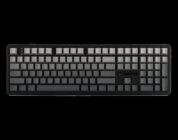
The Keychron Q12 HE QMK is a rare, full-sized Hall Effect prebuilt keyboard for ~$250, featuring an aluminum volume knob, fully aluminum case, and Gateron Hall Effect switches. The Q12 HE is a true full-sized keyboard made of an all-aluminum body and plate, with thick PBT keycaps. Its heavy, solid build ensures zero flex or budge when typing, offering exceptional stability. Its construction easily surpasses competitors like the plastic Wooting 80HE. The Q12 HE is a thoughtfully designed premium keyboard that is both a joy to use and a professional-looking complement to any workspace.
The Q12 HE uses superior OSA-profile PBT keycaps compared to earlier Keychron models; they are also hot-swappable, meaning that if you don’t like them, you can very easy swap them out. Personally, I think they’re halfway decent, but I would prefer them made of a slightly stronger material to reflect the premium nature of the keyboard. The Hall Effect switches are especially compelling for gaming due to their durability and, most importantly, their adjustable actuation point, allowing for sensitivity customization on a per-key basis.
The Q12 HE comes with Gateron Double-Rail Magnetic Nebula Hall Effect Switches. These linear switches have a decently sensitive 40gf operating force. Thanks to sound-absorbing foam, a latex pad, and PET film, the all-metal keyboard maintains a smooth, soft clacky sound profile. The Nebula switches are exceptionally sturdy, with virtually no wobble, and their smoothness prevents hand fatigue during heavy use.
 Like the rest of Keychron’s HE keyboards, it remains annoying for the Q12 HE to only be compatible with the specific Gateron double-rail switches sold by Keychron. The Hall Effect marketplace is expanding by the month, so it would be great for Keychron owners to have the chance to participate in selecting a switch of their choosing rather than be restricted to a single switch. While the HE switches from Keychron differ by their sensitivity, they all feel and sound relatively the same.
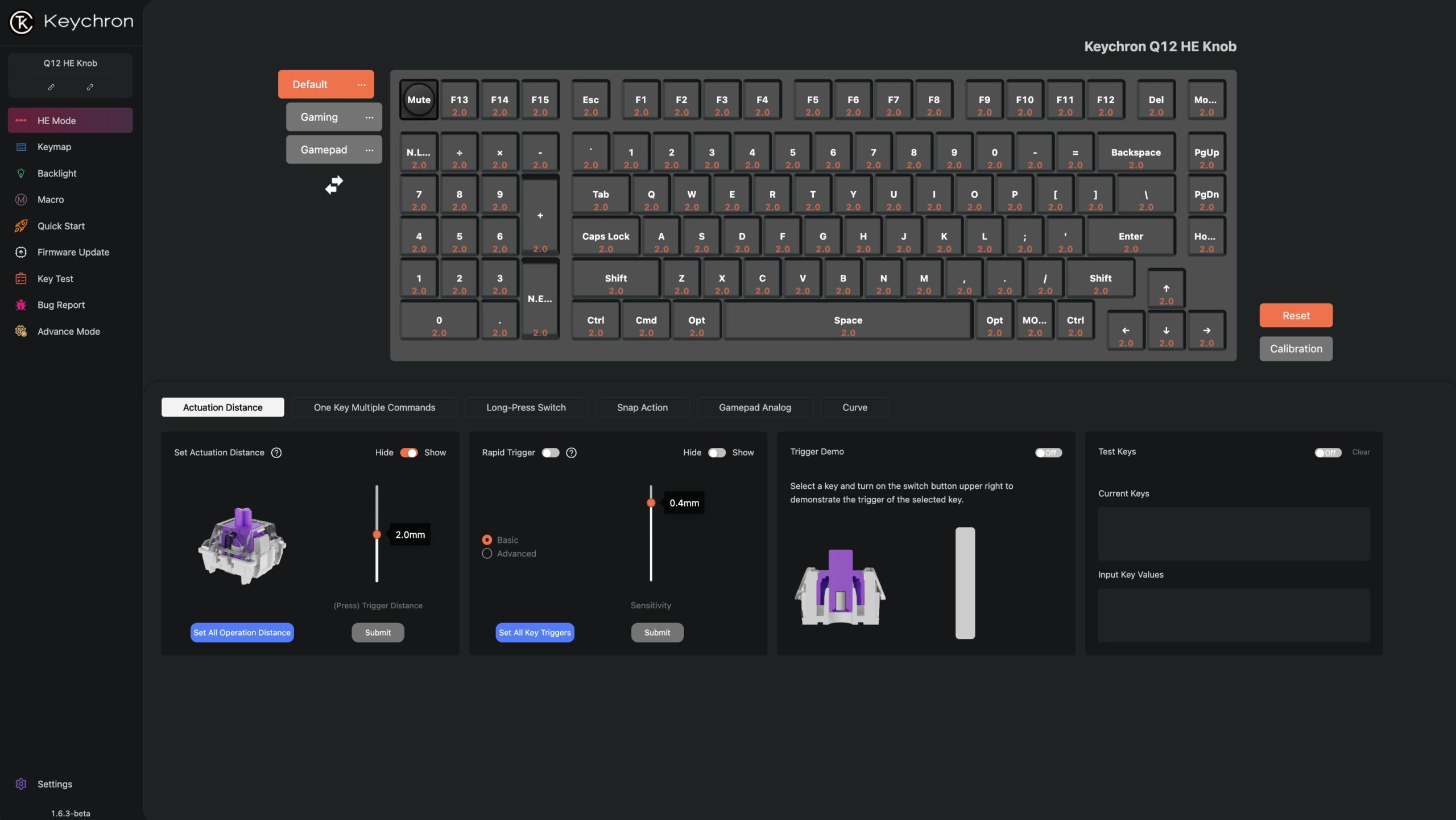
Keychron uses the Keychron Launcher, a straightforward web-based tool, to customize actuation points and access features like Rapid Trigger and Multiple Actions in a Single Keystroke (Mod Tap). It’s one of the better online launchers out there. While it’s not as customizable as some competitors (like Wooting’s Wootility), the launcher is quite easy to use. Rapid Trigger allows a key to execute a chain of actions by tracking its travel distance, and Multiple Actions assigns different functions to a key based on a quick tap versus a long press. Though these features have a niche appeal for high-intensity gaming, the Q12 HE’s excellent construction and switch durability make it a top-tier full-size gaming keyboard overall.
The Q12 HE is one of the best prebuilt keyboards out there for left-handed players. If you’re not left-handed, it may be a struggle to use. It’s worth it in terms of its build quality, its acoustics, and incredible software support.