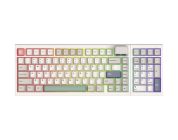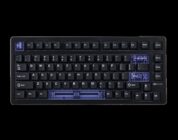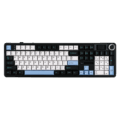
I never expected to get a pro version of the AULA F108 for review, but here we are.
While AULA F108 Pro contains the same oddball south-facing LED letters on the keys as the smaller version does, it still maintains that same wonderful typing flow, while also offering some decently built software that is easy to use.
Of course, that doesn’t mean everything is perfect with the F108; rather, it just means that expectations for the pro version have been met. That’s quite enough to enjoy this keyboarding experience.
So, let’s get right into talking about the pro version of the AULA F108.
Check out the AULA F108 Pro at the following retailers (non-affiliated URLs): MechLands – AliExpress
Design that is unique as it is stylish
The design of the AULA F108 Pro follows along the same lines as its smaller brethren. The keyboard features wonderfully creamy keys that clickity-clack in the most pleasant of ways, which is a big deal for this reviewer. It offers good sound that reinforces accuracy and key punching.
Those keys are attached to a 100% full-sized frame that features a customizable screen in the top right corner and a knob to control various options you can lock down when you feel like it. When I look at that tiny screen, I see a quick solution to avoiding having to open the keyboard’s software for adjustment. It’s a clever way to store options, though limited in its scope (plus it’s a tiny screen). The screen can take GIFs of your choice as well, as I was able to put in a wonderful Ron Swanson GIF (below) that is featured prominently in that tiny window.

Now, before you call me lazy, let me explain a bit more about that screen and knob. The selection process of the options screen is done by pressing down on the knob. The knob is sensitive by default, which means you may scroll to another option while trying to select the one you want. For example, when I was scrolling to the volume option, I found it, pressed down on the knob to select it, and then the screen asked if I wanted Chinese or English to be my default language. The reason it asked me such a question is that my finger slightly moved the knob wheel to the right while I was pushing, which brought me to the language option unknowingly. What do you think the solution to this problem might be? Well, it should have the ability to adjust the knob’s sensitivity level, but that isn’t featured in the software or as a config option on the LED screen. What you’re going to be stuck with is a sensitive knob wheel. It isn’t ideal, but it’s something that surely could be improved on the software side (or added).
While the keyboard does a great job with typing, an okay job with quick config selections through its small LED window, it also features south-facing keys with a backlight behind them. When I was first reviewing this type of keyboard in the previously mentioned first review, I hadn’t been completely sold on how useful this design could be. As of today, with this pro keyboard, I’m convinced it’s a new design that deserves repeating in the industry. There are some caveats to this design, one we’ll talk about in the software section of this review, but for the most part, it makes sense for this letter/number/special character placement to exist as it is on the F108 Pro. It’s easier to see, doesn’t require too much of a head bob when you’re making sure to hit the right keys, and it simply works. It also makes the LED light less distracting. I like that last reason the most.
As for the other odds and ends of the design, it comes with a USB dongle for wireless use, or you can simply wire it up for precision. The keys are also hot-swappable, though the default keys feature a pre-lubed Reaper Linear switch that helps make the keyboard feel and sound amazing. This keyboard was built for gamers and typers, and it accomplishes the feel and options for both types of users beautifully.

Almost the same
The AULA F108 Pro software is colorful and easy to use. You should know that right out of the gate. Getting into how it functions is super intuitive. The software’s functions are broken into categories on the left side of the GUI, featuring such things as adjusting key response time (so big), adjusting colors, creating macros and unique profiles, and adjusting pictures and functions for the LED window on the top-right corner of the keyboard.
Doing things quickly is what this software design is driven by, and in that respect, it passes with flying colors. It’s so darn easy to use.
So, that leaves us with a single drawback that is directly related to the keyboard’s design – the south-facing LED keys. The keys, as you have read above, are magnificent in their risky design and beautiful execution. The only drawback to them is that if you change the color movement pattern, the keyboard experience becomes harder if the keys don’t have an LED light behind them. For example, I chose the breath option when changing colors. What I got was a beautiful red color (by choice), breathing on and then fading to black. The latter of which, fading to black, causes the keys to be hard to see. So, the software will give you choices in this area of customization, but your level of typing comfort will drive which choice you can or can’t make for this keyboard’s design. By default, you literally won’t be able to use some color movement options due to how tough it would be to see the keys. Of course, if you’re a risky bastard who enjoys a good challenge, then have at it. You’ll run into some Dark Souls-type keyboard challenge with some options.
Other than this single drawback, the software is great. It works wonderfully and is easy to use. That alone will make this keyboard more accessible to new people getting into this hardware arena.
On that sweet note, let’s wrap up this review.
Conclusion
The AULA F108 Pro is an upgrade from its smaller brethren in several categories. Its full-sized girth mixed with wonderful creamy keys that are hot-swappable makes the keyboarding experience majestic. The additional config screen and customization on the software side make it more personal and fun. It’s not perfect, but it’s damn near it.
For more information on the AULA F108 Pro, you can visit the website here.