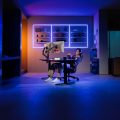
Never underestimate the importance of a properly lifted pair of monitor arms, especially if you’re gaming, streaming, or editing. Honestly, you never know how much you need them until you use them, and you might need these.
Tech monitor arm manufacturer Huanuo has released its latest and very inexpensive dual-monitor arm solution to the world with the FlowLift Pro Dual Monitor Arm. This monitor arm system brings reliability, ease of use, and easy installation to the forefront. Anytime you nail all three in a monitor arm system, well, it’s a good time.
Let’s get right into it.
The FlowLift Pro Dual Monitor Arm brings simplicity to the monitor arm game. Right out of the box, the dual monitor arm system is incredibly simple to put together. From the base to the arms, pulling this system out of the box and securing it onto my desk took all of 30-minutes, and that was with my bumbling idiot brain.
I began with the base, securing it to the table using a vice-plate method of tightening, where there is a separate plate that attaches to the base and acts like a vice grip on the desk. The flexibility to desk depth is why Huanuo went this route, as the user can move the vice-plate into a smaller or wider range of fitting. That is important for goobers like me, who have desks with metal curves at the back. Adjusting the vice-plate allowed me to have a wider grip on a bigger metal border, which all but ensured that my two monitor arms, with monitors, were going to firmly stay in place. Previous monitor arms on said metal desk required a small block of wood to even things out. The FlowLift Pro Dual Monitor Arm fit like a bug-in-snug-in-a-rug at the edge of my desk, which was just a joy for someone like me, not wanting to have a garbage-looking desk with a random wooden block when people visit the control room where it resides. It should be noted that the majority of this review was tested with audio/video solutions in mind; it was a blessing to see an arm system fit nicely under a terribly designed and haphazardly purchased weird desk.
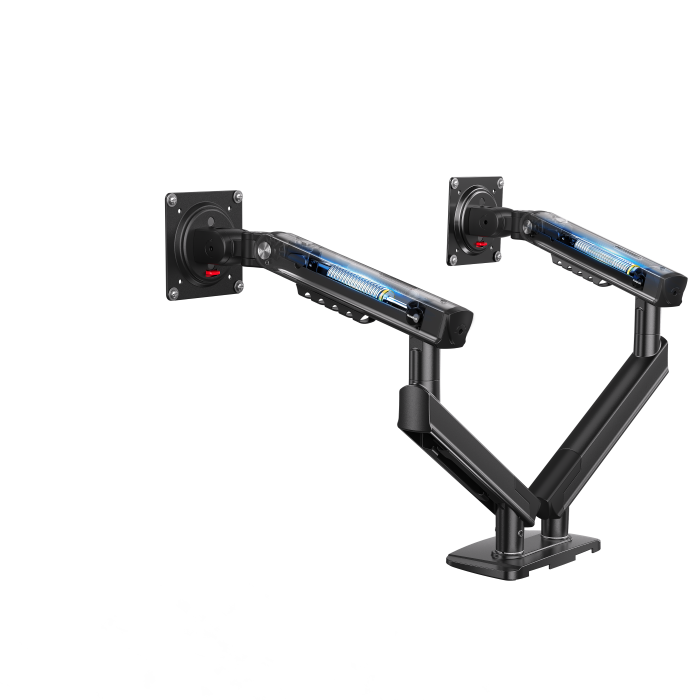
Anyway, once the base was put on firmly, the additional arms were a cinch, as they were just connected at the joints with simple slide-in aspects. They required some adjustments with an Allen wrench, the suckiest of all tools, and once tightened to my liking, it was time for the monitors. I could not have asked for an easier solution for putting together a dual monitor arm system. It was simple. Now, that said, attaching the monitors took a bit more thought.
In my world, I enjoy ultrawide monitors for gaming and editing purposes. The latter of which is a necessity when trying to handle media while giving a good bit of space for the timeline and program window. This type of monitor was a must for my recent documentary about the Baltimore Orioles, as it quickly allowed me to edit and have plenty of look space to organize.
Anyway, monitor preference aside, I was sad to see that this monitor arm wasn’t designed for my 34” LG beauty, but happy that it fit 13-32” monitors (75x75mm/100x100mm VESA ranges), which I have an abundance of in my office. Bringing new life to varying sizes and qualities of decent-sized monitors was nice. It provided me with solutions for additional monitors to view video scopes and programming, while still adding my 34” to the mix. It was also remarkably easy to put the monitors on the arms with the InstaMount solution, which wasn’t the case the last time I tried this with other arms. Click and go was how it went.
So how did the arm system work? Glad you asked.
The arms worked well. They were smooth, adjustable, and best of all, solid as a rock with their sturdiness. The tilt angles were true to form (+85/-25 degrees), as they allowed me to tilt as needed, stand up when I wanted to stretch and work a bit, and gave me a proper tilt when my blind eyes called for it. When it’s office lighting, and all you have are mid-tier monitors, tilting can be a necessity.
The swivel and rotation were also impressive with the FlowLift Pro Dual Monitor Arm. The swivel allowed me to push a monitor toward clients wanting to watch their video as I played it on the timeline. The swivel provided a +/-90 degree turn, which meant there were options for whatever I was trying to do with my monitors. That degree setting actually opens up my workspace as well, which sounds goofy, but it’s true because I could position my client to watch their video from several places in the room. It’s a big control room, so it’s not like they were hungry for space, but the option to swivel either direction, and swivel hard, was nice to have at my disposal.
As for the rotation of the arms, they can go horizontally, vertically, or crazy like a 60s Batman television show episode (they had this fascination for diagonal camera shots…it was cool and weird, much like the show). Beyond video, the usefulness in gaming is evident, especially since I am an old person and enjoy arcade-quality experiences. Turning the monitor vertically and setting my old Namco Museum PlayStation game to vertical mode brought out a lot of good memories and vibes. It was neat to see Galaga in its truest possible vertical form.
The ability to rotate a monitor vertically also gave me options for post-production. It provided me with one screen full of media and scopes, while allowing me to leave my other monitor horizontal for timeline and actual editing. I cannot stress enough how flexible and beautiful having that post-production option is for monitor rotation and positioning. It makes life so much easier as a video editor.
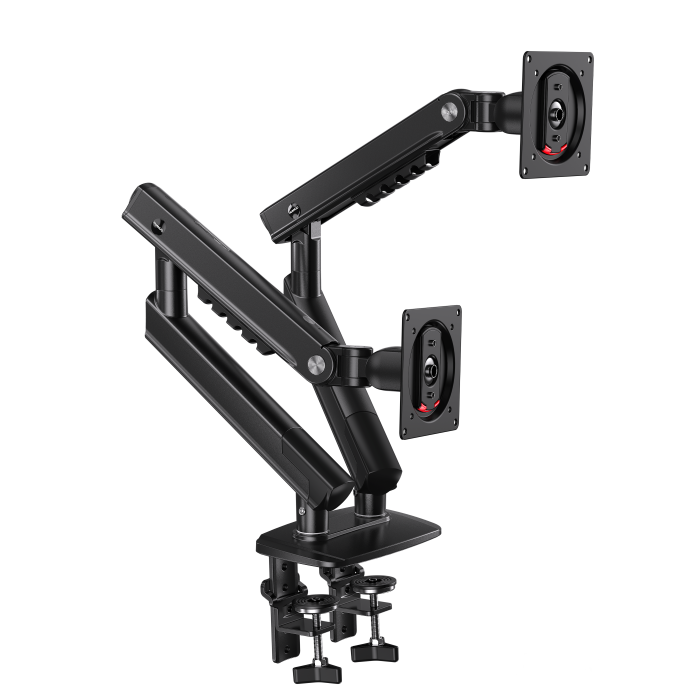
Overall, I really enjoyed the reliability, ease of use, options, and sturdiness that the Huanuo FlowLift Pro Dual Monitor Arm system provided. It has been one of the easy-breezy arm systems that I have reviewed that didn’t require me to think too much about its installation and usage. For a small-brained person like me, that’s more than a blessing.
Anyway, I highly recommend the FlowLift Pro Dual Monitor Arm system. It’s worth it.
For more information about the Huanuo FlowLift Pro Dual Monitor Arm, please visit their store.