The Legion Go S is a surprising little handheld that can power through some of the most graphically intense games of this year. With SteamOS and its chipset, it runs ever so smoothly. It will surpass your expectations once it’s in your hands.
With the release of the Switch 2, I finally became convinced that portable AAA gaming was feasible. This isn’t to say that devices like the Steam Deck, MSI Claw 8 AI+, and ASUS ROG Ally X don’t offer portable AAA gaming – they do. They just do so in…well, a bulky and quite expensive fashion. Their battery life is questionable, as well.
Then I received an opportunity to review the Lenovo Legion Go S – Lenovo’s portable handheld that natively runs SteamOS. I couldn’t say no to this opportunity, especially since I’ve been using my Switch 2 and gaming laptop for portable gaming. Over the past few weeks, it’s become clearer to me that Lenovo’s Legion Go S is the Steam Deck that may convince me to go fully mobile (with a few exceptions). It’s the Steam Deck I’ve wanted, even with its quirks.
Before I go on, I want to highlight that this model is also available running Windows 11. From my research reviewing others’ experiences with portable Windows 11 devices and my own trials and tribulations dealing with my desktop PC, there’s very little reason to consider the Windows 11 model at this time. Windows 11 is not the most efficient in handheld form, navigation is awkward, and there is a myriad of memory issues that stem from Windows’ management. Better yet, no messing with drivers!
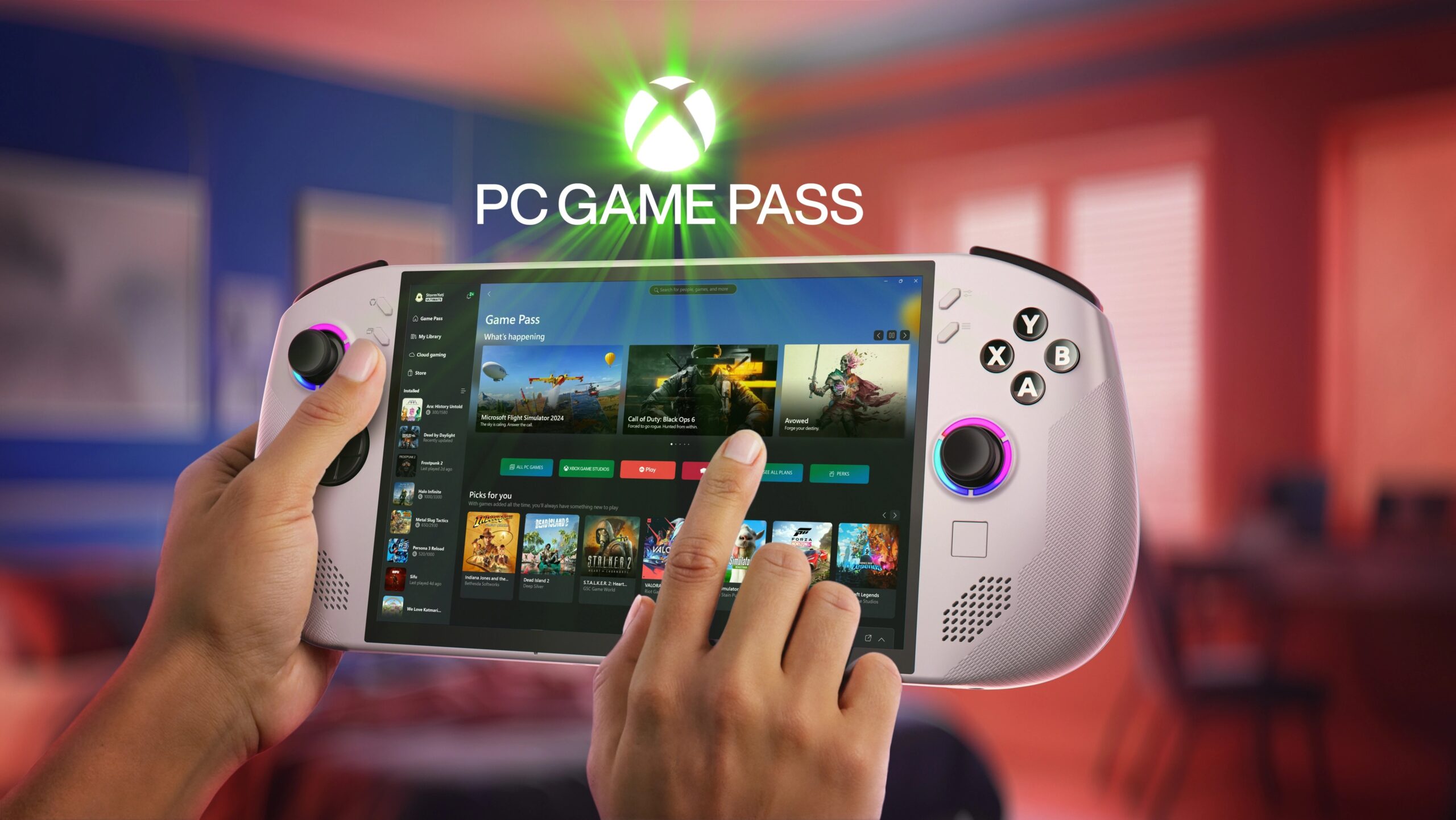 SteamOS, on the other hand, is a perfect fit on the Legion Go S. The OS itself is lightweight. Accessing games is easy as cake – just log in with your Steam credentials and all of your games (including those in your shared family libraries) are available at your fingertips. No weird interfaces, no cumbersome proprietary nonsense, nothing. It just works. The only real quibble with this handheld’s implementation of SteamOS is that I couldn’t put the device to sleep and let games install (like I could with some of my other hardware). This meant that downloading and installing large games required me to keep the device on and most likely plugged in, as to ensure that I wasn’t draining the battery.
I’m unsure if I am doing something wrong here, but it’s strange to me that the Legion Go S is similar to the Steam Deck in that the device can’t go to “sleep” and download updates like the PS5, XBOX, and Nintendo Switch. I understand that the Legion Go S is essentially a portable Windows machine sans Windows, but I fail to see why something similar can’t be implemented here.
Thankfully, game installation is the most frustrating part of setting up the device. I’m willing to give this a pass in hopes that future iterations of the Lenovo Go (or Steam Deck, perhaps), can make it work.
 Let’s chat about the hardware. The Legion Go S features an 8in WUXGA (1900 x 1200) LCD touchscreen that supports a 120Hz refresh rate and VRR. Its 16:10 aspect ratio is nice and wide, easily giving me a familiar widescreen immersive experience. Thanks to the LCD screen, text was crisp and easily readable. I know some folks prefer the brightness and contrast of OLED screens, but the Legion Go S’ screen is vibrant as is and has excellent color accuracy.
My model of the Legion Go S had the AMD Z1 Extreme chipset, which utterly blew me away in terms of its processing power on such a small device. It’s a beast of a chipset supported by 32GB of RAM and a 1TB M.2SSD. What does all of this mean?
It means that the Legion Go S runs most games I threw at it with no issues whatsoever. I tested games from The Last of Us Part II to Absolum just to get an impression of how the device held up. Surprisingly, framerates were consistent regardless of game. The only real downside I experienced was that I was playing on Medium/Low most of the time, but that’s still incredible for a portable device. The fact that I was able to hit a stable 55-60 GPS in some games is a testament to how well this device performed even under extreme pressure.
I would imagine that some of that successful graphical prowess can be attributed to the device’s heat management. While it did not get hot while I was using it, the fan was quite loud even on the home screen. Even when playing 2D titles, the fan felt like it was running at full speed and I was holding a rocket ship in my hands. Perhaps this is a result of some games being not fully supportive of the Steam Deck (thus not the most compatible with the Legion Go S), but it’s still strange to hear the fan kick on at full speed when playing simpler titles. I wouldn’t use this when I’m trying to play quietly – I don’t plan on taking this on a plane.
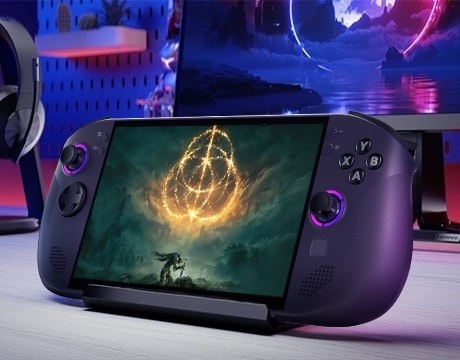 This isn’t an issue if you connect yourself to a headset of some sort, but it may be if you attempt to play with the device’s front-facing speakers. They sound muffled and flat. I don’t usually mind as most handheld speakers are passable at best and prefer to use my headset/buds.
Moving onto ergnomics, the Legion Go S feels perfect in hand. The joysticks are positioned in a natural state, mirroring that of the XBOX/PC controllers. The Hall Effect joysticks feel ever-so snappy, while the top-mounted triggers are easily reachable with my fingers. My first few hours using the device I wasn’t too keen on it (as my hands have become quite used to my Switch 2), but its texture and shape was a perfect fit after those training wheels came off.
In case you don’t know, Hall Effect joysticks involve frictionless magnets, preventing the dreaded stick drift. It’s the same magnetic technology that is found within Hall Effect keyboard switches, PS5 DualSense Edge, and XBOX’s own Elite Wireless. The fact that this device comes with Hall Effect sticks right off the bat gives me quite a bit of relief, as I am counting down the days for my stock controllers (DualSense, Switch 2 Joy-Cons) to have the issue.
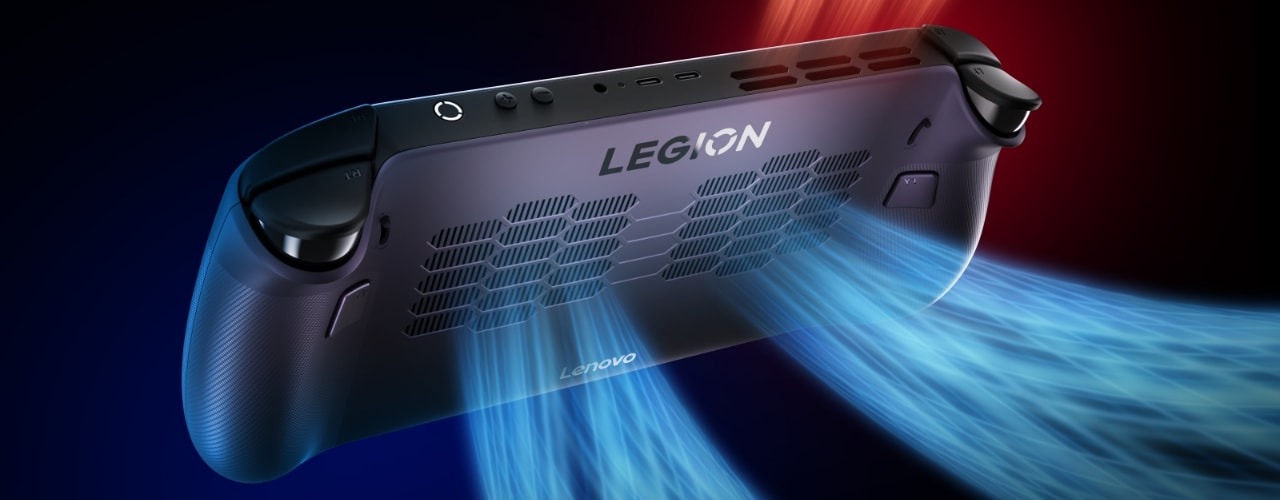 I’m not the most impressed with the Legion Go S’ battery life. I understand, however, that the device’s 55.5Wh battery must support quite a bit of power-hungry hardware. I was able to consistently hit anywhere between 1.5-4 hours before I needed to charge the device, which is on par with what I get with my Nintendo Switch 2. I’m sure that some settings and games will cause battery life to vary, but you shouldn’t expect this device to last more than a lunch break or two. Fast charging helps quite a bit, but I’m sincerely hoping that the future models contain a larger battery, even if it increases the device’s weight a smidge.
The Legion Go S is an impressive piece of hardware. I kept expecting a device this small to struggle in comparison with my desktop computer, but it didn’t. Part of me wants to attribute this performance to SteamOS in this device (rather than Windows 11), but it’s hard to ignore the AMD Z1 Extreme pulling the reigns with little issue. I don’t expect this type of seamless performance from a handheld, yet here I was, playing games released in the past year with no stutters and little-to-no load times.
In terms of availability, I’ve struggled to find this device in-stock near me. My local Best Buy had 2 left in-store, and others were lucky to have one if not any at all. I couldn’t find this model on Amazon. I’m thinking that this is because it’s so new (only a few months old) and/or the more premium model (compared to the Legion Go S with the slightly inferior Z2 chip). Its $749 MSRP is a compelling price point given the performance, Hall Effect joysticks, and internals.
 When it comes down to it, the Legion Go S has tons of upsides and very little downsides. Its performance, ergonomics, and hardware set it apart from its competitors in so many ways. The battery life and slightly loud fans are a smidge annoying, albeit smaller-form issues that I’m willing to live with given how they don’t impact my enjoyment of the device. Do I wish that the battery life was better? Sure. Of course. I want my handheld devices to last all day, but that’s unrealistic. If this device can run more graphically intense games than its competitors and last just as long, then that’s enough for me to consider it one of the best devices of its class at this time.
Looking forward to the holiday season, I see the Legion Go S as a potential candidate for those asking Santa for a new handheld gaming device. There are some caveats, however. If you’re not planning on playing AAA games and don’t yet own a Switch 2, you should maybe get that Switch 2 just so you can access some of the newer Nintendo games along with GOTY contenders. The SteamOS version is preferable, especially with regard to its simplicity and connectivity with most PC players’ game libraries; it’s hard to recommend the Windows 11 version as the OS is not the most mobile friendly. Finally, the Z1 Extreme pushes the device from 650 to 899, which is quite expensive.
If price is no issue and you want to play the latest-and-greatest PC games of this year and next (and perhaps 2027), then you’ll absolutely love the Legion Go S. Be sure to get the SteamOS version!
The Legion Go S is a surprising little handheld that can power through some of the most graphically intense games of this year. With SteamOS and its chipset, it runs ever so smoothly. It will surpass your expectations once it’s in your hands.