Epomaker’s Magcore 87 is one of their best keyboards, and the fact that it’s one of the first keyboards with inductive switches and feels this great to use means that other manufacturers have quite a bit to compete with. If the future of mechanical keyboards are inductive, then I’m incredibly excited. The Epomaker Magcore 87 is available now!
Mechanical keyboards. Hall Effect keyboards. Optical Keyboards. I’ve used them all. You’ve probably used one type of keyboard, or perhaps two. Earlier this year, several manufacturers announced their newest keyboards at CES 2025 – inductive keyboards that iterate on the premium Hall Effect technology without breaking the bank.
One of those manufacturers was Epomaker, a mechanical keyboard manufacturer I’ve gotten to know quite well over the past few years. Epomaker’s MagCore87 is Epomaker’s newest keyboard, packed with the newest inductive technology that is just as powerful and bleeding edge as Hall Effect switches. That said, their MagCore 87 is a compelling TKL keyboard for several reasons beyond its niche switch technology. For $199.99, the Magcore 87 is a keyboard for high performance gaming and gorgeous to boot.
Check out the Magcore 87 on Epomaker’s website! (Non-affiliated URL)
Inductive switches are similar to Hall Effect switches – you know those fancy magnetic switches that use the same magnetic technology found in pro console controllers like the DualSense Edge and the XB Elite Wireless Series 2? Imagine that, but more refined. Inductive switches use TMR sensors – they use magnets just like Hall Effect switches, but they require far less power.
If you’re already a Hall Effect keyboard owner, you won’t find much value out of a keyboard with inductive switches – unless you’re a keyboard collector, of course. For most users, Hall Effect and Inductive/TMR overlap to a degree that you won’t notice the difference between the techs. However, Inductive/TMR iterate on Hall Effect switches in that their power consumption is lessened to the point of supporting a wireless keyboard with decent longevity and a polling rate of up to 8K.
 From my experience testing products with 8K polling rates, like mice and the most recent Lemokey L5 HE, that higher-than-usual polling rate is overkill. I couldn’t find a use case as an average user where an 8K polling rate brought forth a meaningful addition to my daily uses. As a gamer, this remains true as well. An 8K polling rate may be a meaningful jump from a traditional mechanical keyboard, but I am not the type of player who needs the finest edge of precise inputs.
That ultra-high polling rate is worth praising, though. As is the durability and adjustable actuation that comes with the Inductive and Hall Effect tech. I love how durable magnetic switches are – they last far longer than traditional mechanical switches. Even more, their actuation points can be adjusted on a per-key basis. This means that if I want my WASD keys to be more sensitive than the rest of the switches (for things like high-intensity FPS titles), I can very easily do that and have a slightly easier time playing my favorite games.
Don’t give into the hype, though. I’ve seen far too many outlets claim that magnetic switches are the future of keyboards. Some have gone so far as to claim that magnetic switches will make you a better gaming. From my experience testing well over 10 hall effect keyboards (and now inductive, thanks to the Lemokey L5 HE and Epomaker Magcore 87), I was the same halfway decent player as I was using a mechanical keyboard. Sure, in some ways inputs were easier, but I didn’t find myself punching above my weight thanks to my keyboard.
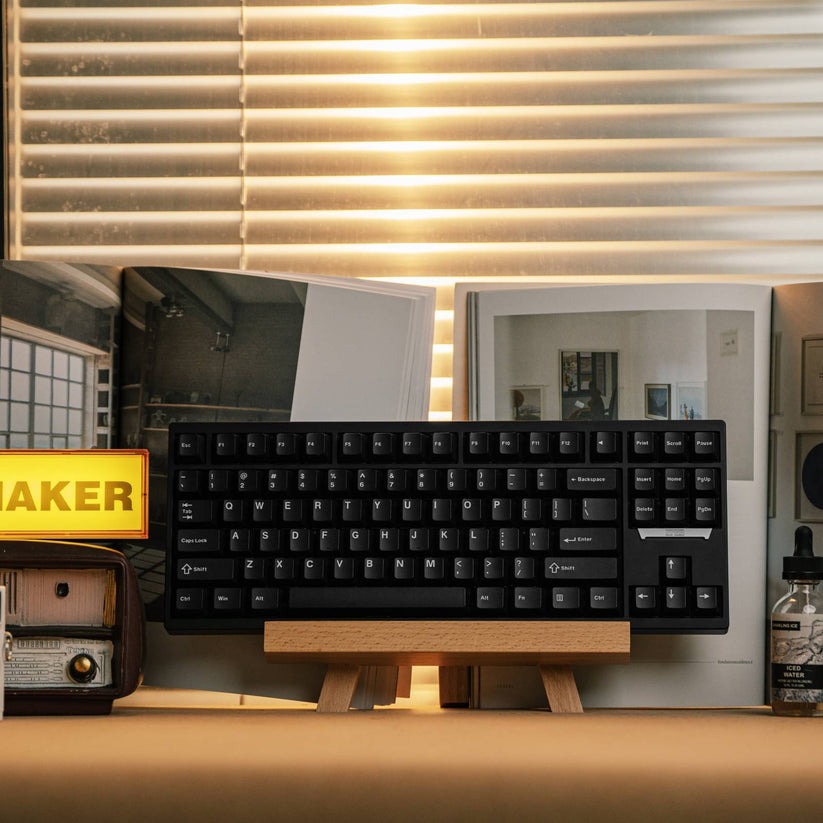
Let’s get back to the Magcore 87. Looking past its impressive TMR inductive technology, the keyboard itself is a sight to behold. With an all-aluminum construction, the keyboard is quite heavy. Like other aluminum keyboards, it’s quite heavy and hefty. Once I placed it on my desk, the keyboard did not budge one bit.
 The Magcore looks slightly different than other Epomaker keyboards I’ve used. Its design is refined and uses a simple color scheme along with transparent keycaps. It has an EPOMAKER badge on the right hand side that also lights up. Once I had it all plugged in and ready to go, it reminded me of the MONTECH MKEY PRO’s side-LED. The badge’s LED cannot be customized, but it adds a nice splash of additional color. For those wanting a simpler-looking TKL keyboard, the Magcore 87 will be a treat.
The black PBT keycaps feature prominent legends and have no readability issues. Some of the Magcore 87’s PBT plastic keycaps are transparent. These keycaps add some additional light to the keyboard, which is nice. But when the lights shine through the transparent keycaps, it becomes difficult to see the legends. This is nitpicky, sure, but this is something I’ve encountered when using keyboards with transparent keycaps. They’re nice to look at, but their practicality is hit-and-miss.
If you prefer a uniform set of keycaps, don’t worry: The Magcore 87’s keycaps are hot-swappable. They’re easy to remove and replace with something else.
Let’s move onto the Magcore 87’s switches. The Magcore 87 uses pre-installed and pre-lubed Kailh Box Inductive switches. While these switches are technically hot-swappable, there are no other inductive switches I can find that can be swapped into this keyboard. It is incompatible with traditional Hall Effect switches along with regular old mechanical switches, so expect to use these switches for the long haul until additional switches enter the market.
These switches are buttery smooth and sound great thanks to their POM construction. Switches that use POM housing tend to produce a deep and thocky sound, and these skew somewhere in between poppy and thocky. It’s satisfying for a magnetic keyboard – honestly, it’s one of my favorite HE-adjacent switches I’ve used up until now.
These switches also have a good middle ground of actuation force, requiring somewhere in the 35gf range to press the switch down. When using regular PBT-keycaps, I prefer switches at least 35gf. These switches in particular have a nice degree of pushback, returning to their original state lickity split.
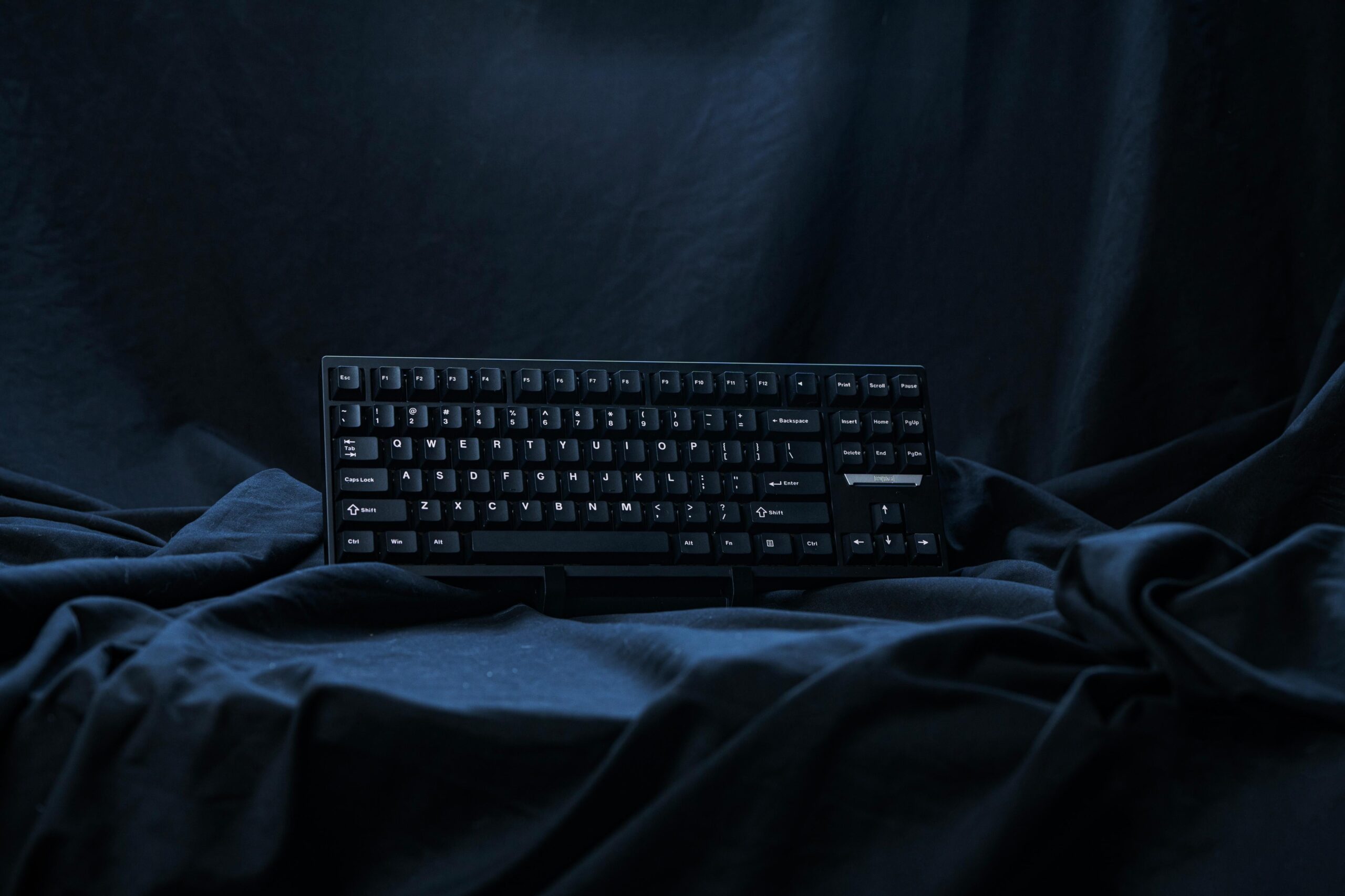 The Kailh Box Inductive switches feel responsive and smooth. In a gaming context, those two elements matter most. This is especially true when playing something high-intensity like an FPS where twitchy inputs are needed to win.
Adjusting the switches’ actuation points was a breeze thanks to Epomaker’s Magcore 87 Driver. While it’s not an online customization suite like that from WOOTING or Keychron, I’ll admit that it’s one of the most user-friendly and descriptive drivers I have used for a HE-adjacent keyboard so far. Sure, it lacks some of the complex LED settings that WOOTING natively supports, but the more complex features like Mod Tap, Fast Trigger Mode, and more are clearly described. In testing some of the older HE keyboards, these features were hardly described. For a new user, information presentation matters, and seeing these features plainly described makes it feel like Epomaker wants Magcore owners to take full advantage of the Inductive switches’ features.
Beyond its inductive switch technology, the Magcore 87 has become one of my most favorite Epomaker keyboards I have used thus far. With its refined aluminum aesthetic, pleasant acoustics, and comfortable layout, the keyboard has entered my rotation of daily driver keyboards. When gaming, I look for a keyboard that feels great to use and sounds great when in use, and the Magcore 87 does both exceptionally well. Its software suite is notable in all the right ways, too.
Epomaker’s Magcore 87 is one of their best keyboards, and the fact that it’s one of the first keyboards with inductive switches and feels this great to use means that other manufacturers have quite a bit to compete with. If the future of mechanical keyboards are inductive, then I’m incredibly excited. The Epomaker Magcore 87 is available now!