I was thrilled to test out the EA75 and even more satisfied with its performance. It held up exceptionally well under pressure and its construction and switches produced creamy sounds that many keyboard fans love. Consider the Graywood V3s as your EA75’s switches if you’re in the market for a keyboard that doesn’t break the bank.
Epomaker’s recent foray into the sub-$100 range of keyboards has surprised me in all the right ways. I’ve tested out several of their recent budget keyboards over the past few months and have been consistently impressed with the keyboards’ build quality, typing feel, and acoustic profiles. The EA75, an improved variant of the earlier EPOMAKER X AULA F75, delivers a nuanced aesthetic with creamy sounds – perfect for the gamer on a budget.
Epomaker is one of the larger prebuilt keyboard manufacturers on the market, offering keyboards of all sizes and formats to enthusiasts and gamers (like me). Over the past few years, they’ve expanded their offerings by creating their own switches, varying up their designs, and designing truly innovative keyboards. One of my daily drivers is the Epomaker RT108 because of its unique little TV screen. That said, they’ve done some work in creating budget offerings to appeal to the gamer on a budget!
Click here to check out the EA75 on Epomaker’s website! (non-affiliated URL)
The EA75 is one of those budget keyboards, and it looks just like its F75 predecessor. It has a 75% layout with a vertical set of function keys on the right-hand side. It also has a volume knob in the upper right hand corner that, when pressed, mutes your device. It’s a solidly built sub-$100 keyboard with a 75% layout.
The EA75 comes in two colors: Black or Blue. The Black model comes with side-printed shinethrough keycaps (more on this in a moment) while the Blue model comes with standard white and blue keycaps. Regardless of color, there are two switch options available – LEOBOG Reaper or Graywood V3. I was sent the Black model with the Graywood switches for this review. The black model has a nice set of grey gradient keycaps to complement the darker color scheme; with the LED strips enabled and the side printed keycaps shining brightly, the keyboard had a muted professional aesthetic.
 The EA75 utilizes a gasket mount along with sound absorbing materials within. This ensures that the keyboard isn’t too loud while also making it so that typing feels soft. The multiple layers of sandwich foam and PC plate give the keyboard a softness that often comes with more premium keyboard setups. It’s pleasant to type on and has a decent give when pushing firmly down on multiple keys.
While I’m not the biggest fan of plastic keyboards, it’s very easy for me to appreciate the EA75’s light yet firm construction. The keyboard held up exceptionally well when I tested it out playing a litany of games over the past few weeks. If you’re considering this as a gaming keyboard and are concerned about build quality, don’t be: the keyboard holds up very well under pressure.
I especially love the LED strips along the sides of the EA75 along with the small little LED strip next to the volume knob. LED strips seem to be underutilized in the mechanical keyboard space, as most manufacturers tend to rely on the LEDs within the keyboard proper (under the keycaps) rather than being placed elsewhere. With the LED strips along the corners of the case, I had some additional splashes of color on my desk. My only complaint is that I wish I had some more ways to customize these little LEDs, but I’ll take what I can get if it means that the keyboard looks unique.
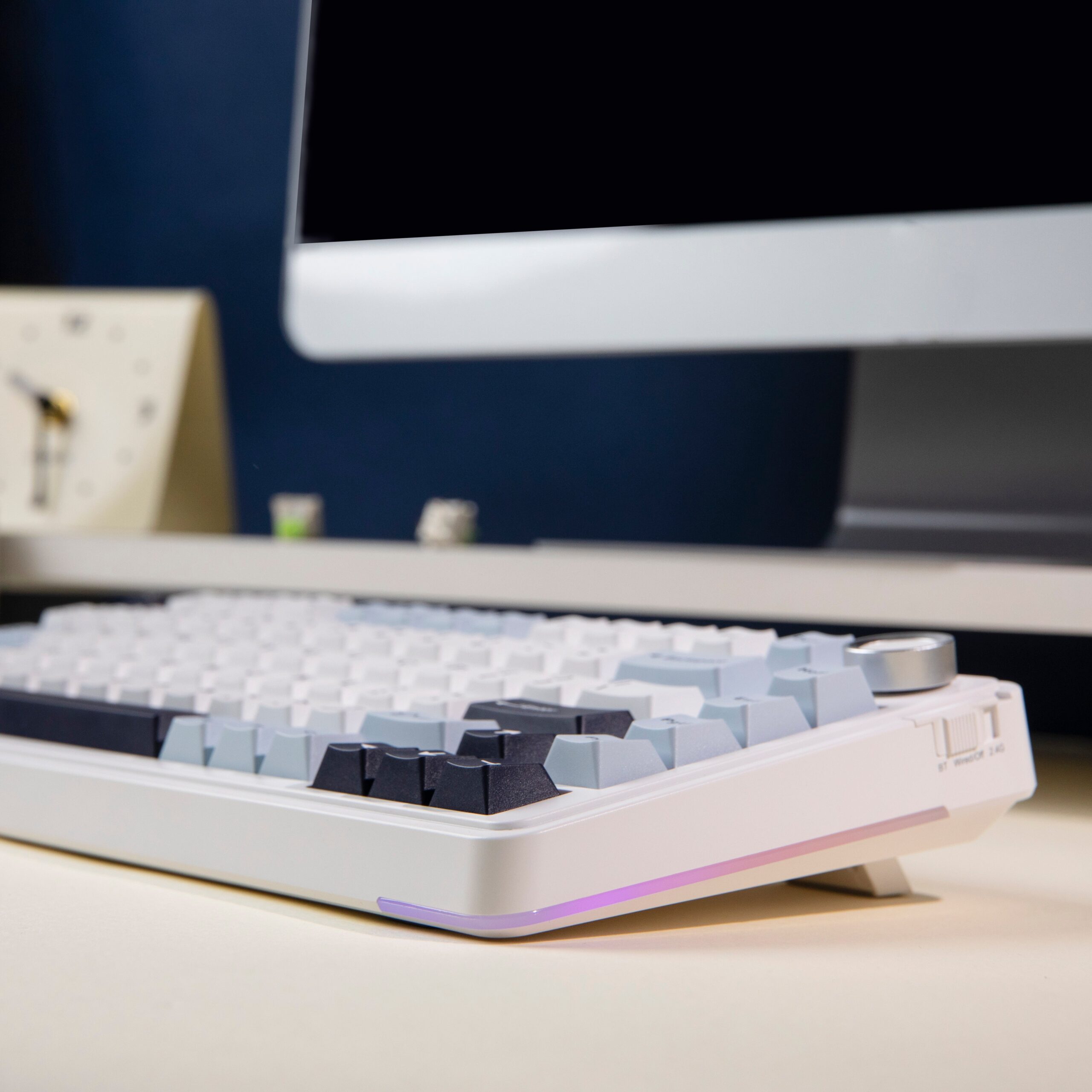 I’m usually hesitant to test out side-printed keycaps, as I occasionally like to look down at my keyboard to find specific keys when typing out more delicate strings. The side-printed keycaps on the EA75 are shinethrough, however, meaning that I can see the legends when the per-key LEDs are active. Because of the darker aesthetic, the legends are crystal clear and not obscured by traditional LED effects. The keycaps themselves are made of PBT plastic. They feel sturdy and have a good texture on the tips of my fingers – not too slippery, and not too light.
If you’re not too keen on the side-printed keycaps, it’s easy to swap them out with a keycap remover. Since this is a budget keyboard, though, I don’t think that the average EA75 owner would go so far as to customize the keyboard with new keycaps right out of the box.
The only thing that doesn’t feel sturdy on the EA75 is the volume knob. The knob has a small amount of wobble that, when paired with its slick rotation, turns the volume up/down quicker than I would prefer. Rotating the knob should require a smidge of pressure to prevent accidental rotations. I kept rotating the knob and accidentally adjusting the volume when my fingers were seeking out the DEL and HOME keys on the right hand side.
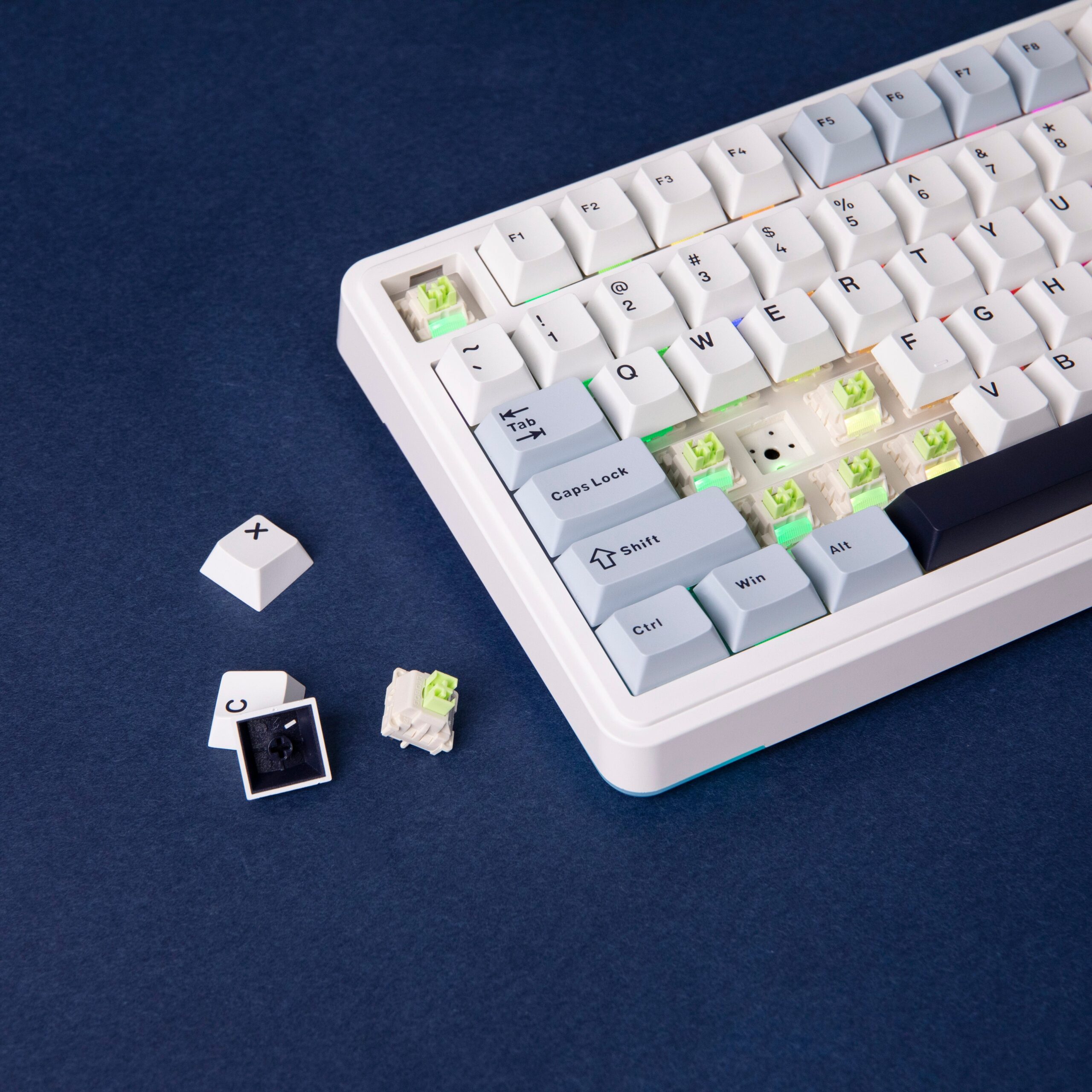 The EA75 has other features that are now standard on prebuilts, being tri-mode connectivity (wired, Bluetooth, and 2.4G), hotswappable switches/keycaps, per-key RGB backlights, and a separate driver to update the keyboard’s firmware/customize its LEDs. It doesn’t have VIA, but again – I don’t expect the average EA75 consumer to want/need VIA like a more seasoned keyboard owner.
There are two switches available on the EA75 – the LEOBOG Reaper switch and the LEOBOG Graywood V3s. The Reapers are several years old and originally came with the AULA F75. They skew far more clacky than creamy in terms of acoustics according to the online sound tests, and they are relatively sturdy for gaming. The Graywood V3s, on the other hand, are quite popular overseas for a budget switch. Their wobble emerges when pressing down slightly, but their typing feel and sound make the switches sound quite divine. The only real downside of using the EA75 is that they feel a smidge sensitive – they require around 30gf of force to push down. My personal preference for switches is ~45gf of force to minimize accidental presses.
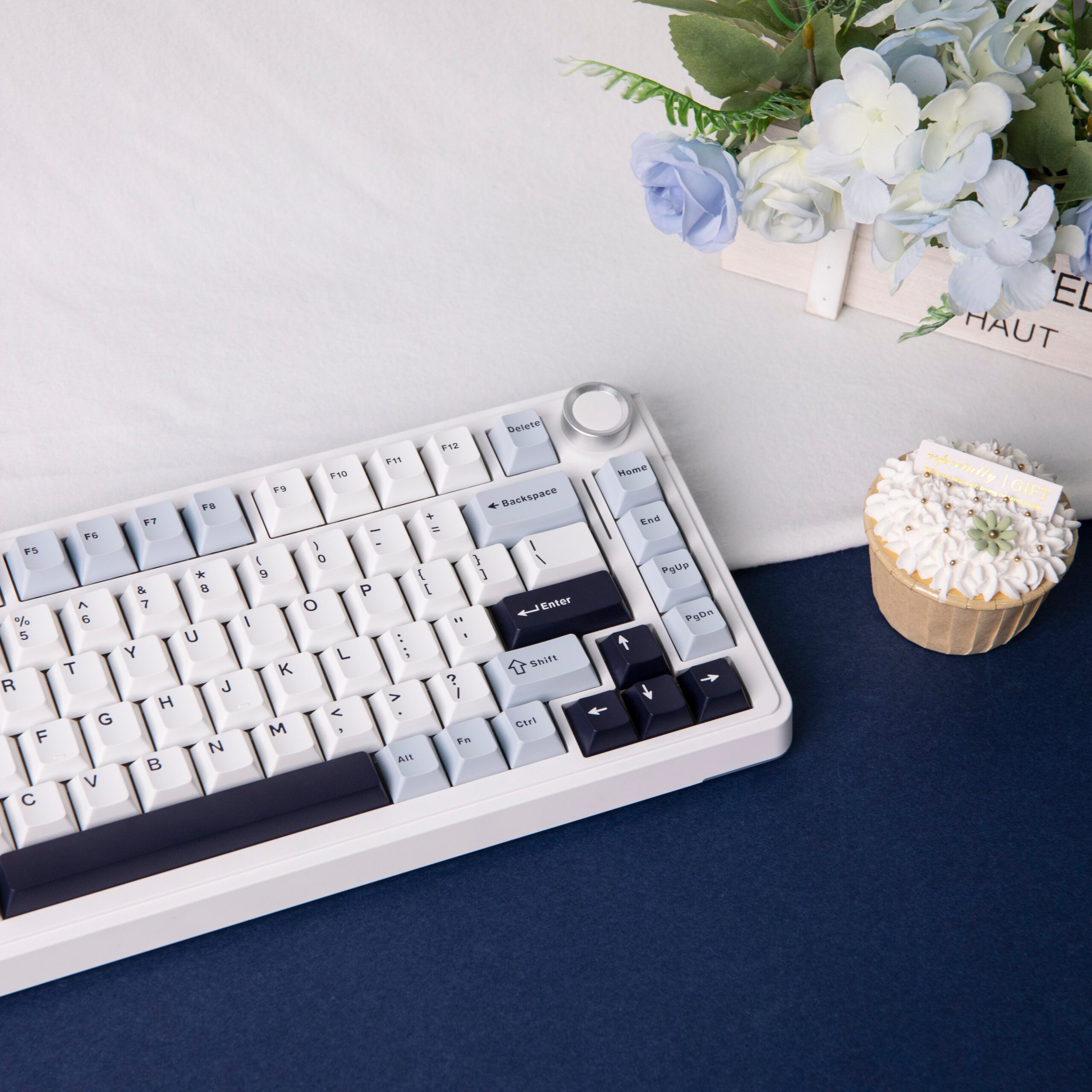 When using the Graywood V3s on the EA75, they sound quite creamy. They’re not as creamy as the Epomaker Creamy Jades, but they produce a soft thock that is satisfying on the ears. Their POM stems, and PC/Nylon housing is to thank for this acoustic profile. It’s one of the better sounding and feeling budget switches on the market.
With the switches’ sensitivity, they ended up working quite well in gaming contexts, especially for higher intensity games like VALORANT and Counter-Strike 2. They’ve been great to use in games of medium- and lower-intensity, too. If you’re considering playing games on the EA75, there’s little doubt that the EA75 will hold up well and feel great to use.
I was thrilled to test out the EA75 and even more satisfied with its performance. It held up exceptionally well under pressure and its construction and switches produced creamy sounds that many keyboard fans love. Consider the Graywood V3s as your EA75’s switches if you’re in the market for a keyboard that doesn’t break the bank.