The Epomaker Alice 66 is one of the best entry points into the world of split keyboards. I’m a huge fan of its marbly acoustic profile and its price point, even though the lack of a Windows key makes it more difficult than it should to relearn how to type. If you’re wanting to try out a new split keyboard without breaking the bank, look no further than the Alice 66!
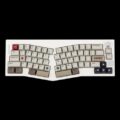
As I’ve dove deeper into the world of mechanical keyboards, I’ve seen more and more keeb fans show off their newest “end game keyboards,” aka the final boss of keyboards to rule them all. Most of these “end game keyboards” happen to be split-layout keyboards (or Alice-style keyboards). What’s a split-layout keyboard, you ask? Imagine a keyboard that’s been literally split in half with keys angled as such so your hands naturally rest in a natural angled position (instead of perpendicular to the keyboard).
Split-layout keyboards look wild because that shirk the conventional norms of keyboard aesthetics. There are two spacebars, two B keys, and the layout divides the keys so that each hand naturally reaches a specific set of keys. Sure, they lean heavily into the idea of maximizing ergonomics on a utilitarian product, but they’re also so few and far between that most consumers are unaware of their existence and are forced into relearning how to type once that keyboard is on their desk.
My name is Will, and this is my review of Epomaker’s Alice 66 – the first split-layout keyboard I have ever used.
 Epomaker’s prebuilt keyboards have impressed me over the past two years I’ve reviewed their products. I’ve tested many of their keyboards for gaming and have consistently recommended them for those who wanted an affordable prebuilt keyboard. I’ve personally used a modified RT100 because of its little screen – some of Epomaker’s keyboards have shirked traditional design norms and incorporated novelty elements that most consumers would expect to see on their keebs.
Check out the Alice 66 on Epomaker’s website! (Non-affiliated URL)
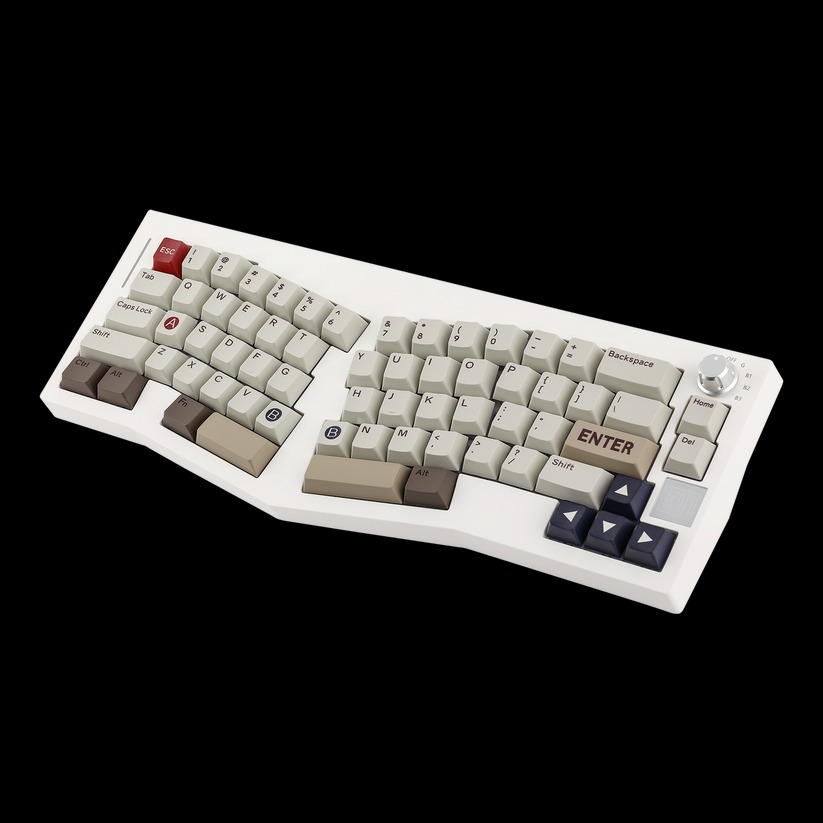
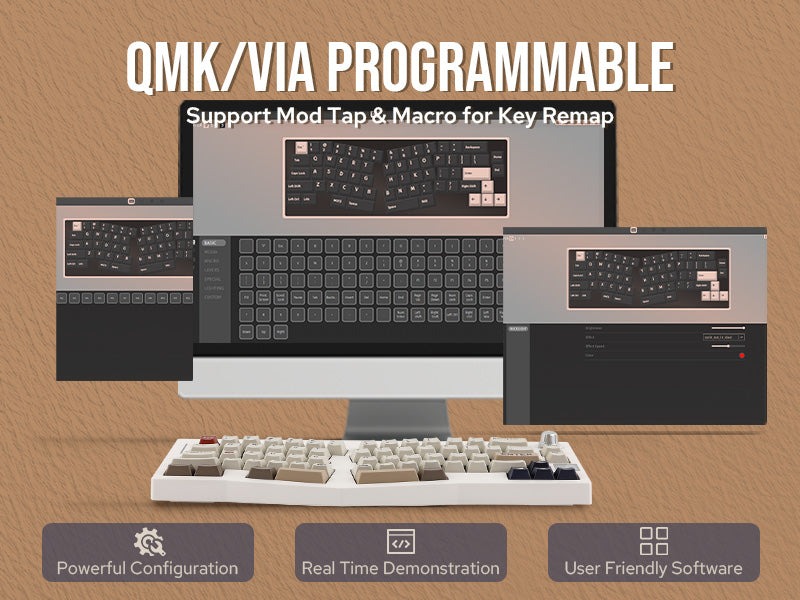
The Alice 66 is a split-layout keyboard – one of the few split-layouts that Epomaker offers. For under $100, the Alice 66 gives users a taste of what to expect from an ergonomic layout in a 65% format (with a small drawback, more on this in a moment). This means that there’s no number pad, no function row, and only two editing keys (Home and Delete) – just the basics. If you need to rebind some of the keys, you can do that using VIA.
The “White” model of the Alice 66 is its only model. It adopts a traditional cream, red, and grey color scheme that looks similar to the old-school NES (and 8bitdo products). With the angled keys and smaller form factor, it looks like a wild keyboard on my desk. It steps away from Epomaker’s usual design language by incorporating a large square EPOMAKER emblem on the right and a rainbow LED strip on the left of the keyboard. I wasn’t able to customize these illuminated emblems, but I could customize the LEDs underneath the keys!
 The keyboard’s build quality is sufficient. Its ABS plastic case ensures that the keyboard is light and airy. When I press firmly down on the unit, it hardly budges, so there’s no worry about build quality of flimsy plastic. It held up quite well in my testing over the past few weeks.
Upon beginning to use the keyboard, I was negatively impacted by one, and only one, element. The keyboard was missing a Windows (or Command, for you Mac folks) key! While it might not be like a major deal, the arrangement of the Control and Alt on the left hand side of the keyboard felt more foreign than it should, impacting my ability to relearn how to type using the split layout. The Windows key goes in between the Control and Alt buttons! Even more, I use the Windows key for accessing my clipboard, opening the start menu, and also for using some other commands when playing games! The Alice 66 is so compact that it condenses keys to the bare minimum, so be mindful of the lack of keys that you and I may take for granted.
Outside of that one drawback, the keyboard felt great to use. There’s something to be said about how Epomaker packs their prebuilts full of sound dampening materials and mounting styles to eke out the best sounds from their keyboards. Here, the Alice 66 has bottom silicon, a poron sandwich pad, poron form, IXPE switch pads, and a sound enhancement pad. Epomaker claims that the keyboard has a cloud-like typing feel that’s responsive, tactile, and soft – this is mostly true. When typing on the keyboard, I was treated to a marbly (or perhaps a soft yet chalky) acoustic profile – it’s quite pleasant on the ears. Some of that is thanks to the switches, though.
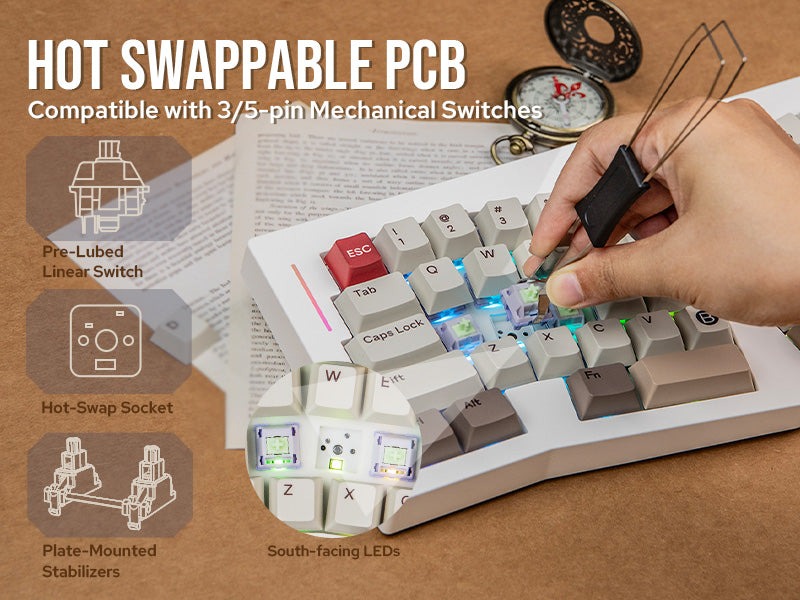 Before discussing the switches, I’m glad to see that the traditional “modern” mechanical keyboard features are present once again. Things like hot-swappable switches, hot-swappable keycaps (if you dare to modify the layout further), and multi-connectivity keep the keyboard up-to-date with modern keyboard trends. While I prefer to use my keyboards in wired mode, some folks may prefer a desk free of wires. If you’re one of those folks, simply pull out the little dongle from the back of the keyboard and plug it in, and then you’re good to go.
My version of the Alice 66 comes with a familiar set of switches: Epomaker’s Wisteria Linear switches. I’ve reviewed these switches quite a bit on some of their older prebuilt keyboards and my opinion of them this time around remains the same. They’re smooth, they feel great to use, and they sound even better thanks to the keyboard’s sound dampening materials. If you’re not a fan of the Wisteria Linears and desire a louder switch, you can opt to have the Epomaker Flamingoes pre-installed instead. The Flamingo switches were one of the louder switches I have used in my experience, so be warned that there’s an audible difference that may be considered distracted to those sharing an office space with you.
Generally, the better all-rounder gaming switches are those with a mid-range pre-travel and mid-range actuation force. Some folks may disagree and argue that a more sensitive switch is better for gaming, but this only really matters for those playing games of higher intensity where twitchy inputs are a win condition. If you’re using a split-layout keyboard for the first time and considering the Alice 66, then you’re better off opting for the safer route and using the Wisteria Linears as a means of accustoming yourself to the layout. Once you’ve mastered the ergonomic superiority of the Alice 66, then you can swap out the switches and put in another mechanical switch of your choice.
 This keyboard holds up well for light gaming. The 65% split-layout makes it difficult to use for high-intensity games unless you’re already familiar with a split-layout, otherwise you’ll face the learning curve of separating your hands and repositioning them in a more ergonomic fashion. If you’re already comfortable with the split layout and can handle a smaller keyboard, there’s no doubt that the Alice 66 will hold up excellently (and sound great, too!) for all kinds of games. However, I don’t imagine that the critical mass of you folks are split keyboard owners, so proceed with some caution.
The Epomaker Alice 66 is one of the best entry points into the world of split keyboards. I’m a huge fan of its marbly acoustic profile and its price point, even though the lack of a Windows key makes it more difficult than it should to relearn how to type. If you’re wanting to try out a new split keyboard without breaking the bank, look no further than the Alice 66!