There are several reasons to be impressed by the Phantom81 Lite beyond its price. Its robust yet colorful ABS molding stands out regardless of its color, and it feels like a dream to type on thanks to the creaminess of the KiiBOOM Mochi switches. It’s a great all-around keyboard for gaming and working, assuming you’re not playing a high-intensity first-person shooter.
The KiiBOOM Phantom series of mechanical keyboards have been consistent in its design philosophy of being a crystal-clear, fully transparent keyboard made entirely out of acrylic. It’s an eye-catching and novel lineup of keyboards that stands apart from others, in part because an entirely transparent keyboard is hard to imagine. Once it’s on your desk, though, it brightens up the space once the LEDs turn on.
Their newest Phantom mechanical keyboard, the Phantom81 Lite, is strange because it lacks the core element that makes Phantom keyboards so special. The Phantom81 Lite is not transparent nor acrylic at all. Instead, it looks almost like a colorful candy bar or a toy. Nomenclature strangeness aside, the Phantom81 Lite holds up to what I’ve come to expect from KiiBOOM’s high-quality prebuilt keyboards, and that’s what matters the most. Even better, it’s an affordable option that gives consumers a taste of what it’s like to own a KiiBOOM keyboard!
Check out the Phantom81 Lite on KiiBOOM’s website by clicking here! (non-affiliated URL)
The Phantom81 Lite is a compact 75%, meaning that it has a full function row of keys but no number pad. It lacks a volume knob (like its Phantom counterparts, a strange design decision that replaces the knob with a little KiiBOOM plate in the upper right corner), but it’s designed to emphasize a creamy acoustic profile. It also features a gasket mount that ensures that typing is smooth and responsive, great for those expecting to use their keyboard for long hours. Gasket mounting is one of my favorite mounting styles because of its flexibility.
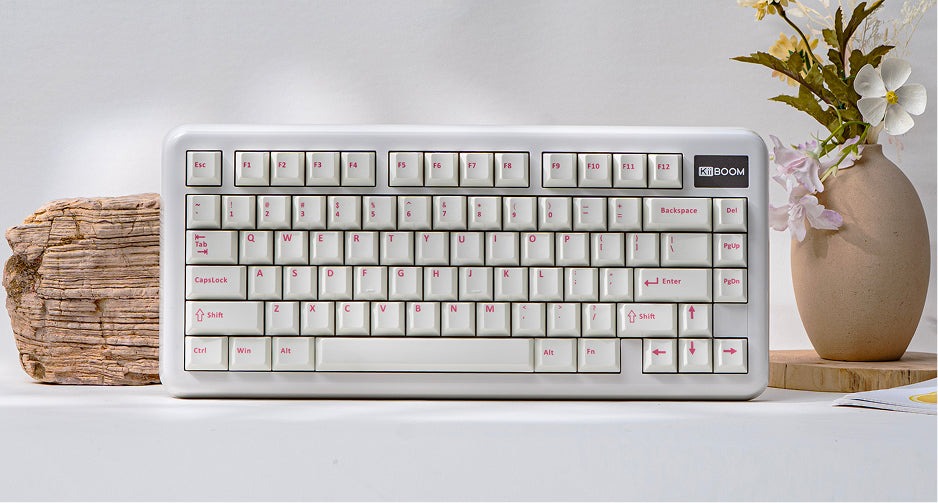 The KiiBOOM Phantom81 Lite comes in several color variants: White Pink, Black, Green, and Blue. Regardless of variant, it comes with KiiBOOM’s unique Mochi switches, which I’ll detail below. I was sent the Blue version to review, meaning that it came with a unique set of MOA-profile keycaps and a powder-blue plastic ABS case.
The blue variant of the Phantom81 Lite exudes cuteness because of the powder-blue case and adorable MOA keycaps. The casing is comprised of a shiny ABS plastic which is light in-hand. However, my fingers left quite a bit of fingerprints on it after excessive use. I appreciate the lengths KiiBOOM went in selecting materials that hold up well under pressure, but having to frequently clean off my keyboard to get rid of the fingerprints was a point of frustration. That said, the unique ABS molding is highly unlike anything I’ve seen from a mechanical keyboard. It looks like a cute toy but feels like a premium keyboard once it’s in-hand.
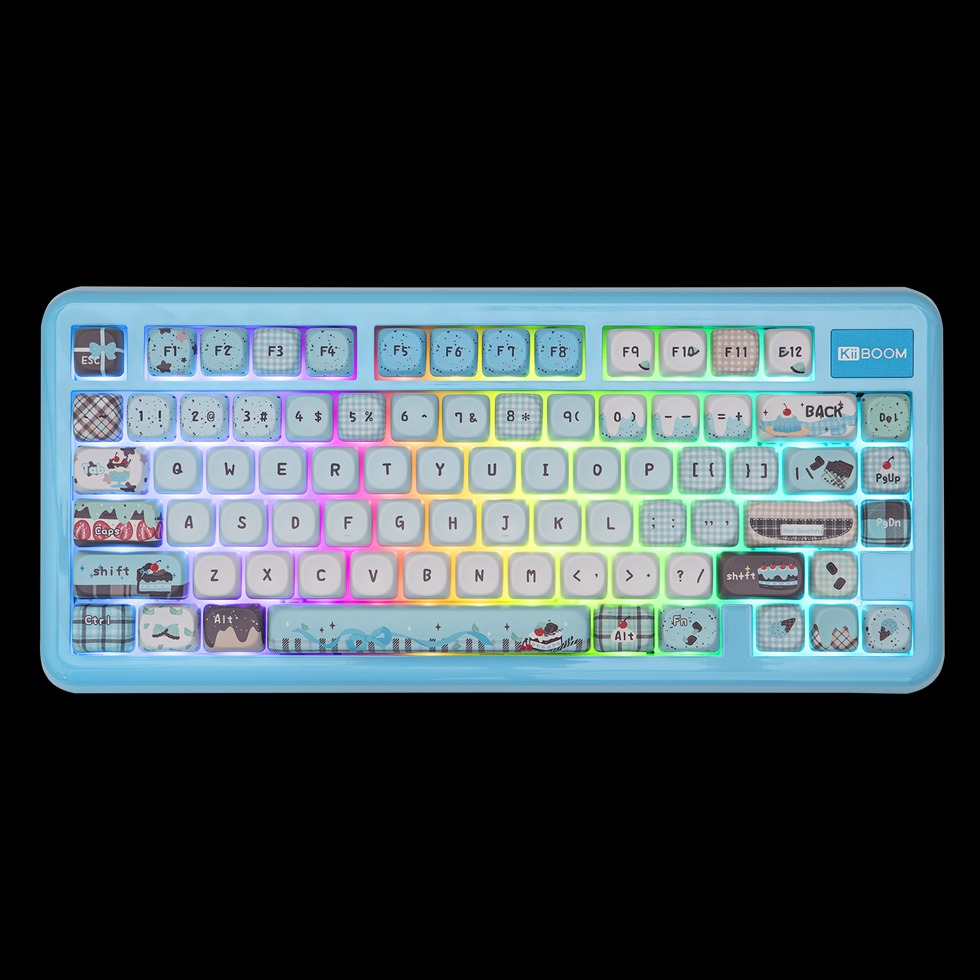 The blue and green variants came with a unique set of keycaps – KiiBOOM’s MOA-profile keycaps! The green variant has the cute Froggy Day keycaps (which I’ve reviewed before), while the blue keycaps have a cute mint chocolate keycaps that are designed entirely around desserts! It’s an adorable set of keycaps that look so great, and they’re easily readable even with the little ice cream and cake icons peppered throughout the keycaps. My only concern about these keycaps is the MOA profile – I personally don’t enjoy using MOA because of their taller and rounded uniformity. I usually err on the side of Cherry-profile keycaps for supreme ergonomics. Luckily, the Black and White Pink models come with Cherry-profile keycaps preinstalled.
I love the keycaps on the blue model, though. They’re the right amount of cuteness with cute sugary delights that give the keyboard some personality. I hope these keycaps become available for purchase separately – they’re great to add to a keyboard in need of some sweetness or chocolatey goodness!
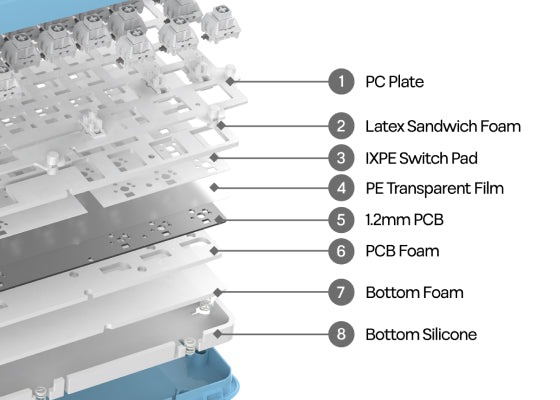
This keyboard felt great to use in longer typing sessions thanks to the internal sound-absorption materials. Thanks to the latex sandwich foam, ixpe switch pads, PE transparent film, PCB foam, and bottom silicon, it was comfortable to type on this keyboard for longer sprints and had a softer acoustic profile that wasn’t too loud to annoy anyone around me.
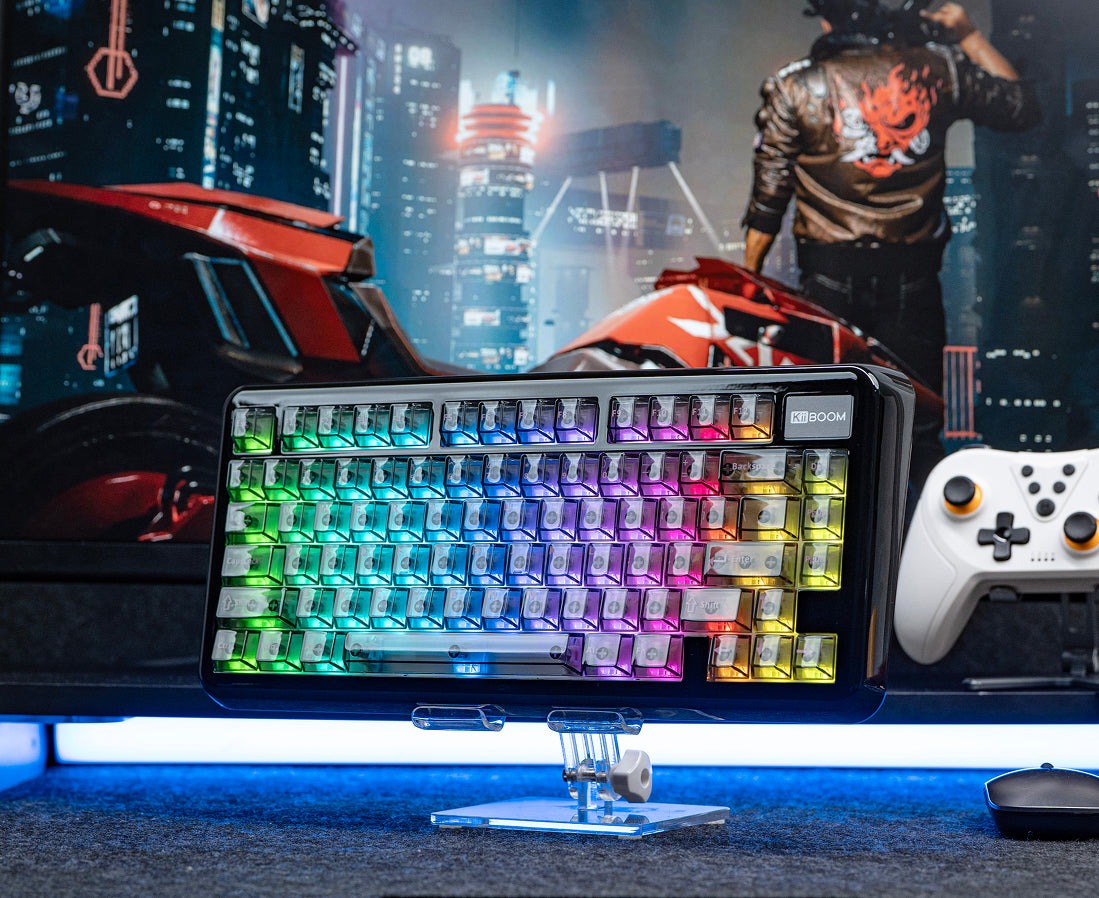 The Phantom81 Lite has a few additional features that are now standard on entry-level mechanical keyboards, such as tri-connectivity (Bluetooth, 2.4GhZ, and wired), QMK/VIA support (in the event that you want to customize the keys and/or RGBs), adjustable feet at the bottom of the keyboard, and a 4000mAh battery that can last for several days before needing to be charged. I personally used the wired mode for gaming, but in 2.4GHz mode the keyboard lasted quite a bit before needing to be charged.
Let’s talk about the Phantom81 Lite’s switches. This keyboard comes preinstalled with KiiBOOM’s Mochi switches, a unique set of linear switches that are only available on the Phantom81 Lite at this time. In tandem with the keyboard’s soft aesthetic, the Mochi switches produce a delightful creamy thock when in use. It’s not too loud, but it’s just soft enough to be heard and enjoyed by everyone around you. The switches’ construction of PC and POM are to thank here – these materials tend to produce a deeper and creamier sound profile than others.
 These switches are also great all-around switches for gaming and work thanks to their actuation force of ~40gf and mid-ranged pre-travel of 2.0mm. In practice, a switches with ~40gf of actuation is a good middle ground that requires just enough force as to not accidentally activate from lighter touches. The pre-travel being 2.0mm is a great complement as well, as it requires some distance to activate the switch. This means that typing on these switches requires the perfect blend of intentional force with very little errant mistyping.
On the gaming side of things, the Phantom81 Lite holds up impressively well for most games, barring the higher intensity FPS titles like VALORANT and CounterStrike. The softness and sensitivity of the Mochi switches made gaming satisfying beyond all get out. Playing low intensity games like Teamfight Tactics and Maze Mice was satisfying, as the thocky acoustic profile complemented by thoughtful inputs so well. Medium intensity games, like Earthion and Arashi Gaiden, felt great to play with the Mochi switches as it had the perfect pre-travel (2.0mm) for me to press around halfway down with just enough pressure for inputs to be properly registered.
Of course, you’re welcome to swap out the switches with something more sensitive in the event that you need to play something of higher intensity and you want the Phantom81 Lite to keep up with your playtime. However, seeing as this is an entry-level keyboard, it’s hard for me to recommend doing so seeing as that requires additional time and money to perfect the Phantom81 into something that fits your needs. Generally speaking, the Phantom81 Lite is a satisfying keyboard to use for most games, and its smoothness is what matters when it comes to playing for long hours at a time.
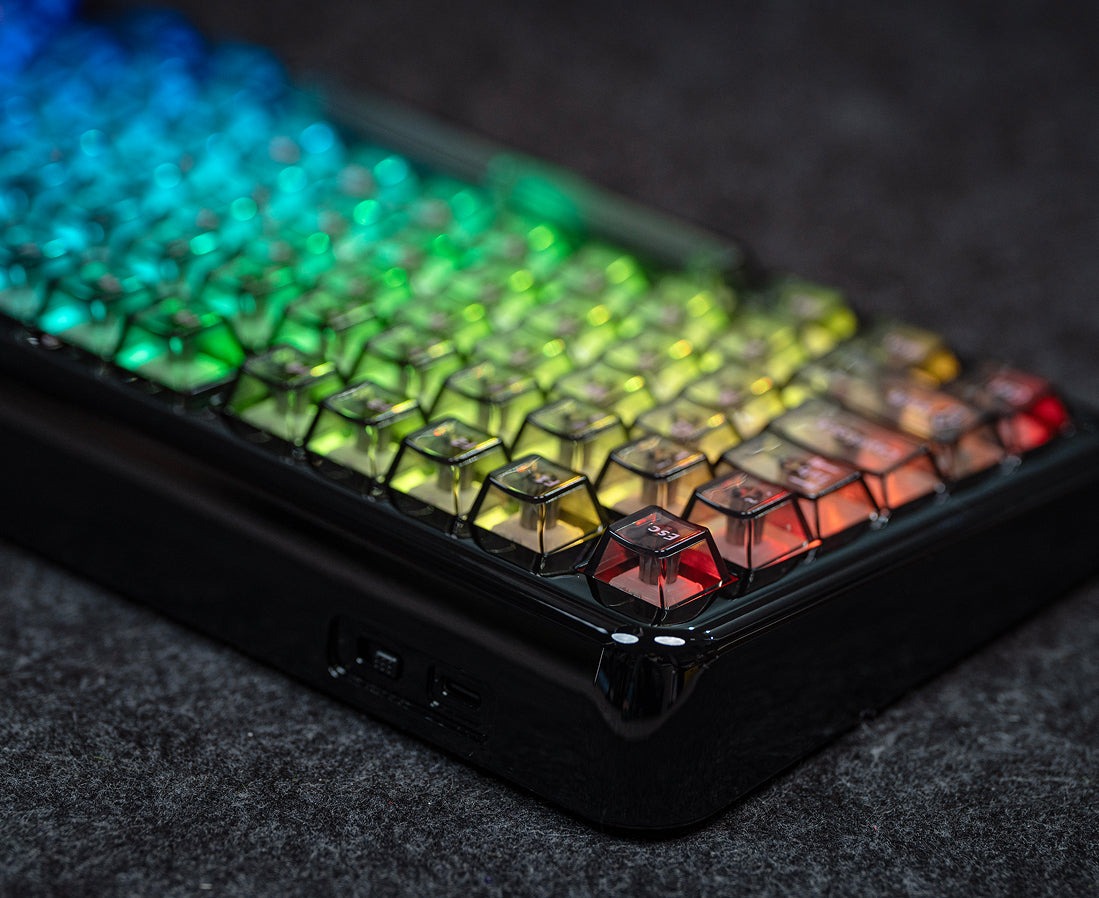 I know I’ve mentioned that the Phantom81 Lite is “strange” several times in this review. I do so because I come from the perspective of one who is familiar with KiiBOOM’s Phantom line of keyboards and the unique features they bring. I assume that you don’t own a Phantom keyboard at this time, so you aren’t in the same position as I when it comes to what I expect from the Phantoms. As someone unfamiliar with the Phantom line of keyboards, the Phantom81 Lite has just about all the features you need from an entry-level mechanical keyboard without compromising on quality. It feels great to use, and that’s what matters most.
There are several reasons to be impressed by the Phantom81 Lite beyond its price. Its robust yet colorful ABS molding stands out regardless of its color, and it feels like a dream to type on thanks to the creaminess of the KiiBOOM Mochi switches. It’s a great all-around keyboard for gaming and working, assuming you’re not playing a high-intensity first-person shooter.