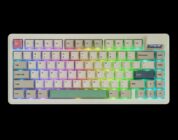
The Jade75 is another example of KiiBOOM’s commitment to a gorgeous and premium-feeling mechanical keyboard. If you’re in the market for a partially transparent keyboard that makes a statement and lights up your desk, look no further than the Jade75!
KiiBOOM’s Jade75 mechanical keyboard is another example of KiiBOOM’s wild designs for a prebuilt mechanical keyboard, and it’s absolutely stunning in person. When I got the opportunity to review the Jade75 and KiiBOOM’s recent Phantom81 Lite, I was curious about how their newest keyboards would compare to their existing phenomenal line of Phantom keyboards.
KiiBOOM is a keyboard manufacturer who specializes in in truly creative and gorgeous prebuilt mechanical keyboards. I’ve tested and reviewed multiple keyboards from them, ranging from the Phantom series (multiple versions and layouts) to the Moonshadow V2 to the compact Cybrix16. They’ve consistently impressed Sme with their creative designs and build quality, and I often recommend them to folks who want a keyboard that looks out-of-this-world and willing to spend just a little more to get that prebuilt KiiBOOM goodness.
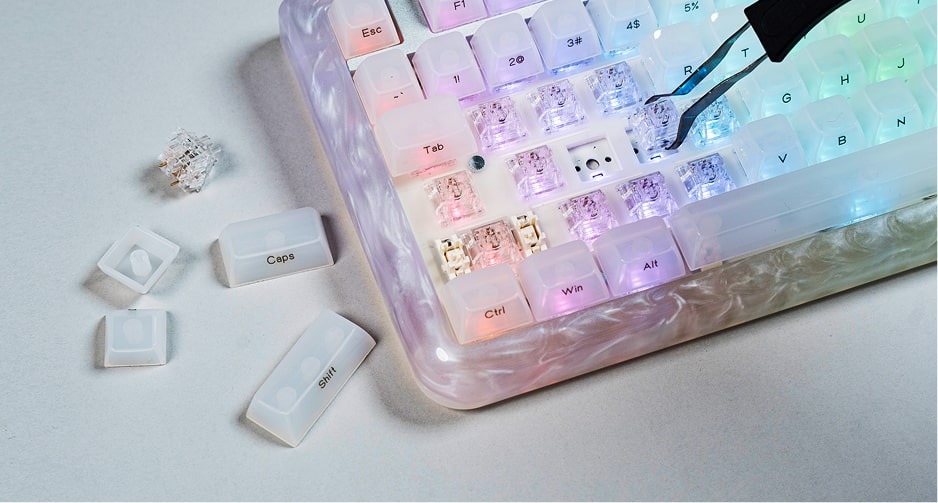 The Jade 75 is the spiritual successor to KiiBOOM’s Phantom81. Instead of a fully transparent design, the Jade75 is unique in that it features a high-quality resin case, UV finishing, and partially transparent keycaps to produce an enhanced lighting experience.
Check out the Jade75 on KiiBOOM’s website by clicking here! (Non-affiliated URL)
Upon taking the Jade75 out of the box, I was stunned with its design. There’s no keyboard that looks like it; then again, I’ve never seen a transparent keyboard that isn’t of KiiBOOM’s design. The CNC+UV Resin material looks and feels exceptionally high quality. It has a cloudy appearance, along with some swirly glitter patterns within the resin case. Running my finger along the side, the case feels smooth and quite durable. I tried scratching it with my fingernails but there were no divots in the casing. This is the same high-quality resin that I’ve seen used in some IEMs I’ve tested – I love it. The only downside here is that it is slightly heavy, about the same heft as a traditional aluminum keyboard, so don’t expect something lightweight to sit on your desk.
The Jade75 comes with other features that are now evergreen in the mechanical keyboard space, such as tri-connectivity (Bluetooth, 2.4GhZ, and wired), south-facing RBGs, QMK/VIA customization (for those who want to adjust their keyboard’s inputs), and hot-swappable switches and keycaps. Frankly, I wouldn’t want to swap out the keycaps OR the switches, as the keyboard looks gorgeous as is.
There’s something to be said about having a partially transparent keyboard. When the Jade75’s LEDs are fully lit, every single inch of the keyboard glows. The MDA-profile keycaps remain fully readable thanks to the black side-printed legends while the edges of the case are lit, as well. Compared to the Phantom series, the Jade75’s partial transparency means that the keyboard can fully light up without compromising on the keycaps’ readability. Its plate mount also means that the keyboard feels quite stable when in use – I tried pressing down with all my might, and the keyboard did not budge.
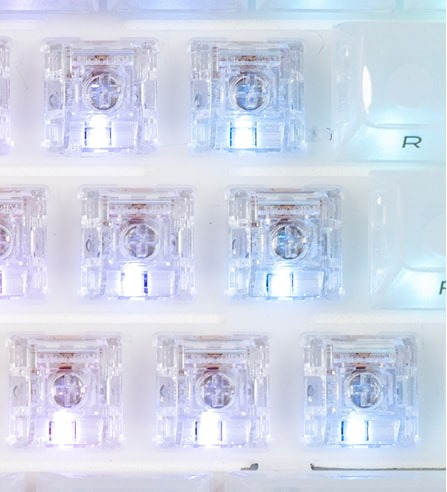
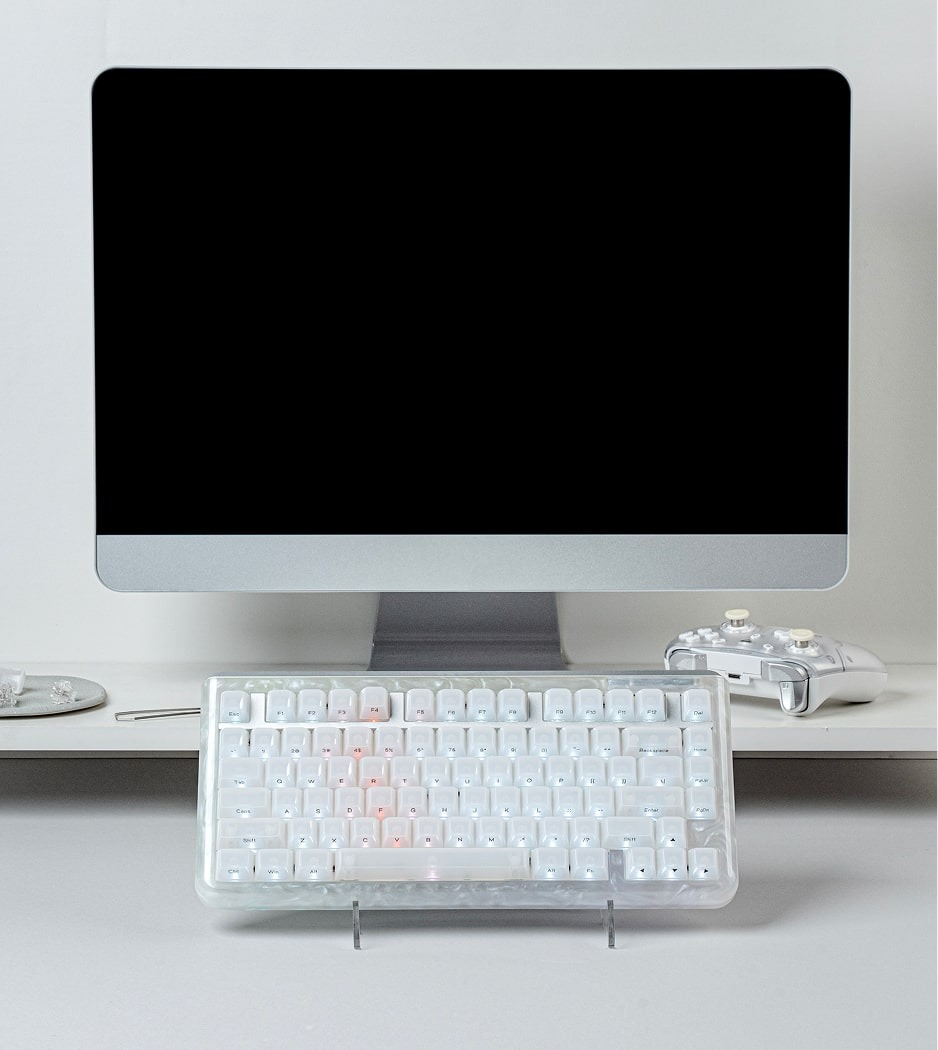 KiBOOM’s decision to use their Crystal Switches in the Jade75 was especially smart, as I was able to truly enjoy the keyboard’s illuminating elements. Thanks to the switches’ transparent housing, light diffuses quite well through the partially transparent plastic keycaps. Like the Phantom line of keyboards, the Jade75 is full of color and glows beautifully in darker office spaces like mine.
On the topic of the Jade75’s switches, this keyboard comes with KiiBOOM’s Crystal Switches preinstalled. These are the same fully transparent switches that come preinstalled on the KiiBOOM Phantom81. Nothing has been updated here, so expect 47gf of actuation force, ~2.0mm of pre-travel, and a linear typing experience. I generally like these switches given their deeper-than-average pre-travel (anything above 1.7mm feels more natural to me, but your mileage may vary), high actuation force (it’s rare to see linear switches above 40gf), and smooth typing. The Crystal Switches check all of those boxes quite well (especially since I’ve tested these switches on other keyboards from KiiBOOM). I don’t think that another switch would be needed for the Jade75, unless you’re hoping for something slightly more sensitive in the force or pre-travel department. If so, you should only consider a switch that’s fully transparent, such as the TECSEE CANDY ICE switches (which have a FAR stronger actuation force), Durock T1 Tactiles (which are tactile switches, be warned), or Outemu Clears. For most consumers, however, I think it’s perfectly fine to settle with the KiiBOOM Crystal Switches.
 On the gaming side of things, the Crystal Switches hold up incredibly well for most games, barring the types of games that would require twitchy and/or sensitive inputs. By that, I mean FPS games like Counter-Strike 2 or VALORANT. The stronger-than-usual actuation force means that a smidge more pressure needs to be applied on each switch and results in more impactful keypresses. These switches feel exceptionally smooth, meaning that the switches held up under immense duress and felt great to use when gaming overall. If you’re intending on using the Jade75 for gaming, the default switches should hold up pretty well for you.
The Jade75 is another example of KiiBOOM’s commitment to a gorgeous and premium-feeling mechanical keyboard. If you’re in the market for a partially transparent keyboard that makes a statement and lights up your desk, look no further than the Jade75!