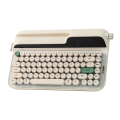
While most of the keyboards reviewed on Digitalchumps have been technical marvels and purposeful in their designed intentions, sometimes keyboard art hits our desk and overtakes functionality. This is the case with Epomaker’s Glyph keyboard.
The Glyph keyboard is an artistic choice rather than a necessity. It is driven by being a talking point when people arrive in your office or home, rather than sporting the latest and greatest set of functionality. People will see this keyboard for the first time and declare how unique, stylish, and cool it looks without asking about how it feels or functions. No conversation about the Glyph will begin with its hot-swappable triple modes or its customizable software solutions. The conversation begins with the declaration that it is pure art. Need proof of this statement? Having had this on my desk for more than a month, I have had people enter my office to discuss business, only to stop in the middle of their thoughts to gaze upon the Glyph keyboard in all its majesty. The first thing they say is, “That is a cool keyboard”. And they wouldn’t be wrong.
Designed to mimic old typewriter solutions from the days before I was born, the Glyph keyboard represents several decades of keyboard evolution in one body. The keys are round and punchy, emulating a typewriter from the 50s/60s era of typing, when fingers hit perfectly curved keys that welcome the letter of choice from the writer. This is one of the first pieces of the keyboard that owners and viewers will want to touch, just to see how the keys feel, as most keyboards of today don’t carry over that old-school design from yesteryear. The first punch of a key will show off the keyboard’s comfort in typing, while also reassuring the user that these creamy beauties still align with today’s keyboard expectations and standards. The keys are quick to the tap, clickity-clacky in the right ways, and they simply feel good to type on long-term.
But! The keys will take some getting used to when typing papers or keyboard reviews. Because of their lack of squareness, which is typically featured on keyboards of today, there is a slight sense of insecurity with correct key-pushing, as it does feel like an oddity because of its roundness and reduced finger space. It takes about an hour or a couple of long uses to get that keyboard roadblock out of one’s mind, but it’s guaranteed to be on the user’s mind when they begin typing on it. Of course, if that is the only downside to the Glyph, then I would take it in a heartbeat. At worst, it sets a new, revived standard for keys and design.
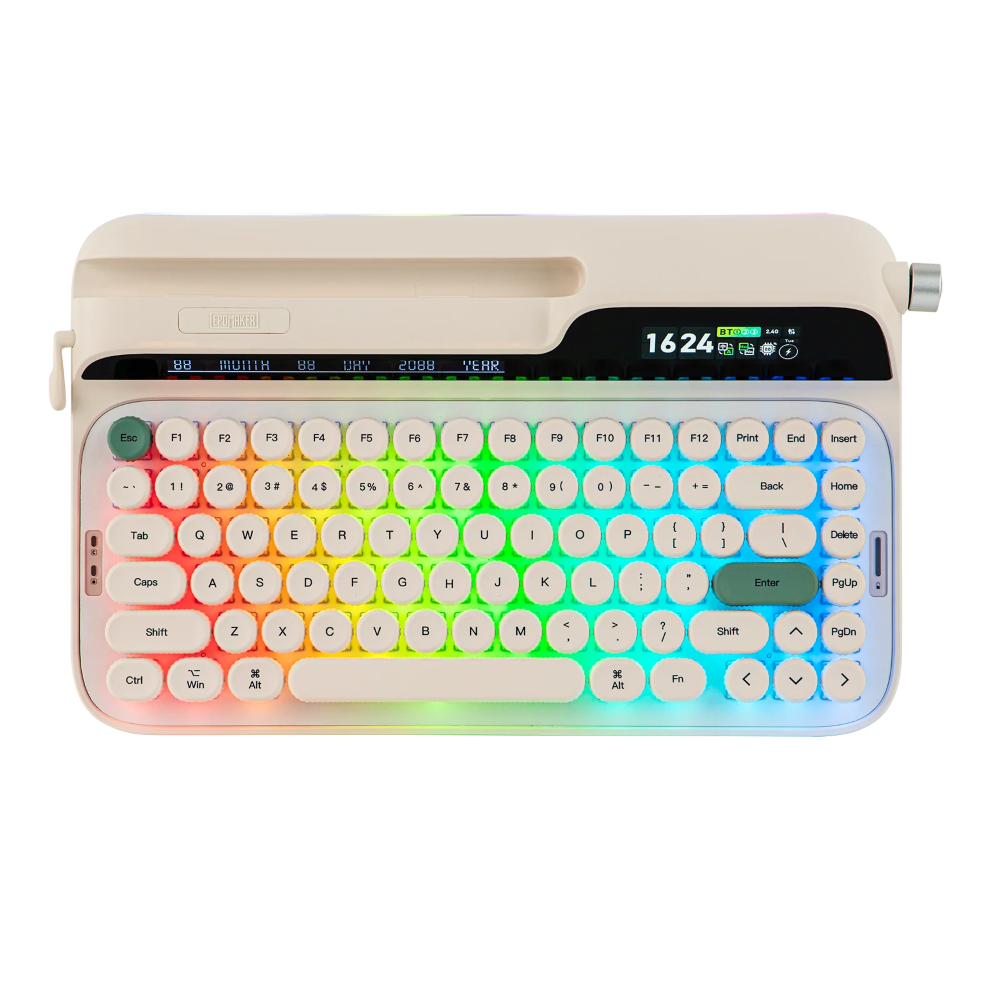
North of the keys lies a large screen that harkens back to the late 70s/early 80s desk calculator. It is visually robotic and precise, yet colorful and easy to read. It displays all the necessary information that a user would need for a keyboard, and then some. For example, it displays the time, date, and what mode you’re using the keyboard in currently (Mac/Win – a very important bit of info, especially when one is editing video in Final Cut Pro). The screen is gorgeously clear to the eye and adds just a bit of modern accent to an otherwise ancient keyboard design. It reminds the user that they are living within several keyboard design decades, while also giving usefulness to that multi-generational way of life. In short, it’s a wonderful addition that provides purpose and pizzazz.
To the right of the screen is a wonderful knob that controls several functions and that is assignable. By default, the knob can change the volume of whatever computer it is hooked up to. This knob acts as a typical knob that you can find on a modern keyboard. It has several functions that it can be used for, but it is mainly there for aesthetic reasons. It fits right into the overall design of the Glyph and adds just enough to make sense of its purpose. Honestly, Epomaker could have just had a few buttons assigned for volume control or whatnot, but chose to add an extra artistic step to the keyboard’s design. It works with the keyboard’s overall design, blending in gorgeously.
On the left side of the keyboard lies a flip switch. In contrast to the knob, this is probably the most fragile part of the Glyph, as it feels like it could just break given the wrong force applied. The default usefulness of this flip switch is two-fold. It can switch between programs on a Windows machine easily, which is useful when needed or wanted, while also adding yet another aesthetic to the design as a carriage return for the keyboard. Don’t know what a carriage return is and are too lazy to Google it? Let me enlighten you.
Back in the old days, keyboards would have a carriage return that would allow for the reset of the typewriter carriage as one would type. The carriage’s sole purpose was to journey across a piece of paper while properly placing letters on said paper in their right spot. It would also act as a margin limiter, which means it would have to be reset when the user reached the assigned margin on the paper (so they wouldn’t type until the border of the paper). When the margin limit was reached, the user simply held down the lever and pushed the carriage back to its starting point.
Back in the 70s/80s, IBM made the carriage obsolete with a moving globe that would twist and turn, and move to/from parts and places of the paper. This ensured that users didn’t have to leave the keyboard to reset the carriage so that letters could be placed properly on the paper. The carriage movement was internal and automatic. Anyway, while the carriage return flip switch is purely for art, it is a firm reminder of how far the keyboard industry has come to improve the user experience. Its inclusion just adds more art to an already overabundant number of beautiful accents to the Glyph.
To round out the design of this keyboard, the Glyph comes packed with tri-connectivity, as is common with most Epomaker keyboards these days, and features a hidden compartment for the keyboard dongle. Alone, this move to hide the dongle reinforces the keyboard’s purpose, which is pure art. Epomaker clearly knew that by adding a dongle visibly on the outside, as is the case with most of its tri-connectivity solutions, the Glyph’s design might have been negatively affected. Now, having a compartment for the dongle just means there is an extra set of steps to find, open, and use it. For the sake of art, Epomaker took that chance and kept the look and style of the Glyph at the forefront of its design. And that seemed like the right choice in my opinion. Again, you’re not here to buy a keyboard that is rivaling all other modern keyboards and their design. You’re buying the Glyph for its stylish looks that prompt interest from every passerby.
To make a silent exclamation point on the Glyph design, Epomaker included a rubber mat that fits underneath the keyboard to prop it up. The mat’s sole purpose is to replace any kind of plastic pieces to prop up the keyboard. In a typical keyboard design, a user would find small plastic pieces that can be popped out to give the correct angle for the user’s wrist while typing (to avoid fatigue). With the Glyph, this mat serves that purpose and allows the user to remove it once they stop using the keyboard.
While I adore Epomaker’s focused and forced attention to detail when trying to keep the aesthetic of the Glyph intact, I have to push back just slightly on this decision. I do not like carrying around a second piece of the keyboard to ensure comfort. It’s an extra ‘thing’ that can be damaged, lost, or just a burden to keep up with. I would have preferred a less cumbersome solution for the keyboard propping. Now, having said that, it’s not the end of the world, and keeping the design intact without much visual interruption makes sense, which is why the mat was the way to go. It’s a consistent and firm decision that aligns with the rest of the keyboard’s design, but unlike the rest of the keyboard, I am not in love with it.
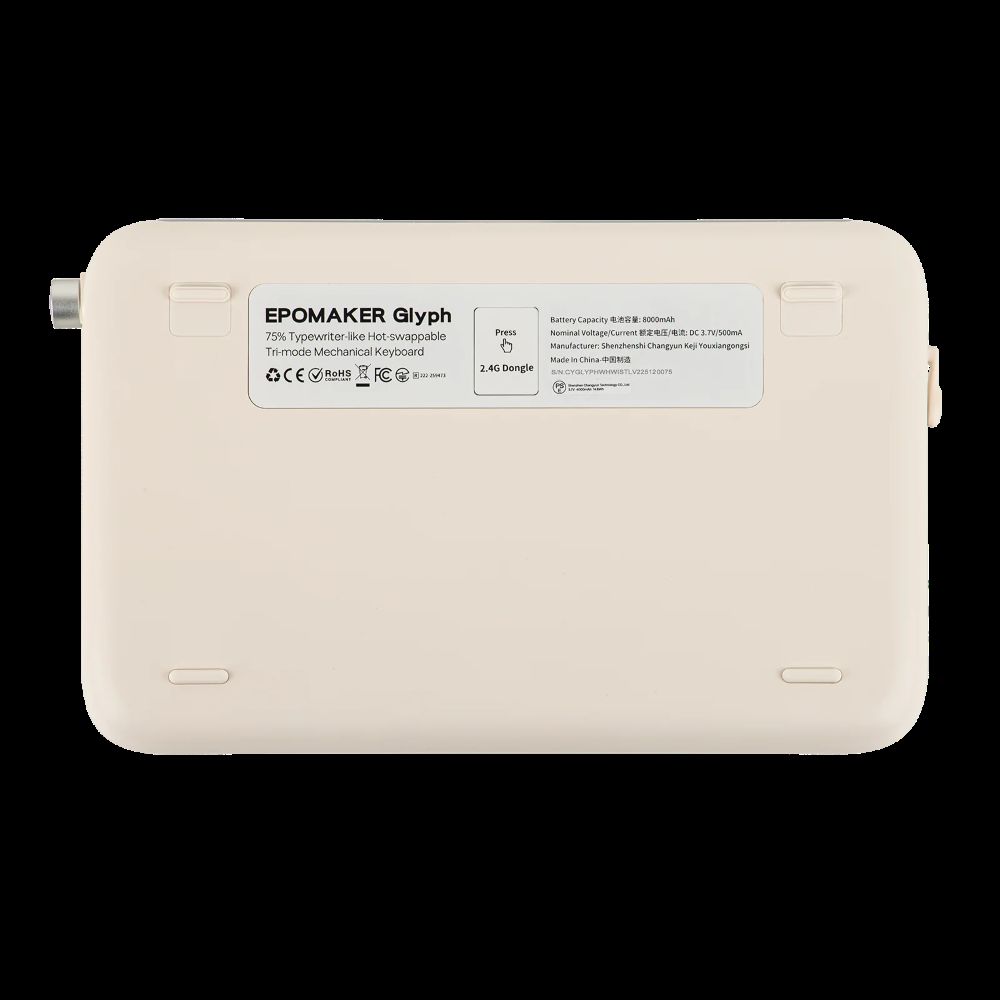
On the technical side of the tracks, and as mentioned previously, the keyboard comes with hot-swappable triple modes, which keep the keyboard within modern times. It also works with the Epomaker driver and features gorgeous LED lights underneath. Again, it lives across multiple decades and is built with multi-generational users in mind. While it’s not going to be a go-to keyboard for replacing that perfect keyboard hardware that drives your Fortnite sessions, it still contains modern amenities that remind users that it should be taken seriously beyond just its artsy aesthetic.
On that sweet note, let’s wrap up this review.
Conclusion
The Glyph from Epomaker is a gorgeous, artsy keyboard with modern functions, but it is mainly there for conversation. It feels good to type on long-term and clearly has some design decisions that acknowledge its prettiness, as much as its consistency. The keyboard is definitely designed for hardcore keyboard enthusiasts in mind.