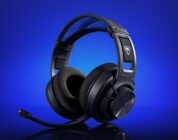
After using the VOID V2 for the month, I’m convinced that Corsair has made a phenomenal all-rounder of a gaming headset that punches well above its weight. It doesn’t boast studio-grade audio quality, sure, but it’s the best gaming headset for PC and console that you can get right now for crisp-sounding calls, long-term music listening, and immersive gaming. Corsair has knocked it out of the park with their new VOID headset.
Corsair’s second-coming of its VOID headset is a momentous one. Its “budget” headset has been revamped and pushed to its limits to feature modern audio elements that are increasingly found on today’s premium headsets. I used quotes around the word budget for a reason, folks – Corsair’s newest headset is an absolute steal of a deal for those on the market for a good headset that won’t break the bank.
Corsair’s VOID line of headsets adopt a unique form factor and are presented to players as an affordable budget headset. Their earcups are shaped like skewed rectangles instead of traditional spherical cups. Most of the time, these headsets are priced in the sub-$100 range, save for the ELITE model or two. As expected, the budget headset would have some mild compromises: The VOID’s audio quality is better than similarly-priced competitors, but the battery life is subpar. Its flip-to-mute microphone is stellar, but it feels too bulky and/or uncomfortable on the head.
Somehow, someway, Corsair has minimized the compromises to a point where most consumers won’t notice. They’ve done so with a ~$120 headset that easily surpasses a ~$150 headset.
What did Corsair improve on the VOID V2? Quite a bit, actually – enough to warrant a firm recommendation from me. First off, the V2 has amped up its audio prowess thanks to its inclusion of Dolby Atmos Spatial Audio and custom-tuned 50mm drivers. Its microphone has been improved, too, with its omni-directional tech and compatibility with NVIDIA Broadcast for eliminating background noise (assuming you have the necessary graphics card). Best of all – a 70 hour battery life with a 15-minute quick charge that gives the headset another six hours of battery life.
Yeah, the VOID V2 doesn’t seem real.
 The VOID V2 is crazy light. Clocking in at 303g, its plastic construction makes it light enough to be worn for extended periods. It feels mildly durable all around and has slight flexibility to accommodate folks with bigger heads. While it isn’t featherlight, it’s quite the comfortable headset. It doesn’t have too tight of a fit, but it’s secure enough to stay put without leaving an indent at the top of my noggin.
LED fans, rejoice! The VOID V2 has customizable dual-zone LEDs on the front of the headset. Having the LEDs active impacted battery life, but their positioning made it cool to show off in calls where I was in calls.
All of the VOID V2’s buttons are confined to a single earcup. This simplified layout of buttons makes for easy controls, from adjusting the volume with the wheel to device switching with the custom button to turning the device off/on. The positioning of the headset’s physical controls felt natural and intuitive to use.
The VOID V2 is versatile because of its device-swapping button. With a single press, I could switch the headset from being connected to my PC to my phone/console. I could remap this button, too. Remapping the custom button to act as a volume mute button came in clutch for when I had to quickly take a call on another device or listen to something in my nearby surroundings.
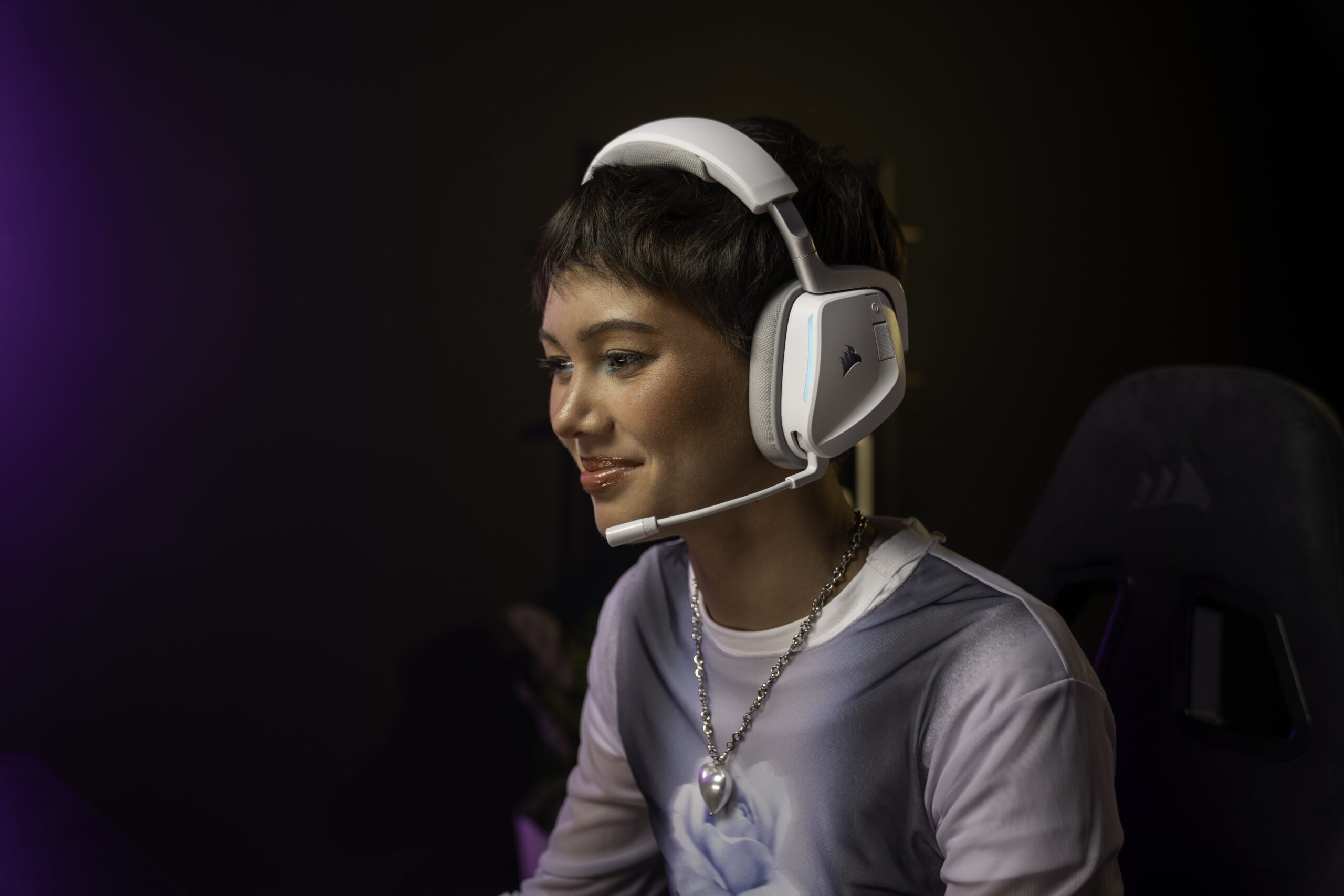 The VOID V2’s memory foam earcups are surrounded by a soft microfiber material. As a glasses wearer, I was concerned that the memory foam would not accommodate my frames – this was not the case. The plush earcups felt great on my ears and had just enough pressure to seal to my ears. I usually prefer leather/leatherette earcup material, but the microfiber used on the VOID V2 was quite breathable and delightfully soft.
When coming down from Corsair’s VIRTUOSO MAX, I noticed the lack of ANC right off the bat. The lack of SoundID meant that I lost the custom EQ that was created based on my hearing…but that meant very little in the grand scheme of my review. Right out of the box, the VOID V2’s bass was punchy, acoustic profile was warm, and vocals were crystal clear.
With the Spatial Audio enabled, games like Call of Duty and VALORANT shined when wearing the headset. I could hear commotion and fighting taking place all around me, truly immersing me in what I was playing. Even on devices that lacked Dolby Atmos, I was still able to enjoy a degree of immersion playing my favorite games.
 Don’t get your hopes up, folks – the Void V2 is not an audiophile’s headset. While it features Dolby Atmos and 50mm drivers, it falls short of offering the audio bells and whistles from Corsair’s higher-end products, most notably SoundID. Since I originally reviewed Corsair’s VIRTUOSO MAX and have used it ever since, I swear by the SoundID technology in how it offered a truly customized audio experience based on my own hearing and preferences. Corsair should consider adding SoundID to all of their headsets – it’s just that good of a feature.
Here’s the thing, though: Most consumers wouldn’t notice the difference from the lack of SoundID. I sincerely doubt that consumers who would be considering the Void V2 would go so far as to fiddle with the EQ. The Void V2 is impressive enough at its price point and features more than what consumers would expect from the Void V2’s competitors. The audio quality alone is excellent right out-of-the-box, no EQ adjustments needed, for players to notice a substantial difference in their favorite songs and in-game soundtracks when they move up from their current headsets.
The VOID V2 lived up to its impressive 70 hours of battery life in the 2.4GHz mode. I hit the 80-hour mark with the LEDs off, but your mileage may and will vary. I was also impressed with charging the unit for 15 minutes while I went to take a shower. I came back and had enough juice to get through the rest of the work day – fast charging saved the day!
I was admittedly hesitant about the VOID V2’s battery life – for its price point, I was sure that it was going to hit the 30 hour mark before petering out, but that never was the case during my month of testing. I was consistently able to get through the full work week before needing to give it a quick charge (if needed) or charge it up while I was away from the computer altogether. The 70-hour battery life won me over.
I appreciate having an omni-directional flip-to-mute microphone. It was sensitive enough to pick up my voice, but not overly sensitive to pick up things like typing, walking around the house, and other things. NVIDIA Broadcast tech is great for those with an NVIDIA card – my two computers are powered by a 2080 SUPER and 3060, so I can take advantage of the tech. However, most calling platforms have their own flavor of noise suppression, like Discord’s KRISP and Teams’ noise suppression.
During my testing on Teams, Zoom, Discord, and the native PS5 connection, my friends and colleagues noted that my voice sounded crystal clear. I did not have any issues with being misheard, random distortions, or other mic issues.
 For PC players, I don’t see the value in having a headset with built-in noise suppression. For console owners, though, the Void V2 offers a notable step up in noise suppression in that the microphone will primarily pick up the player’s voice, and not much else. I’ve often had to fiddle with a Bluetooth headset’s microphone sensitivity on my PS5 so it wouldn’t pick up background noise – not the Void V2.
If you’re primarily a console gamer and are looking for an affordable, but not budget, headset to use while playing in front of the TV, the Void V2 should be the top of your list. In terms of microphone quality, the Void V2 excels in reproducing my voice and ensuring that my teammates hear me (and only me!) even when there’s some background noise in the room. It’s compatibility with Tempest 3D AudioTech and Spatial Audio on the PS5 is the icing on the proverbial cake – this headset is comfortable to wear and excellent for taking into a Destiny 2 raid. Trust me – your teammates will thank you for being easy-to-understand.
Adjusting the headset’s features and settings requires the use of Corsair’s iCUE platform – the same platform that powers its other recent headsets, peripherals, and LED accessories. I don’t have a problem with the Corsair driver; I prefer it when a manufacturer has an all-in-one solution to manage all of its devices, and iCUE does just that quite well. I’ve seen several reviewers complaining about bloat and having “another driver installed” on a computer, but I appreciate consistency as someone who uses multiple Corsair devices.
Yes, iCUE is mandatory for adjusting the EQ, modifying the custom button, updating the firmware, and changing the LEDs. However, the headset works just fine out of the box that you don’t need to keep iCUE running at all time. Heck, you could technically install iCUE when you first receive your VOID V2, update the firmware, and then uninstall iCUE for a few months. It’s not ideal to go that route, but this is all to say that the V2 functions just fine without the iCUE/Dolby Atmos companion installations.
After using the VOID V2 for the month, I’m convinced that Corsair has made a phenomenal all-rounder of a gaming headset that punches well above its weight. It doesn’t boast studio-grade audio quality, sure, but it’s the best gaming headset for PC and console that you can get right now for crisp-sounding calls, long-term music listening, and immersive gaming. Corsair has knocked it out of the park with their new VOID headset.