Corsair’s newest VANGUARD lineup of keyboards is a refreshing step towards bringing their hardware in line with contemporary mechanical keyboard trends that most aficionados (like myself) have come to expect as standard features. I say this because most gaming keyboards from the bigger gaming names have been slow to implement features like a web driver, customizable screen, and SOCD (simultaneous opposing cardinal directions – also known as “Snap Tap” for you Wooting fans). Instead, these features have been relatively exclusive to mechanical keyboard manufacturers like Wooting, Epomaker, Chilkey, and Keychron. With Corsair entering the fray, I have a good feeling that gaming keyboards will see some much-needed standardization in multiple areas.
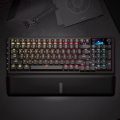
The VANGUARD 96 Wireless keyboard is a mechanical keyboard with a 96% layout, meaning that it has the entire function row (F-keys) and a number pad. It supports rapid-fire inputs (up to 8kHz!) in wired and wireless modes. Additionally, it features a vibrant 1.9in LCD screen along with a rotary dial for customizing volume. Corsair has properly outfitted the VANGUARD to be compatible with the Elgato Streamdeck. For gamers, the VANGUARD 96 Wireless has SOCD built-in which is a blessing for preventing accidental inputs in fighting games or shooters. Within the keyboard are Corsair’s in-house MLX mechanical switches that are supposedly wobble-free. From these leading specs alone, Corsair has positioned this keyboard as one for gamers who want the best bits of a contemporary mechanical keyboard that plays nicely with Corsair’s family of products.
Check out the Corsair Vanguard 96 Wireless on Corsair’s website! (non-affiliated URL)
The VANGUARD 96 is a pricey wireless keyboard – but it holds its value thanks to its premium construction and aesthetics. I’m usually not the biggest fan of plastic, but Corsair’s choice of materials sets it apart from other plastic keyboards. Its uniform black body is comprised of a sturdy plastic outer case that does not flex or budge at all when in-hand. Its plastic keycaps have a grippy texture; my fingers did not slip when typing and playing high-intensity titles. Beneath the keycaps is a brushed aluminum plate of a similar color. This mono-black aesthetic is perfect for someone already invested in Corsair’s product ecosystem, as the Vanguard’s shinethrough keycaps accentuates an LED-fueled fantasy. It’s especially great in matching the LEDs on my Virtuoso Max after I configure it in iCue. Its matching magnetic detachable memory foam cushion completes the look while adding some comfort.
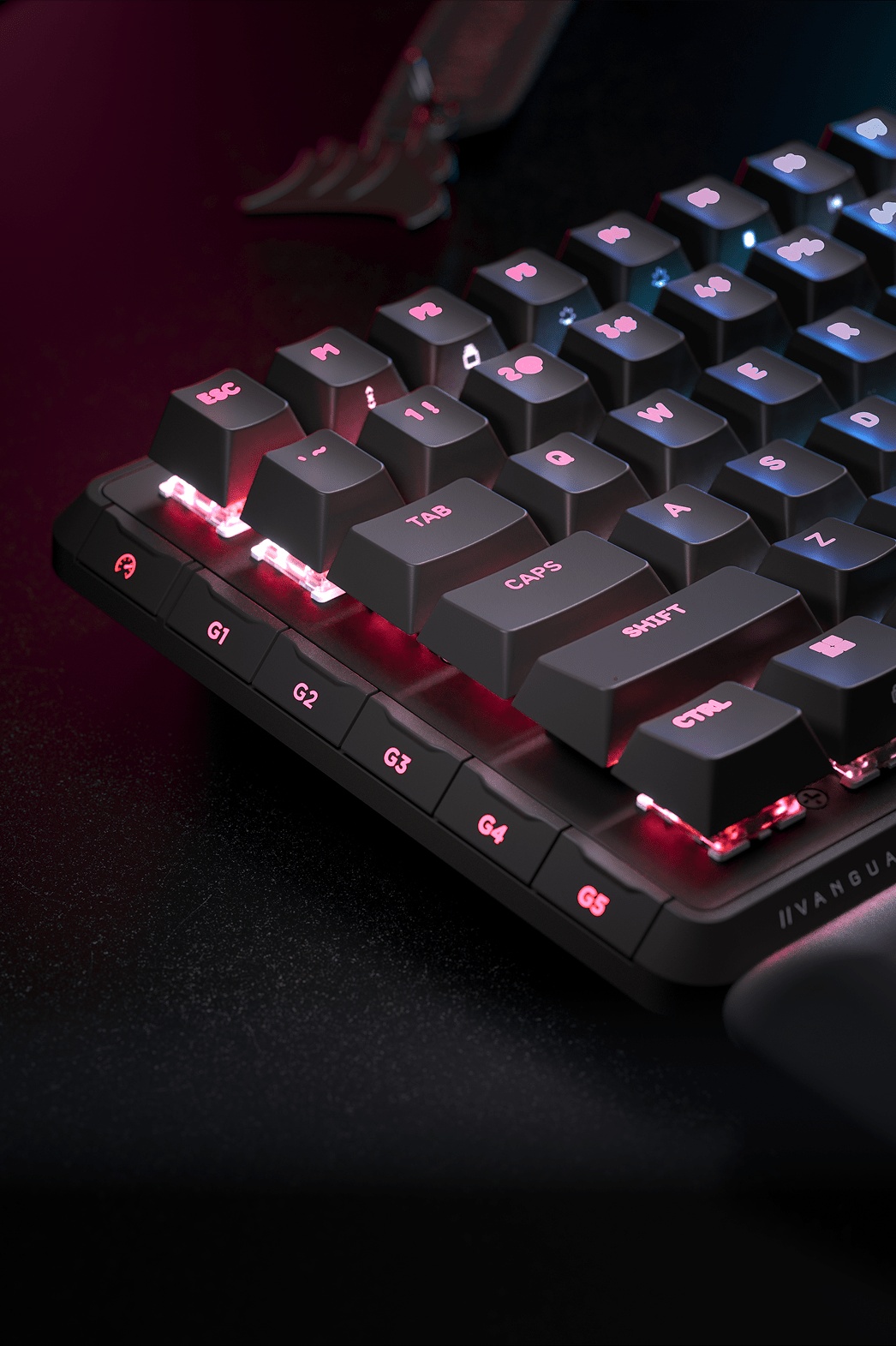 On the left-hand side of the keyboard, Corsair has added six low-profile “G-keys” that allow for quick switching between keyboard profiles or macros. I don’t the most value in these keys only because they are too easy to activate. When resting my ring finger or pinky on the side of the keyboard, I accidentally activated the button and disrupted whatever I was doing. I ended up disabling these keys just so I could use the keyboard without fear of accidental presses. I appreciate the implementation of low-profile G-Keys for those with novel workflows (or desire to have custom layouts for their favorite games), but I don’t see it as the best implementation of such a feature. I would have rather the G-keys moved to the top of the keyboard or require a deeper travel to activate.
Moving onto the screen, I would imagine that several gamers of multiple age groups might find the screen to be unnecessary. I mean, it’s a keyboard, and keyboards are assumed to be functional first and foremost. A non-touch screen on a keyboard violates that assumption as it takes up space where other buttons could theoretically be placed. I disagree with this sentiment, as keyboard screens have the potential to be functional through the use of displaying important metrics (like battery life – an important indicator for someone using the Vanguard 96 in its wireless mode) or date/time. Corsair’s implementation works in favor of the Vanguard’s aesthetic in that it can be easily customized to one’s liking and is bright enough to be seen from far away. Even with the colorful LEDs that shine brilliantly through the keycaps, the screen produces crisp images.
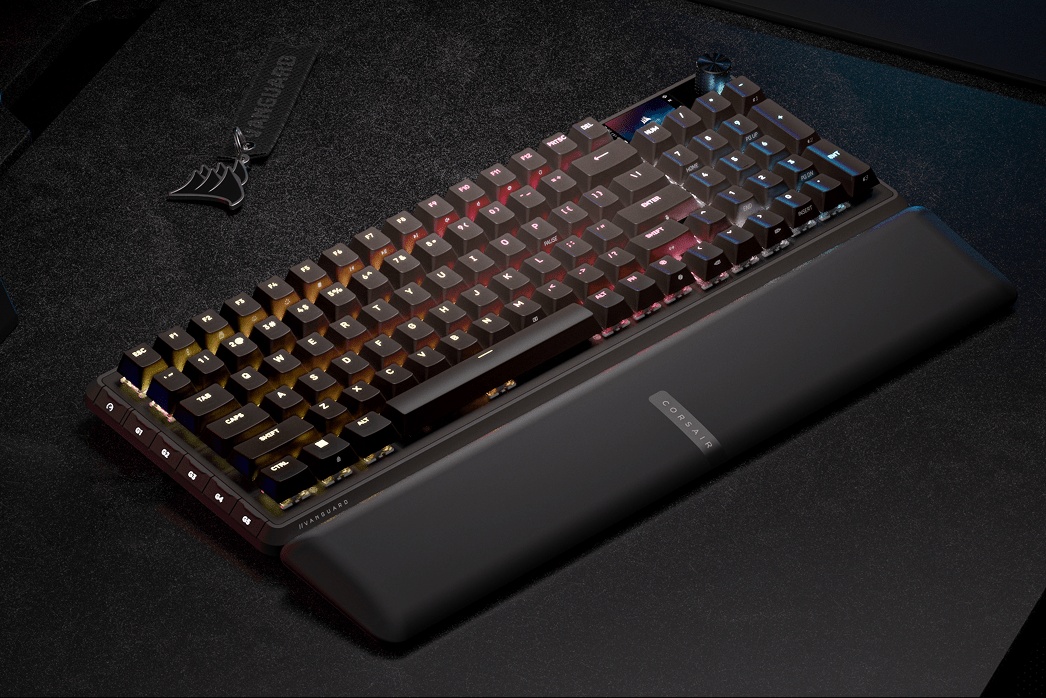 Here’s the one drawback, though: It’s hard to see the screen. On other keyboards, screens are given some height so that they can be seen in their full glory from multiple angles. The Vanguard 96’s screen is flush with the case, while the switches/keycaps have some height thanks to how they’re embedded into the uppermost layer of the case. As such, the screen is partially obscured by the NUM, /, and * keys. It would have been better for the screen to have an angle or raised a few millimeters so that it could be shown off without being cut off by the keycaps.
While the placement of the screen might not be the best, customizing and configuring the keyboard is an absolute breeze. As of June 2026, it is fully compatible with Corsair’s web driver (no download required, folks!) along with iCue (in case you are an existing Corsair peripheral owner). The UI is consistent across both platforms while being very easy to use. For instance, when I wanted to change the image on my keyboard to a Goose, the GIF-search function worked effortlessly and took a matter of seconds to make its way onto the keyboard. Adding profiles and macros were intuitive thanks to an easy-to-follow set of instructions. Frankly, this is one of the best implementations of onboarding new keyboard owners with how to take advantage of every feature. It has a little less aesthetic options than competitors (Wooting’s Wootility remains the king in that regard), but it ends up being the most satisfying to configure and get things consistent across multiple Corsair devices.
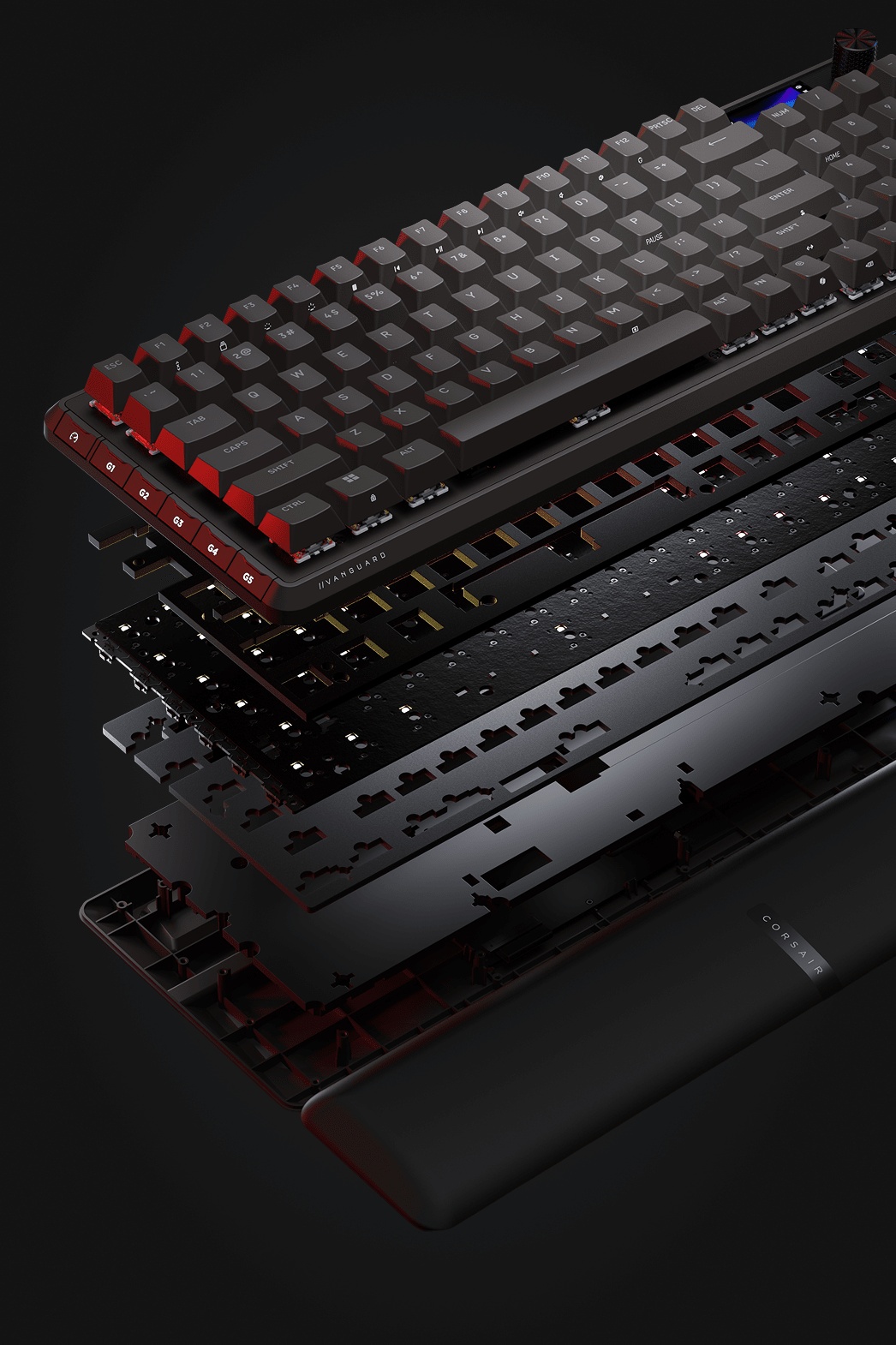 Let’s talk about the keyboard’s hot-swappable switches. The Plasma MLX have the perfect blend of necessary actuation force (how hard one must press to push the keys down) along with pre-travel (how far the switch must be pressed in order to be activated). Here, the Plasmas have a 45g actuation force (my preferred minimum actuation force) and a 2.0mm actuation point (the literal sweet spot on a 2.0mm). This blend is a great middle ground for a linear switch and approachable for most gamers. For those needing more sensitive switches (for games like VALORANT), Corsair has two alternative switches that can be swapped into the keyboard.
Corsair’s in-house switches are great to use, but wobble-free they are not. If anything, they have a similar degree of wobble as Wooting’s Lekker switches. When coming from a keyboard with more egregious wobble, the Plasmas are noticeably more stable, but they don’t compare to the stability of the Akko V3 Creamy Yellow Pro or the Meletrix Black Arowanas.
In terms of acoustics and tactility, the Plasma MLX feel excellent in-use. They have a clacky acoustic profile that’s accentuated by the Vanguard 96’s multiple layers of sound dampening materials. The keyboard’s construction ensures that each and every press is stable while the 8k polling rate translates to instantaneous responses. Playing video games with this keyboard made me feel like I was properly in-tune with what was happening on screen with little-to-no input lag. With the SOCD enabled and properly configured, my inputs felt precise and meaningful – even in Wireless mode!
On the topic of the Vanguard 96’s wirelessness, Corsair added a chunky battery to this keyboard to allow it over 100 hours of power when the RGBs are off. I tested the keyboard’s wirelessness for a few hours with LEDs and screen on and was shocked by the keyboard’s responsiveness. If I was considering a wireless keyboard for gaming, this would be the one I would use when attempting to rank up the ladder in my favorite game.
As I consider the intended audience for this keyboard, I’m left feeling like this keyboard is less for the average gamer and more for someone with novel workflows who needs the Elgato/Streamdeck integration. If you’re an existing Corsair fan who wants to keep things “in the family,” so to speak, then the Vanguard 96 Wireless will be a perfect addition for your office. The screen’s implementation is not the best in comparison to some lower priced alternatives, but customizing the keyboard is far easier to do than anything else on the market. The $200 pricetag is a barrier to many, especially during a time where just about all forms of tech and games are more expensive than ever before. Regardless, it’s a well-built keyboard and works quite well.
The Vanguard 96 Wireless from Corsair is a marvelous gaming keyboard. It’s built exceptionally well, it is delightfully responsive, and it is so easy to use it puts other mechanical keyboards of similar designs to shame.