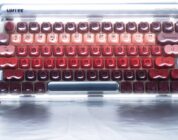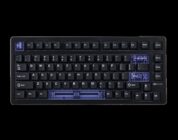
Cerakey’s newest V3 Matte Keycaps are the best iteration of their ceramic keycaps yet. Thanks to their new construction, they’re more stable than ever and feel just as sublime to use. The new Blue Magnetic switches are the best Hall Effect switches on the market that allow you to celebrate the unique thocks of your ceramic keycaps. I’m so thrilled that these switches exist so Hall Effect keyboard owners can enjoy ceramic keycaps!
It feels like just yesterday when I received my first set of Cerakey ceramic keycaps. I marveled at their build quality. They sounds so creamy, deep, and thocky when paired with most switches. They felt so cool to the touch, something that made typing during the warmer seasons a blessing. I’ve fallen in love with using ceramic keycaps in that I miss it when I’m not typing on them. I’m happy to return to them once I’m finished reviewing a keyboard without ceramic keycaps.
Cerakey is a small keycap manufacturer who specializes in, yes, ceramic keycaps. What started as a single successful crowdfunding campaign has evolved into multiple ceramic keycap releases, updates, and colors, to one-of-a-kind keyboards with ceramic keycaps. I’ve reviewed several products from the Cerakey team over the past two years, keeping an eye on their products along with how consumers discuss them. Today, I have two products from the Cerakey team: Matte V3 Ceramic Keycaps and the Gateron Blue Magnetic Switches. Let’s get to it!
 Cerakey Matte V3 Ceramic Keycaps
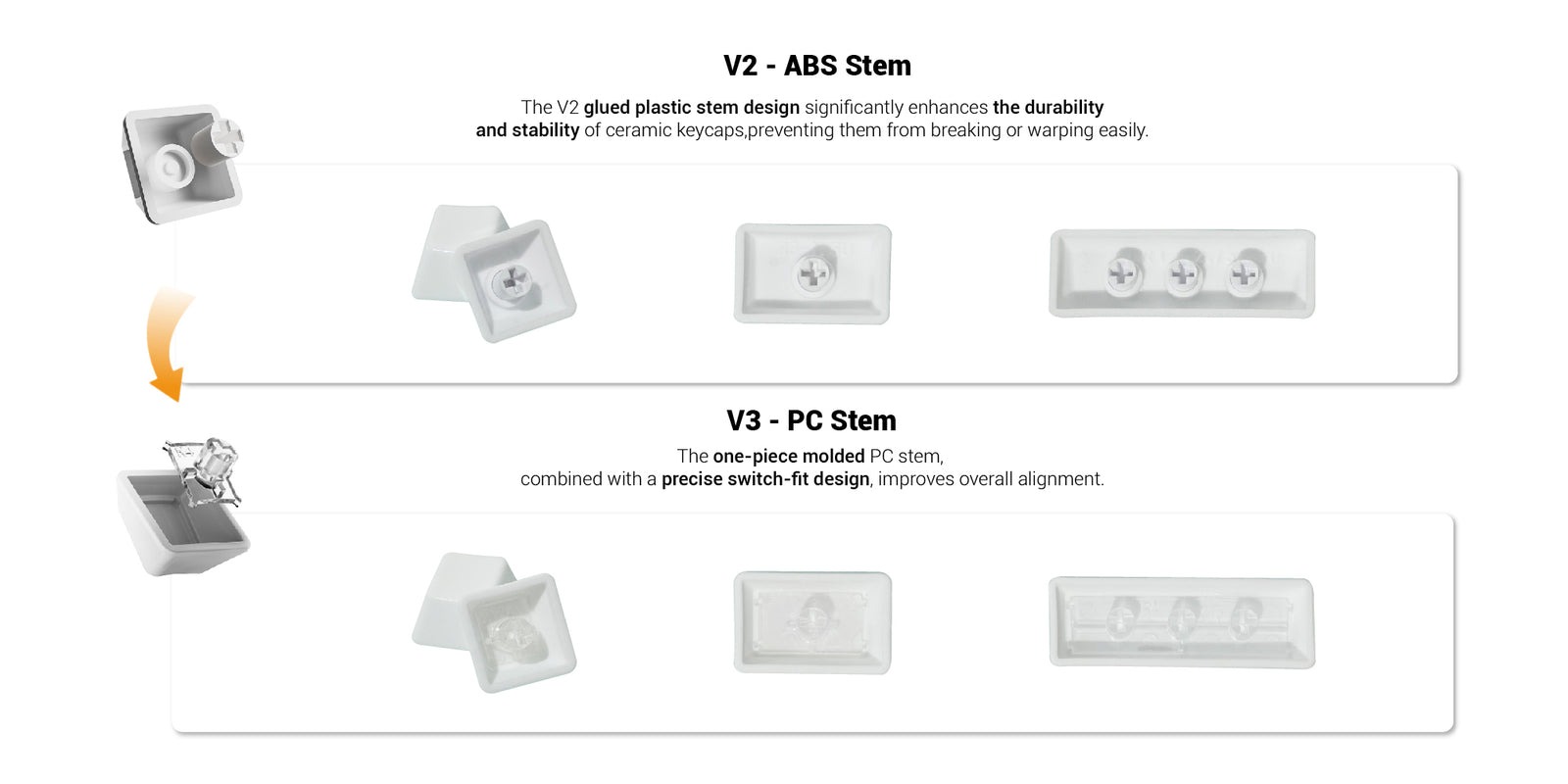
The first version of Cerakey’s ceramic keycaps were simple and glossy, just like you would expect from traditional glazed ceramic in your homes. They released the V2 version of the keycaps last year, which featured a hand-placed ABS plastic stem that improved the switch’s durability at the slight cost of some off-kilter keycaps. They also released a Matte version that retains the ceramic keycaps’ cool-to-the-touch nature but with a satiny texture that prevents slippage. Until recently, one of my daily driver keyboards had the V2 Matte keycaps on them.
Check out the Cerakey Matte V3 Ceramic Keycaps on Cerakey’s website! (non-affiliated URL)
The Matte V3 Ceramic Keycaps come with several major improvements. Most notably is the PC stem. Cerakey has updated the keycaps to have a one-piece molded PC-stem that covers the entire underside of the switch, improving its alignment and stability. This is a wonderful improvement in practice, as this stem and base make it so that the keycaps no longer suffer from the rare instance of being off-centered or warped. One of my first sets of Cerakey keycaps had several keys that weren’t aligned correctly, requiring me to reach out and ask for replacements.
This issue is no longer the case, as the keys are aligned, spaced, and positioned perfectly on my keyboard. The stems hardly add additional weight to the keycaps (if at all), all the while giving the keycaps improved stability. I am hoping that these V3 keycaps become available for those who prefer the glossy keycaps.
I was sent the A+B+C set of Black keycaps to review, which is more than enough keycaps for any full-size keyboard. Like the V2s I originally reviewed, the box had a small sticker on it that cautioned against using a metal keycap remover on the matte keycaps to prevent scratching. The plastic keycap remover (which comes with the Matte variants) should be used instead. I was hoping that the V3 would improve durability so I could use a metal remover (which is easier to use than the plastic one), but this was not the case. I was still able to use the metal remover, but I had to be extra careful per Cerakey’s original instructions. Hopefully, a future iteration of the Matte keycaps will be compatible with a traditional remover without compromises.
 That said, the Matte V3 keycaps feel just like the Matte V2s I reviewed earlier. They’re silky smooth. They feel durable even under the immense pressure of gaming. They’re just as heavy, requiring stronger switches. They have the homing keys (F and J with a bump!) just like the V2s. They have all the goodness of the previous iteration with no downsides.
Interestingly, it seems as though Cerakey improved the LED-enhancements of the previous version, which I did not think was possible. I have a set of White Matte V2s and Black Glossy V2s on one of my personal keyboards, and the Black V2s don’t have the best shinethrough despite Cerakey claiming so. On the V3s, the black keycaps are partially transparent at the top where the legends are. Where the V2s’ LED-enhancements illuminated the bottom half of the keycaps, the V3s’ LED-enhancements make it so that the entire face of the legend shows some of the light, albeit diffused by the plastic.
If you’re a fan of showing off the lights of your keyboard, the V3s will allow you to do so regardless of color (black or white). I was pleasantly surprised by how well the keycaps lit up and can confidently say that these are the best version of Cerakey’s keycaps yet.
My prior review of the V2 can tell you more about the necessary things you need before you purchase (such as a keyboard with south-facing LEDs, strong switches, etc.) along with how the keycaps sound in practice. There is truly nothing like the creamy thocks produced by having ceramic keycaps. Regardless of keyboard and keyboard materials, Cerakey’s keycaps will produce a satisfyingly deep and creamy thock. It is still too early to comment on inductive switches at this time, but I am keeping my eye out for strong switches that can support the weight of ceramic keycaps without issue.
What about magnetic switches, though? Good question, dear reader…
 Gateron Blue Magnetic Switches
The one place ceramic (and I guess metal) keycaps are held back is their less-than-ideal compatibility with magnetic switches. You know, the Hall Effect switches that are all the rage thanks to their ridiculously high durability (100m keypresses!), customizable actuation (anywhere from 0.1mm to ~4.0mm), and all the features that players love like Rappy Snappy, SOCD, Mod Tap, and more. Just about every single HE switch I have tried has an actuation force of under 40gf! That a bit too light for ceramic keycaps – especially the spacebar that requires at least 55gf. This is why Cerakey sends a free Kailh Box switch with an ultra-strong spring to prevent accidental presses.
Well, Cerakey has heard our concerns and has partnered with Gateron to release a Magnetic (aka HE) switch with a strong spring to support the keycaps! If you’re wanting to use your Wooting or Keychron Hall Effect keyboards with a fancy shmancy set of ceramic keycaps, look no further than the Gateron Blue Magnetic switches!
Check out the Gateron Blue Magnetic Switches on Cerakey’s website! (non-affiliated URL)
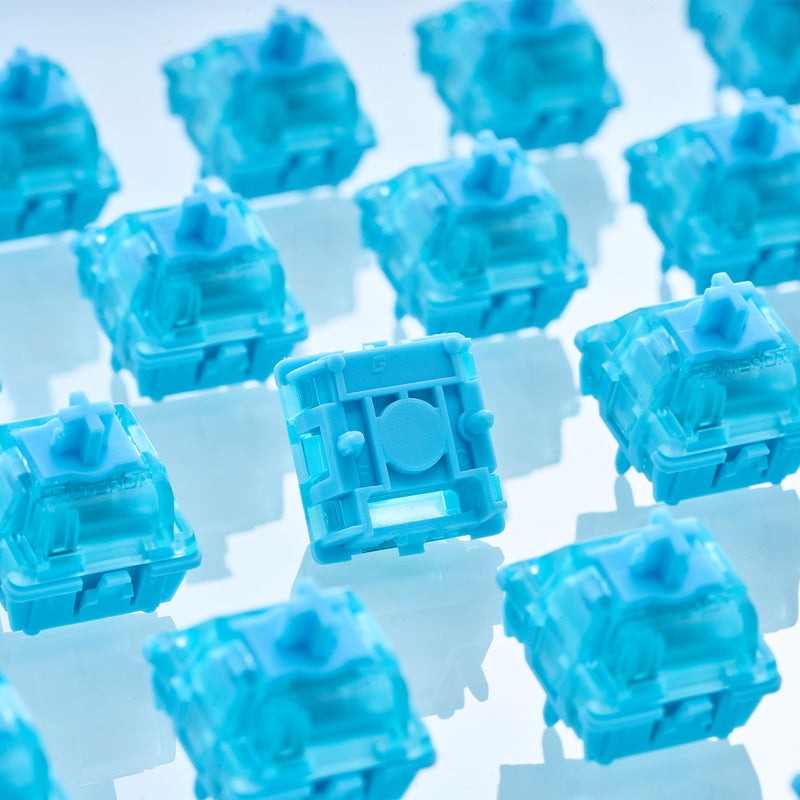
The Gateron Blue Magnetic Switches seem to be a Cerakey exclusive at this time, as I was not able to find them offered from another retailer nor Gateron’s website. On the specification side of things, they look like a cross between Cerakey’s Celeste Blue switches and the Gateron Magnetic Jade Emerald Heavy Tactiles. The Blue Magnetics are linear switches featuring a heavy actuation force of 56gf, perfect for Cerakey keycaps.
I initially thought that these switches were similar to the Celeste Blue switches because of their blue housing and acoustic profile. Regardless of keyboard, the Magnetic Blues produce a deep and satisfying thock that no other HE switch has produced. The closest satisfying acoustics can be found within the Gateron Jades. While the Jades have a delicate thock, the Gateron Blue Magnetics have a more pronounced and deep sound. This is especially true when using Cerakey’s keycaps.
I conducted my usage test on my Wooting 80HE alongside Wooting’s own Lekker V2 switches. Like the Gateron Magnetic Blues, the Lekker V2s had a similarly strong actuation force that could mostly support the heavy ceramic. However, the Lekker V2s have a noticeable wobble (despite Wooting’s recent improvements) and had a slightly lighter profile. If you’re coming from a Wooting 80HE with the Lekkers, the Gateron Magnetic Blue will feel a smidge stronger while also producing a deeper thock instead of a deep clack.
The switches’ 56gf operating force felt like ~45gf once the keycaps were installed. Remember, ceramic keycaps are heavier than normal ABS/PBT keycaps, meaning that they will lessen the force needed to press down on a switch. I was especially surprised to find that the spacebar was mostly supported by the switches. Cerakey typically includes a Kailh Box mechanical switch (which has a 70gf actuation force) with those who purchase a set of keycaps with the spacebar; they recommend that any switch above 55gf is a safe choice. As it turns out, this is mostly true. The spacebar felt relatively easier to press than the rest of switches (as expected), but it still held up without errant presses.
Knowing that these are magnetic switches, it’s assumed that users will go so far as to customize the switches’ actuation force. I was able to customize them just fine using Wootility (Wooting’s keyboard launcher) and adjust their actuation force to my liking. As a default, I set all switches (including the spacebar) to 2.0mm and then moved on from there. For safety, I pushed the spacebar to 2.5mm of actuation just so my fingers could get used to it. Once I got acclimated, I pushed the spacebar’s actuation back to 2.0mm.
As magnetic switches, these are perfect and perhaps the only switches I recommend for players who want to use Cerakey’s switches for high-intensity games like VALORANT and Counter-Strike 2. With that being said, you don’t have to be a player to enjoy these switches. They’re the closest thing to Cerakey’s already fantastic Celeste Blue Linears (which are exclusive to the Cerakey Nada65 mechanical keyboard). I tested these switches in office and gaming settings, and they surpassed my expectations in their smoothness and acoustic profile. They perfectly accentuated the thock that’s naturally produced by ceramic keycaps.
Are ceramic keycaps required for these switches? No, but a magnetic/HE keyboard is (with some notable exceptions). I am aware that some folks love stronger switches, and these definitely fit the bill so long as these switches are supported by your keyboard.
Before I conclude this review, I want to comment on the switches’ shinethrough. Cerakey claims that these switches have a “uniquely engineered light guide” for more uniform illumination. I don’t think that these switches are unique in their shinethrough potential. So long as your magnetic switches have a transparent top housing, you should expect a decent degree of shinethrough. For science, I had my partner put in some Lekkers alongside the Gateron Blue Magnetics. He put the keycaps on the switches and had me look at my Wooting 80HE with the LEDs on full brightness: I could not tell which switch was inserted where at first glance, so this should tell you that you shouldn’t choose these switches if you’re wanting to show off your keyboard’s LEDs.
Instead, these switches should be used for a Hall Effect keyboard owner who wants to fully experience and enjoy ceramic keycaps without having to fiddle with settings to get the experience you like you would if you had a mechanical keyboard. If you’re a Cerakey owner who’s thinking about getting a Hall Effect keyboard and wanting a comparable experience, these Gateron Blue Magnetic switches are a must have!
Cerakey’s newest V3 Matte Keycaps are the best iteration of their ceramic keycaps yet. Thanks to their new construction, they’re more stable than ever and feel just as sublime to use. The new Blue Magnetic switches are the best Hall Effect switches on the market that allow you to celebrate the unique thocks of your ceramic keycaps. I’m so thrilled that these switches exist so Hall Effect keyboard owners can enjoy ceramic keycaps!