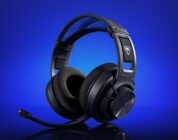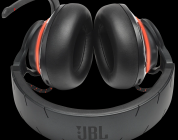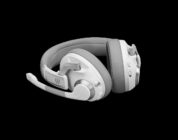

The Audeze Maxwell 2 is a marvel of a headset. It’s the first wireless planar magnetic headset with ANC and sets the bar quite high, easily worth its steep asking price. The audio quality is far and above your average headset, featuring prominent bass and details that only planar magnetic technology can provide. Knowing that this is Audeze’s first stab at blending ANC with planar magnetic drivers, I am legitimately excited for the future of hi-fi gaming headsets!
Over the past year, I’ve had the pleasure of reviewing planar magnetic headphones. Planar magnetic headphones are serious stuff – they are highly sought after by high fidelity audio fans. These headphones use an ultra-thin and flat piece of metal that’s stretched taught alongside a set of magnets that produce a novel sound signature. Most notable of this type of headphone is its excellent bass and control with minimal distortion. To date, there are very few gaming headsets that offer the complete package of a wireless planar magnetic design with a microphone…save for Audeze.
Enter the Audeze Maxwell 2 ANC, the newest headset from Audeze that innovates on their 2025 Maxwell 2 by adding in Active Noise Cancellation. For $449, they’re one of the most expensive gaming headsets on the market for now, and they sure pack a punch. If you’ve been looking for a set of wireless planar magnetic headphones to use with your console of choice or your gaming PC, look no further than the Maxwell 2 ANC.
Check out the Audeze Maxwell 2 ANC on Audeze’s website by clicking here! (non-affiliated URL)
Audeze has positioned this headset as one that provides uncompromised gaming. They’ve included planar magnetic 90mm drivers, ultra-low latency wireless, FILTER AI noise removal, and aviation-grade noise cancellation. It additionally supports personalized spatial audio via Dolby Atmos/Embody HIVE for competitive FPS players wanting to isolate individual sounds for that competitive edge, like enemies’ footsteps!
In terms of build quality, the Maxwell 2 ANC is a solid hunk of metal and leather. Clocking in at 560g (greater with the microphone arm), everything feels superb in hand and on-head. The aluminum head band feels sturdy without too much bulk. The black and silver accents give the headset a refined, serious, and professional aesthetic that’s elevated from the overused gamer aesthetic that features too many neon LEDs. I love me some LEDs, don’t get me wrong, but if I’m paying over $400 for a set of headphones, I want them to look the part. The Maxwell 2 ANC look and feel the part quite well.
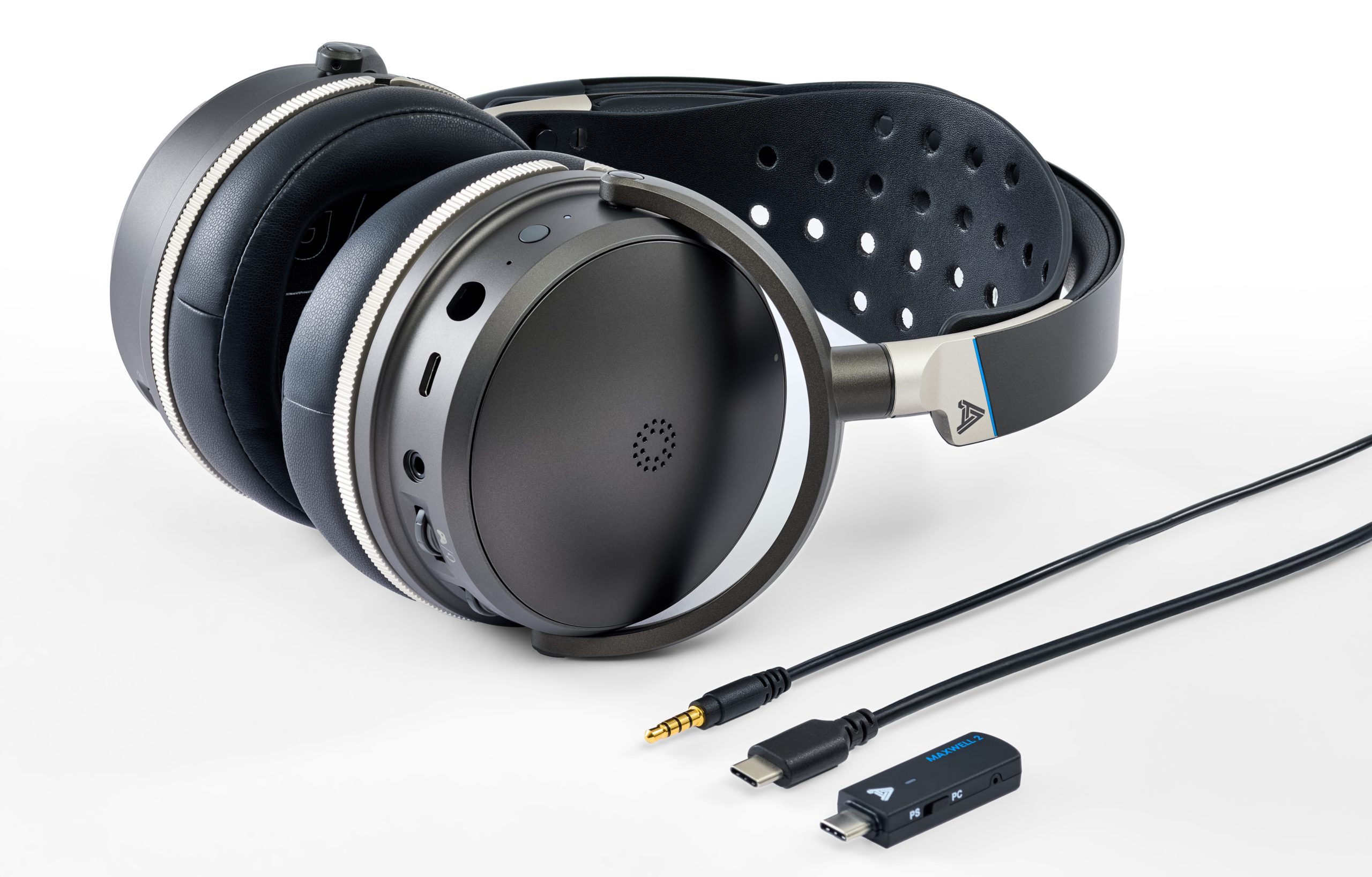 The headphones feature controls that are mostly distributed across both earcups. The left earcup has a volume wheel, game/chat mix (just like Steelseries’ implementation), and a Bluetooth pairing button. The right earcup has a recessed physical mute switch and a power button. I love me some physical mute buttons on a headset – they’re a must-have feature that has saved me more times than not when I’ve been in calls and needed to cough/sneeze. It’s far easier to physically press a button/flip a switch instead of alt-tabbing out of a game to press a mute button on Discord or Teams (for work calls). I know push-to-talk exists, but it’s easier to press a button on the headset. That said, the Maxwell 2 ANC’s mute button is too recessed for my liking. I would have liked the physical mute button to be slightly more prominent so it would be easier to flip it off/on.
The headphones’ comfort, however, is up for debate. The headset has some serious clamping force. The leatherette memory foam pads have some depth to them, offsetting the weight of the headset, but they’re not large enough to fully enclose the ear. They are comfortable enough for a few hours at a time, but I’d rather the earcups be a smidge larger to increase the comfort factor. The ear pads are magnetically attached, though – a novel feature that makes it easy for you to use a third-party set of earpads that are gentler on the noggin. We got some third-party earpads that we’ll be discussing in another review, so keep an eye out for that in the coming days.
One last quibble about comfort – the adjustment mechanism. I’ve become accustomed to headphones that rely on sliding mechanisms for easy adjustment. Adjusting the Maxwell 2 ANC is far from easy. It requires the user to pull off the leather pad from a set of metal nubs, move the leather pad to a different set of metal nubs, press firmly down so that it’s properly seated, and then test to see if it’s fitting to one’s liking. Once I was able to adjust the leather band with some effort, it fit excellently well, but getting to that stage was rough.
Active Noise Cancellation is what sets most mid-grade gaming headsets from premium-tier headsets. It works by emitting a low frequency sound that drowns out other external noises. The Audeze Maxwell 2 is the first planar magnetic headset that has such a feature, and it works pretty well. The ANC was fine with reducing some noise, such as the fans near my desk and diminishing the sound of running water from my sink when I walked to my kitchen. But, I’m not too sure that it holds up to the “Best in Class” classification for a gaming headset. For that, another headset currently takes the cake, but it’s hard to ignore that this is the best and only planar magnetic option with ANC I’ve been able to get my hands on.
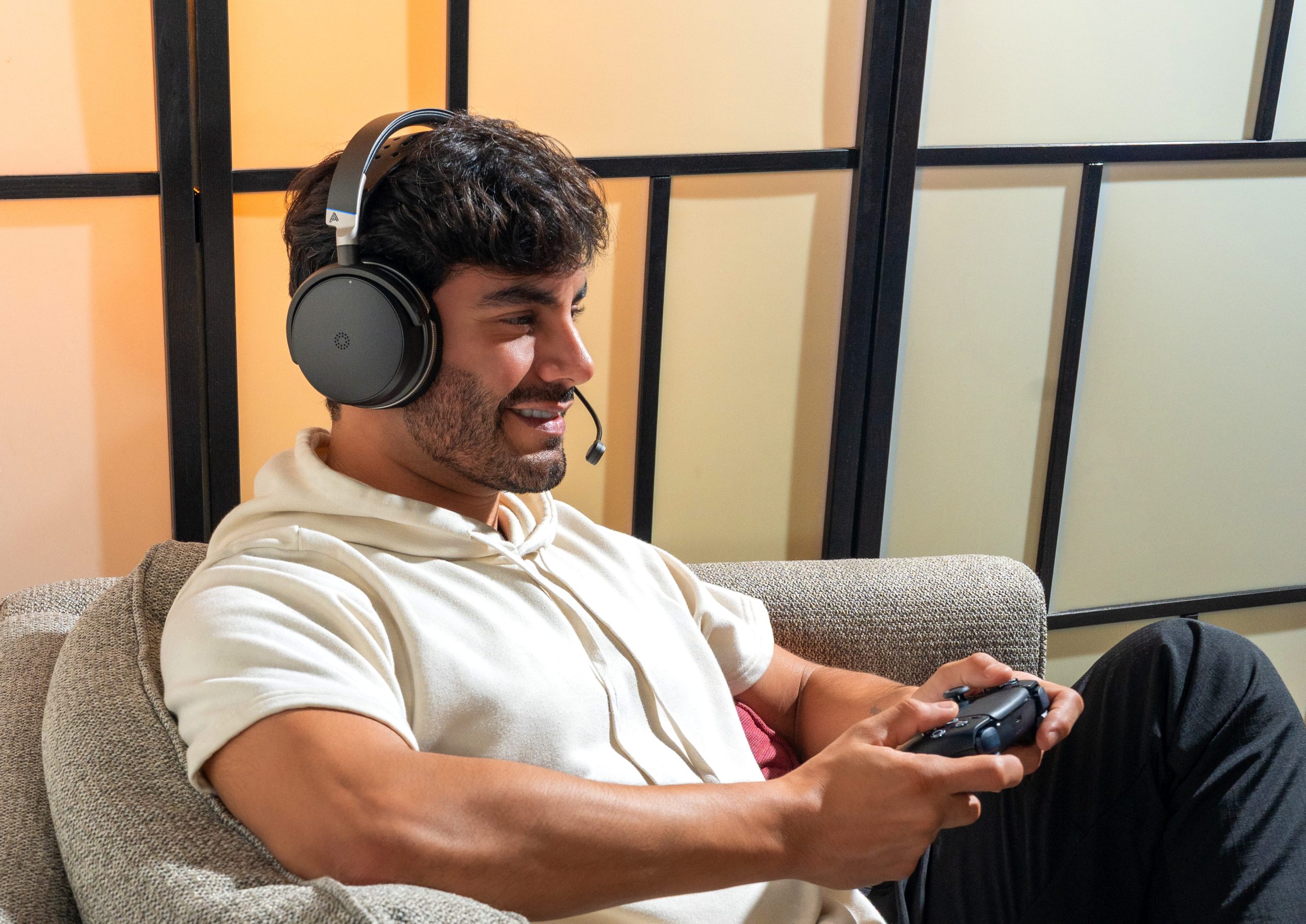 The Maxwell 2 has three connectivity modes for listeners of all types: standard wired (via an included AUX cable), Bluetooth (perfect for connecting to a phone or Nintendo Switch), and 2.4GHz Bluetooth audio with an included USB-C dongle (and USB-C to -A conversion cable, if your rig/USB-hub lacks a USB-C port). When testing the headphone over a wired connection and standard Bluetooth, I had no issues whatsoever. Linking the headset to my phone was seamless, and I didn’t even need to use an app to get things up and running. I just needed to press the power button twice and it was connected.
The 2.4GHz dongle, on the other hand, was finicky. I’m used to dongles having a decent degree of strength that would allow me to walk around a room and into other nearby rooms without any noticeable drop in quality. Not here, unfortunately. The Maxwell 2 ANC would randomly disconnect if I walked one room away and would take ~5 seconds to reconnect. The audio would also have random dips in quality that would render some things to sound fuzzy. If I was sitting in front of the computer (a mere foot or so away from the dongle), there were no issues.
I’m unsure if the unstable connection is a result of the unit requiring too much power for the dongle to handle, the dongle not being able to get enough power from a standard USB port, or if the dongle is faulty. Regardless, it’s not the best experience for this headset to fall short on seamless wireless audio from more than eight feet away. This is especially true when the Maxwell 2 ANC is attempting to compete with the likes of Corsair and Turtle Beach’s premium headsets for ~$100 more. A seamless and stable audio connection is table stakes.
Let’s move onto sound quality and EQ – where things matter most for this headset. Right out of the box with the default “Audeze” EQ setting, I was treated to some excellent audio. The bass is prominent yet controlled, without being overpowering (a common issue amongst most popular headphones). In-game explosions were deep without impacting the finer details that are handled by mids, highs, and treble. Footsteps were crystal clear. Most genres sounded excellent and lively. The audio quality is on par with what I have come to expect from planar magnetic headphones – outstanding.
I’m unsure what the best EQ tuning is for these headphones. The other pre-set profiles in the Audeze App were decent, but nothing beats a custom EQ profile. I initially followed this Redditor’s “Daily Driver” recommendation for music, but the higher frequencies sounded far too sharp to enjoy videos. There was also a persistent hiss that I could hear when a movie had a quiet scene. I used the balanced alternative which dramatically reduced the hiss at the expense of some details. After several more hours of fiddling and testing, I then landed with the EQ settings below.
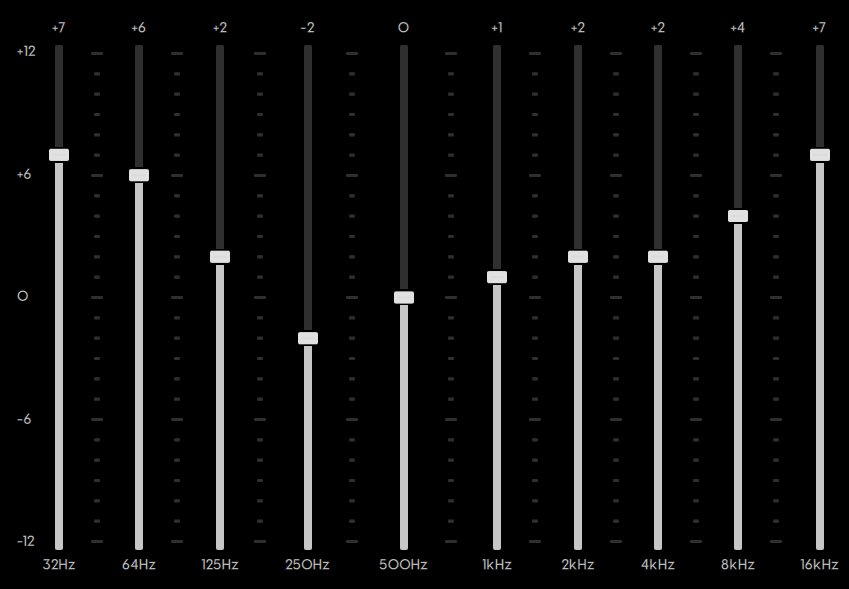 I’m still unsure if this is best, though. Going back to the “Audeze” profile resulted in somewhat muted and recessed audio by comparison, but it still feels like something is missing with how I am tuning the EQ for more poppy and fun music listening. I’m going to continue fiddling with the headset’s EQ going forward in hopes that I get the most out of the device’s planar magnetic hardware.
We do not have a Maxwell 2 (non-ANC version) on hand for comparison purposes, but we tested the Maxwell 2 against the Turtle Beach Stealth Pro 2 and the Corsair VIRTUOSO Max. The ANC is about on par with the Stealth Pro 2, but Corsair’s headset did a far more aggressive (meaning better) job in drowning out external noises. I’m not a fan of Transparency Modes on headphones, so take my assessment of the headsets’ Transparency with a serious grain of salt: These three headsets all had issues with Transparency mode. For the Maxwell 2 ANC, Transparency Mode successfully amplified noises enough to be heard but to an unrealistically sharp extent. If you’re needing a set of gaming headphones with some built-in Transparency, you’re better off with open-backed headphones and being mindful of the volume of your music.
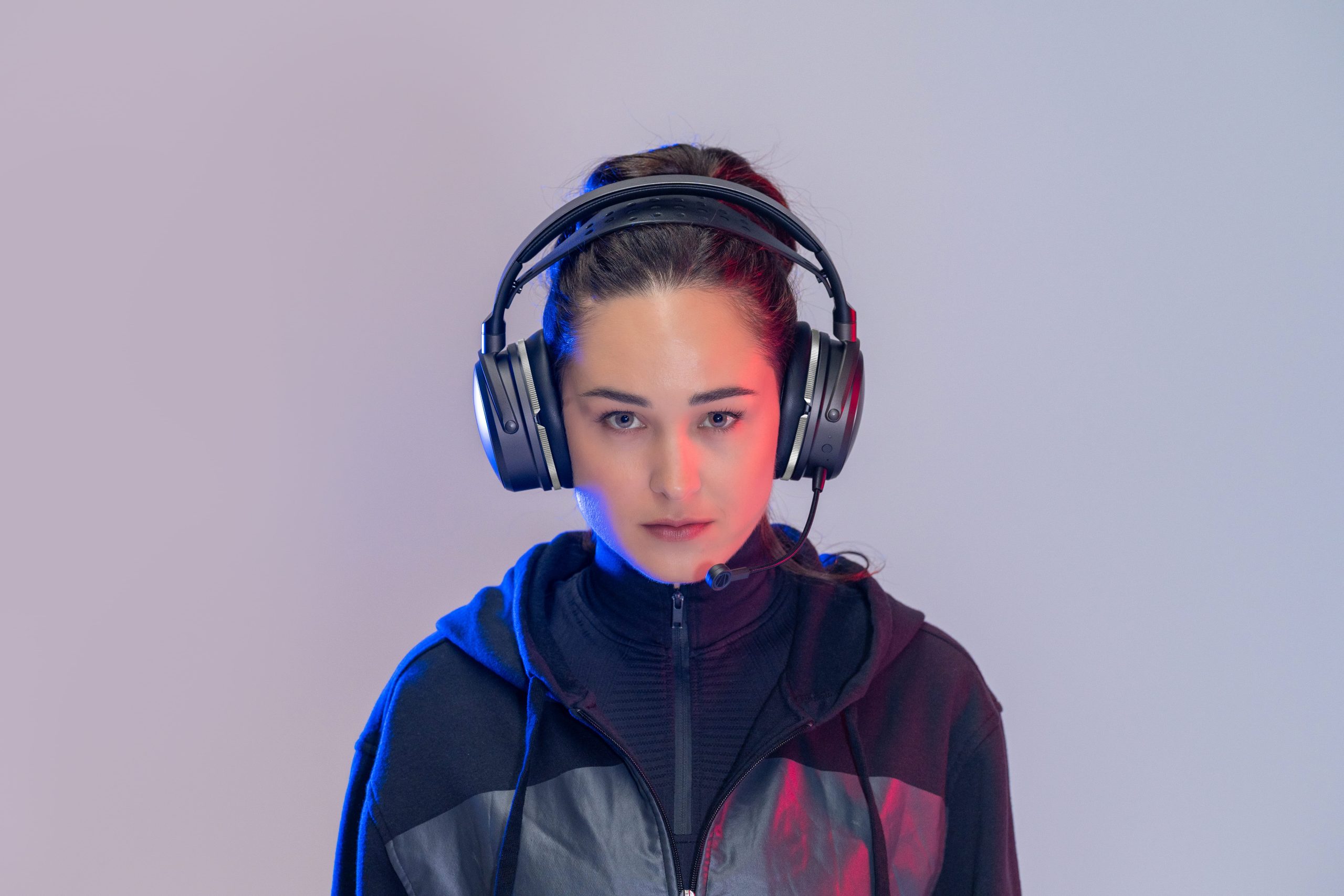
Microphone quality, however, is where the Maxwell 2 ANC separated itself from the pack. Having the microphone’s AI Noise Removal set to “Low” resulted in my voice coming across very clear and focused. This headset’s microphone blew the Stealth Pro 2 and VIRTUOSO Max out of the water in terms of its clarity, sensitivity, and overall quality. I didn’t need to fiddle in the Windows sound settings or the menus of Discord/Teams to get things to turn out right. This is definitely the standard for what a gaming microphone should sound like.
And then there’s the Audeze app. It’s a barebones offering compared to competitors, but that’s not a bad thing. I generally only need to update firmware (when necessary), adjust EQ as needed, and enable/disable Sidetone/ANC/Transparency when needed. The Audeze app does all of that just fine. My general complaint is its stability – it occasionally incorrectly indicated that my headset was disconnected when in fact it wasn’t. It luckily wasn’t draining my computer’s resources, but it was annoying to not get access to the settings for reasons I can’t control.
 I don’t think that the Audeze app is worth knocking at the end of the day. Far too many customization apps run in the background and consume RAM. This is the kind of software suite that I would imagine a user will use once and then forget about it. Frankly, I would do that, especially knowing that I have other EQ software that are far more lightweight and fully featured.
Finally, there’s the Maxwell 2 ANC’s battery life. I won’t mince words here – it’s good, but this is par for the course given the technology. Audeze claims that, with ANC active, the Maxwell 2 ANC can hit around 35 hours of use before needing to be plugged in. I was able to hit around 30 hours before I got the “battery low” notification that would play in the headset. Other headsets with ANC offer slightly more battery life, but…these are planar magnetic headphones. Planar magnetic headphones are power hungry, often requiring the user to plug them into an AMC/DAC to add the power needed to drive the high-quality. I’m surprised that Audeze was able to make it so that the battery lasts as long as it does.
Setting aside most of my quibbles, the Audeze Maxwell 2 ANC is an astounding headset. The audio quality is fantastic. The microphone quality even more so. The build quality is bar none one of the nicest wireless headphones I’ve held in my hands to date, even if it was hard to adjust and had some serious clamp. I’m hoping that future iterations of the Maxwell (or another Audeze headset with ANC) improves on the ANC quality and the dongle. If there is a world where a battery can be easily swapped out ala Turtle Beach Stealth Pro 2 or the Steelseries Arctis Nova Pro, that would solve the pain of the planar magnetic tech being so power hungry.
The Audeze Maxwell 2 is a marvel of a headset. It’s the first wireless planar magnetic headset with ANC and sets the bar quite high, easily worth its steep asking price. The audio quality is far and above your average headset, featuring prominent bass and details that only planar magnetic technology can provide. Knowing that this is Audeze’s first stab at blending ANC with planar magnetic drivers, I am legitimately excited for the future of hi-fi gaming headsets!